Refunds: Reverse/Refund a Pay by Link Payment from OPERA
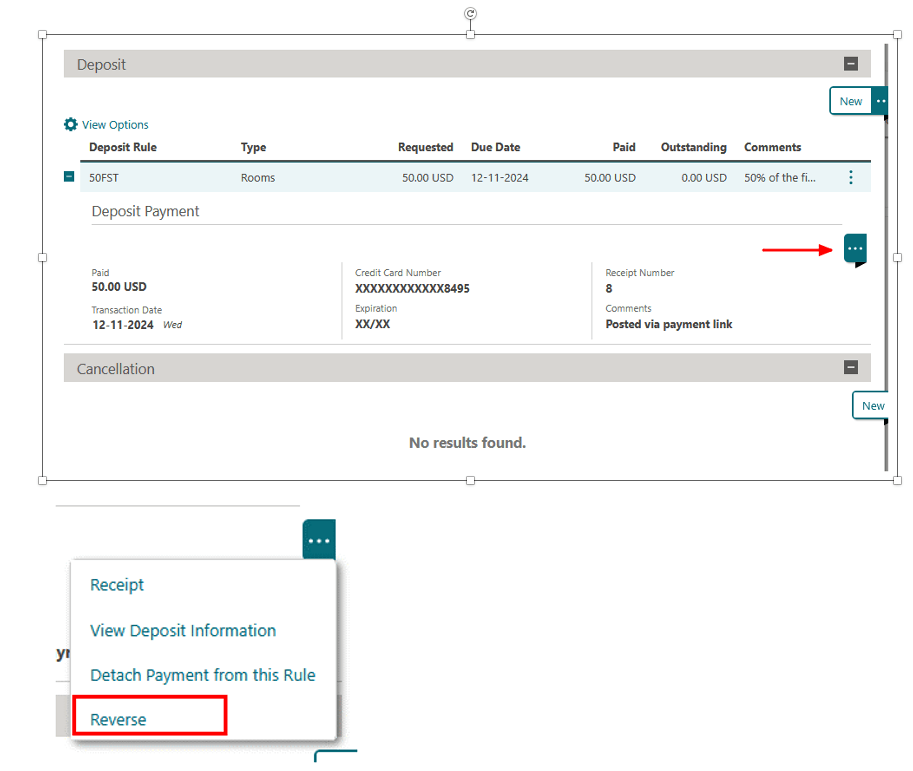
Use this when you need to reverse a deposit payment collected via Pay by Link.
- In OPERA Cloud, go to Bookings > Reservations > Manage Reservation
- Search for and open the reservation
- From Reservation Overview, select Deposit/Cancellation**
- Select the relevant deposit, open the ellipsis (…) menu, choose Reverse, then click Post Payment
Parent topic: Pay by Link