Orders
The Orders section displays the recommended purchase orders (supplier-to-warehouse and supplier-to store), transfers (warehouse-to-warehouse and warehouse-to-store), and allocations.
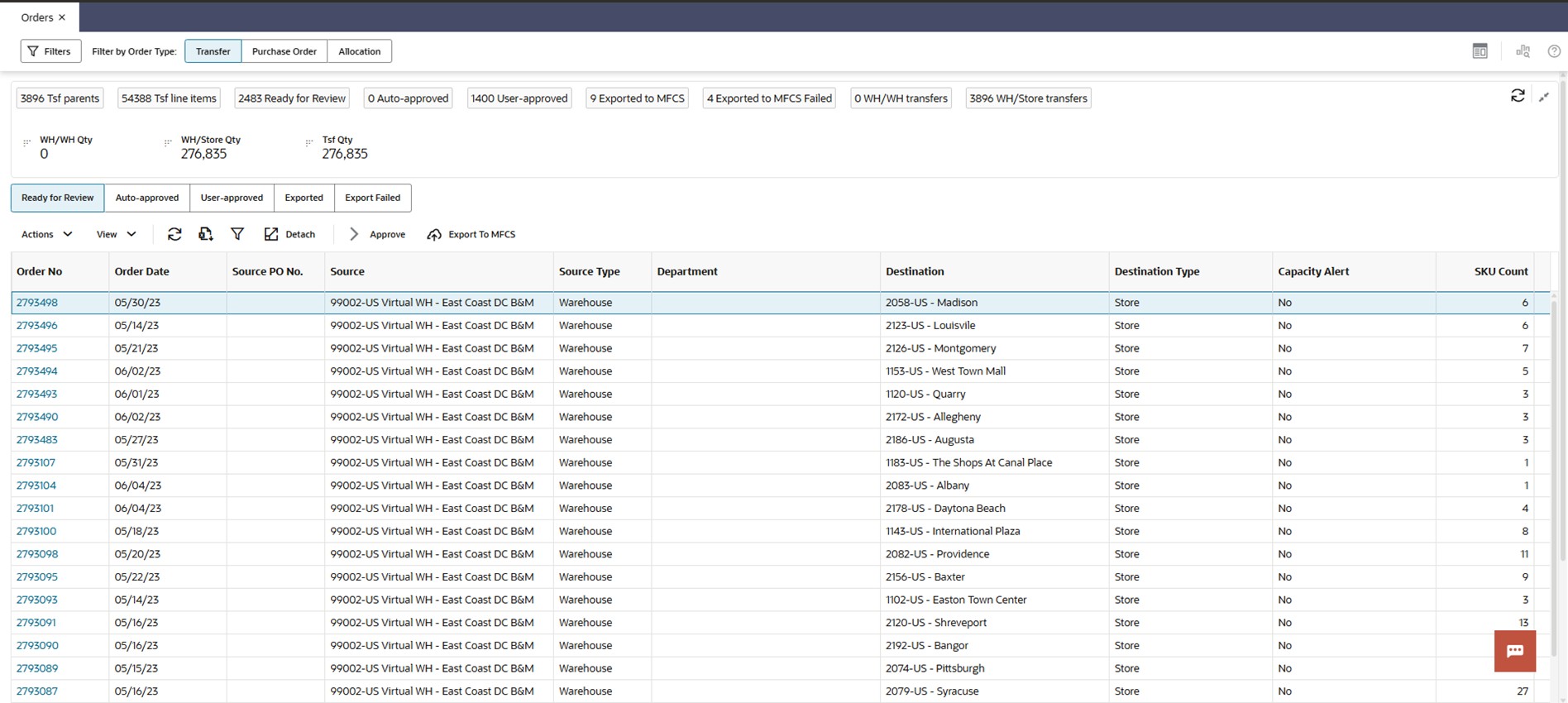
This screen allows users to review all three types of recommendations. The user can override the order quantity of line items and approve the PO, transfer, or allocation.
Allocations are a specific type of order recommendation. While a transfer is expected to be executed as soon as it is exported, an allocation acts to ‘reserve’ inventory at the source as it becomes available. The physical inventory movement does not begin until a specified release date, and the warehouse will often wait for inventory to arrive from a specific PO. Users can use this screen to review allocations created to cross-dock POs through a warehouse.
The number tiles above the table shows the total number of recommendations with different statuses across all merchandise and locations. The contextual area displays similar data and graphs to the contextual area of rebalancing transfers. (The contextual area is described in detail in “Rebalancing Transfers”.) When the item highlighted is a pack, use the contextual area to view the component item, pack quantity, and other details of the component item need.
When the item highlighted in the table is a Pack SKU (either a Simple Pack or a Single Color / Multi-Size Pack), the contextual area on the right will display a new Pack SKU Composition panel. This provides a detailed breakdown of how the pack order fulfills the needs of its underlying component SKUs.
The panel shows:
- All Packs View: An aggregated view of the total order quantity and fulfilled need percentage across all packs for the selected item.
- Individual Pack View: A separate table for each specific pack type, detailing the component SKUs within that pack, the quantity of each component per pack (Pack Size), the total quantity being ordered, and the fulfilled need percentage for each component.
This view gives planners full visibility to understand and validate the system's pack-based order recommendations.
Note:
In all screens that show a contextual area for the selected row of a table, you can use the icon at the top right corner of the contextual area to switch between the graph view and the single recommendation view.Validation Exception
When the user can override the quantities and approves Po/transfers, it is possible that the overridden quantities result in an over-stock (sending more than required to a destination), under-stock (sending less than required to a destination), or under-supplied (pulling more than available from a warehouse). These exceptions are shown in the Validation Exception tab. The user can disregard the exceptions so that they no longer appear in the table or can revert the quantity to the system quantity for all recommendations that are tied to an exception.