Savings Hub Call to Action
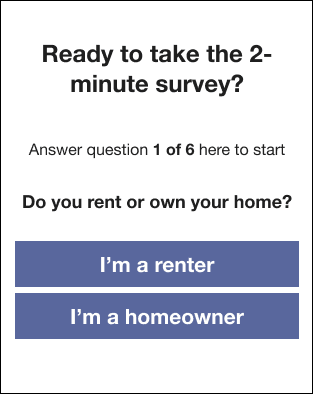
The Savings Hub Call to Action module for Billing Triggered Alerts is meant to inspire customers to take action towards finding financial assistance through the Savings Hub survey.
Design
The following is an example of the Savings Hub Call to Action module in Billing Triggered Alerts:
Configuration Options
For each element listed in the table, indicate the desired configuration in the Input Value column. If you do not provide an input for optional configurations, the default will be used.
| Configuration Option | Input Value |
|---|---|
|
Savings Hub Name When the customer has already started their survey, the Savings Hub name appears in the header of the module. Default: Savings Hub |
Required Choose from the following:
|
Savings Hub Call to Action Variations
The Savings Hub Call to Action module varies depending on season.
Winter Version
- Header: [Customer's first name], keep your bills affordable and stay cozy this winter
- Background Image: Winter street scene
Summer Version
- Header: [Customer's first name], keep your bills affordable and stay cool this summer
- Background Image: Summer street scene