Web Browser Configuration
Oracle Utilities Application Framework applications are browser-based (browsers, versions and platforms are documented in the Installation Guide for your platform). Additionally, the following settings are applicable to the browser:
- Mozilla Firefox/Google Chrome/Microsoft Edge – Use the default settings with the browser for the browser.
Note:
Clearing the cache upon exit will clear the cached screens of the product as well - The product requires support for the HTTP 1.1 protocol to support compression and client cache management.
Figure 6-1 Internet Options - HTTP Settings
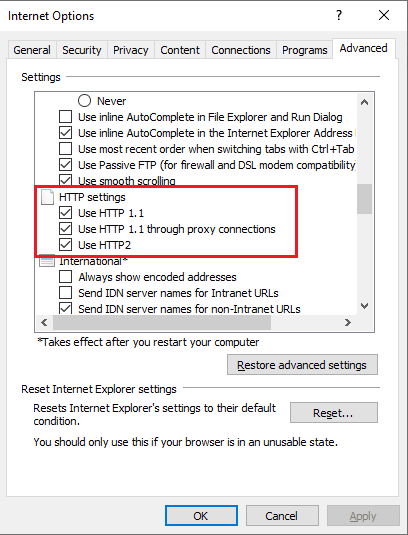
Note:
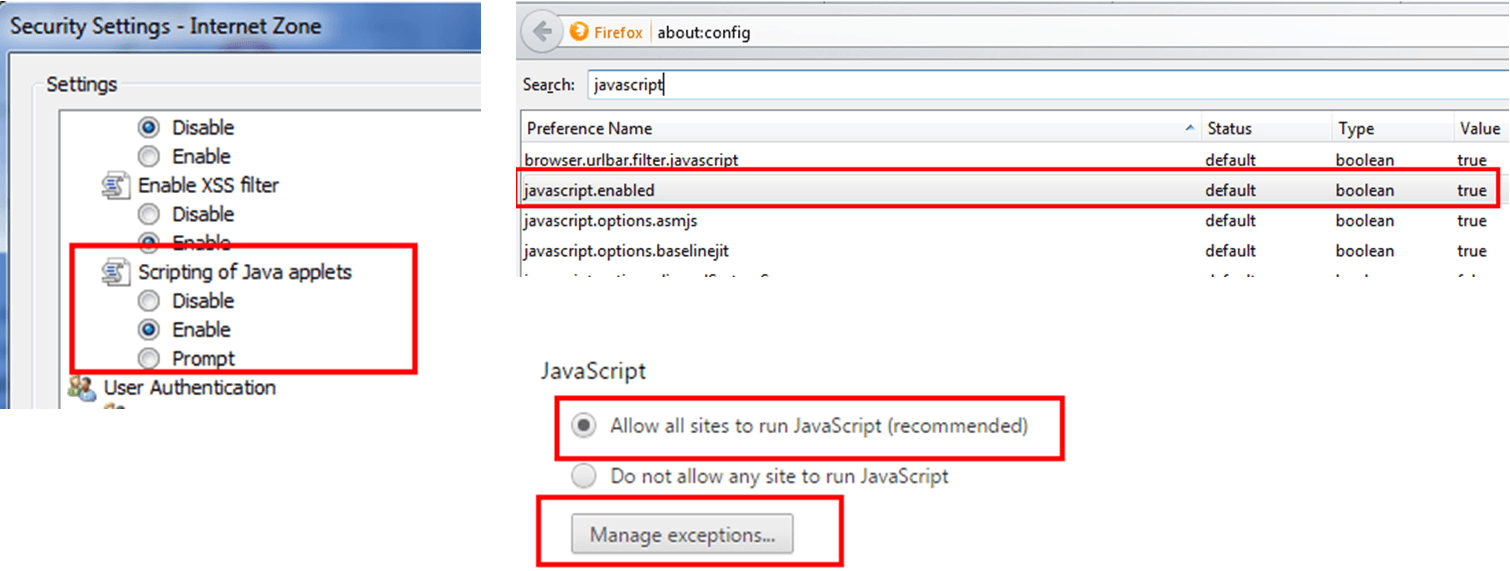
If a network proxy is used then Use HTTP 1.1 through proxy connections may need to be selected as well. - The product uses Java scripting for user interactivity. Therefore, Allow sites to run Javascript (Chrome/Edge) in Content Settings and javascript.enabled (Firefox) in about:config must be set to
true.Note:
By default, Firefox, Edge and Chrome enable Javascript automatically. - The product uses pop-up windows for searches, so pop-up blockers should be configured to allow pop-ups from the product web application server hosts. Add the Application URL by adding an exception using the relevant function in the browser. Set your browser cache size to a reasonable size to hold the cached pages as needed.
Note:
Some browsers allow users to add an exception at runtime. Refer to the browser documentation for more information.Figure 6-2 Javascript Enablement Options in Support Browsers