Downloading Documents from a Flow
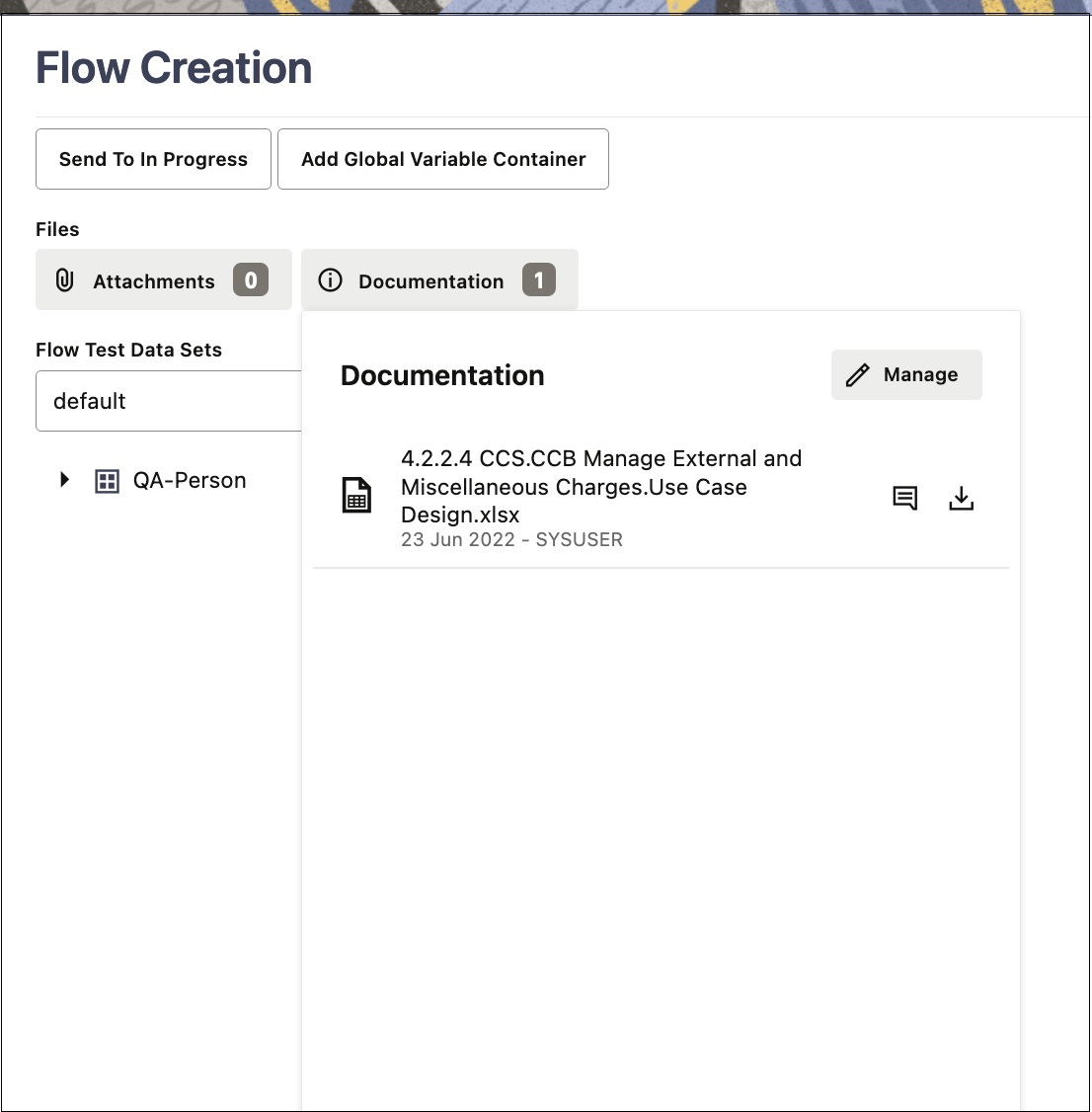
To download a document from a flow:
- Select and right-click the flow name in the Oracle Utilities Testing Accelerator flows tree structure.
- Click Create/Update Flow Structure.
- In the Flow Creation zone, click Documentation.
- Click the Description icon next to the documentation file name to view the description of the file.
- Click the Download icon next to the file to be downloaded.
Figure 8-22 Downloading flow documentation