Email Footer Module
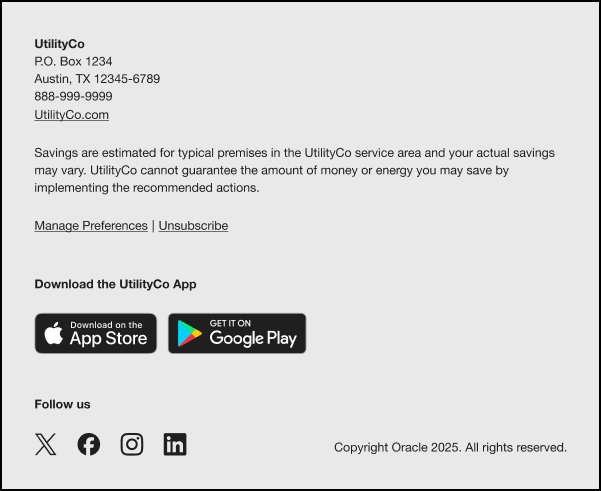
This module includes information that provides more context about the email, includes legal text, and enables users to unsubscribe from emails. The footer can also include links to the utility's mobile application and social media accounts.
Configuration Options
For each element listed in the table, indicate the desired configuration in the Input Value column. If you do not provide an input for optional configurations, the default will be used.
| Configuration Option | Input Value |
|---|---|
|
Manage Preference Provide a link to the Web Portal page where a customer can edit their communication preferences. Default: If your program includes a standalone version of the Oracle Utilities Opower web portal, then by default the link points to the appropriate account management web page that comes with the product. If your program includes embedded web widgets, then by default the link points to the Digital Self Service Account Center widget. |
Required Choose one of the following:
|
|
Utility Name and Address The utility's name and mailing address must appear due to CAN-SPAM regulations in the US and similar regulations abroad. |
Required Specify the name and address to use in the email footer: |
|
Legal Text This is the copyright and any other legal text required by the utility and/or Oracle Utilities. |
Required Use the following legal text: |
|
Disclaimer Text This is any additional text required by the utility and/or Oracle Utilities. Disclaimer text appears below the copyright text. Adding a disclaimer is optional. |
Optional Use the following disclaimer text in the email footer: |
|
Holiday Statement A statement that tells the customer that peak pricing does not apply to specified holidays. The list of holidays included can vary by utility customer. Default: Peak pricing does not apply on holidays, including New Year's Day, Presidents' Day, Good Friday, Memorial Day, Independence Day, Thanksgiving, Christmas, and the following Monday if any of these holidays fall on a Sunday. |
Required Choose one of the following:
|
User Experience Variations
This section discusses how the module can vary.
Weekly Engagement Report Variations
When used in the Weekly Engagement Report emails, the heading varies as follows:
- Single Fuel Electric: "Your weekly electricity update"
- Single Fuel Natural Gas: "Your weekly gas update"
- Dual Fuel - Electric and Natural Gas: "Your weekly energy update"
- Post Bill Report: The module is not included. Instead, the Post-Bill Report Introduction Module is included.
Non-TOU Load Shifting Report Variation
When this module is included in the Non-TOU Load Shifting Report, it varies as follows:
- Heading: The heading asks the reader to consider what appliances they can use during a different time period. For example, "What you can shift".
- High-Energy Insight Statement: The statement notifies the customer that they can shift their usage to a different time period to use cleaner energy sources. For example, "Appliances like these use a lot of electricity. To use cleaner sources of energy, use them before 4pm and after 8pm, when demand on the grid is lower."