Configure Backup Scheduling and Retention options for Automatic Backups on Oracle Exadata Database Service on Cloud@Customer
Introduction
Users can now configure backup scheduling and backup retention options for automatic database backups on Oracle Exadata Database Service on Cloud@Customer.
These features include:
- Backup Scheduling
-
Customizable schedule for full backups – Previously, full backups were always initiated on Sundays by default, sometimes overlapping into the next business day and impacting production workloads. Users can now select their preferred day of the week to schedule full backups.
-
Independent scheduling for full and incremental backups – In the past, both full and incremental backups began at the same time within a standard 6-hour window. Now, users can configure separate start times for each backup, thereby optimizing system resource utilization. Users may retain the default 6-hour window or set a custom 2-hour window for greater scheduling precision.
-
Flexible schedule for initial backup – With previous releases, enabling automatic backups would immediately trigger an initial backup. Users can now choose whether the initial backup should start right away or be scheduled for a future date and time.
-
Comprehensive backup reporting – Reporting has been enhanced to provide detailed visibility into backup schedules and their status.
-
- Flexible backup retention options after database termination Configurable post-termination retention period – Previously, automatic backups were deleted as soon as the associated database was terminated. Now, users can specify how long backups are retained to align with compliance and recovery objectives. Options include automated deletion 72 hours after termination or retention according to the database’s existing backup retention policy.
Key Benefits
-
Operational Flexibility and Control:
-
Greater control over backup timing to align with business schedules and minimize disruption to production workloads.
-
Ability to separate full and incremental backups to optimize resource allocation during critical business hours.
-
Freedom to modify backup schedules as operational requirements change.
-
-
Enhanced Business Continuity and Compliance:
-
Configurable backup retention policies support diverse regulatory and compliance requirements.
-
72-hour grace period option provides a safety net against accidental database deletions.
-
Flexibility to maintain backups beyond database termination for audit, recovery, or data retention purposes.
-
Enhanced reporting provides better visibility for monitoring, auditing, and troubleshooting backup operations.
-
Objectives
- Configure backup scheduling and backup retention options for automatic backups on Oracle Exadata Database Service on Cloud@Customer.
Prerequisites
- Oracle Database 19c release and later.
Task 1: Configure backup scheduling and backup retention options for automatic backups.
-
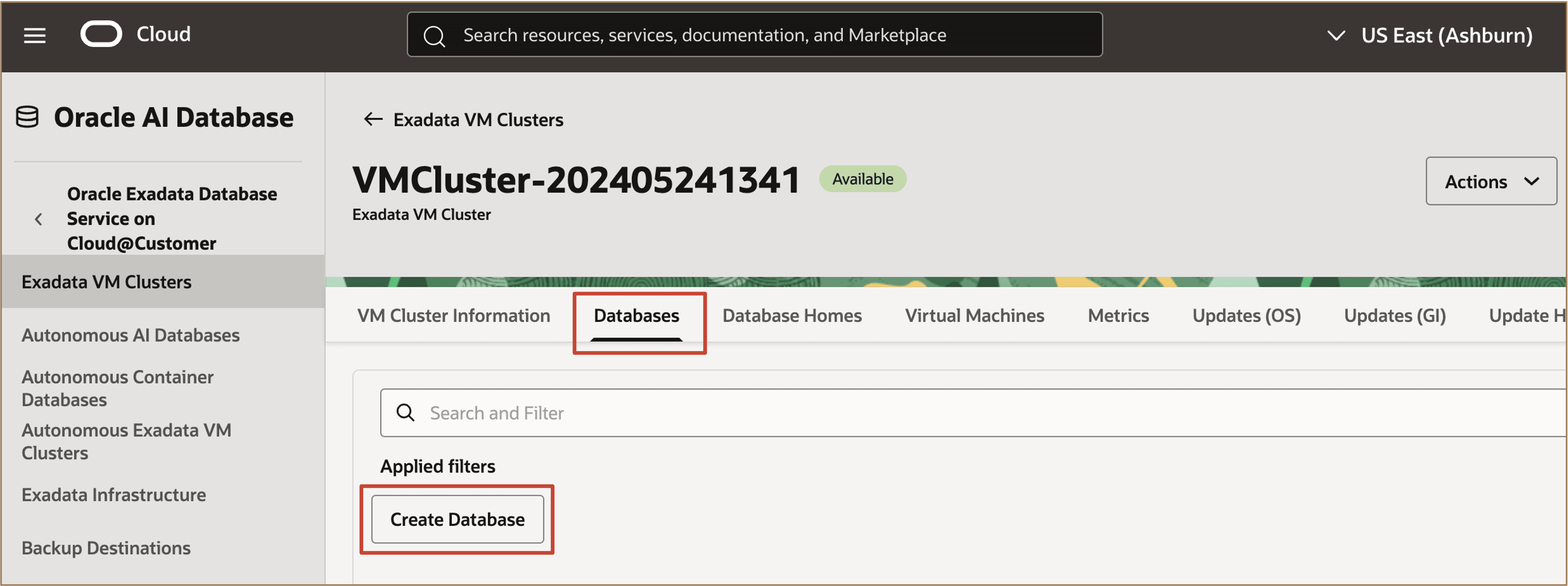
From the Exadata VM Clusters page, navigate to the Databases tab. In the Databases tab, click on Create Database to create a new database.
-
In the Create Database page, under the Backups workflow select Enable automatic backups.
- Choose the backup destination type between Recovery Appliance, Object Storage, and Network File System (NFS).
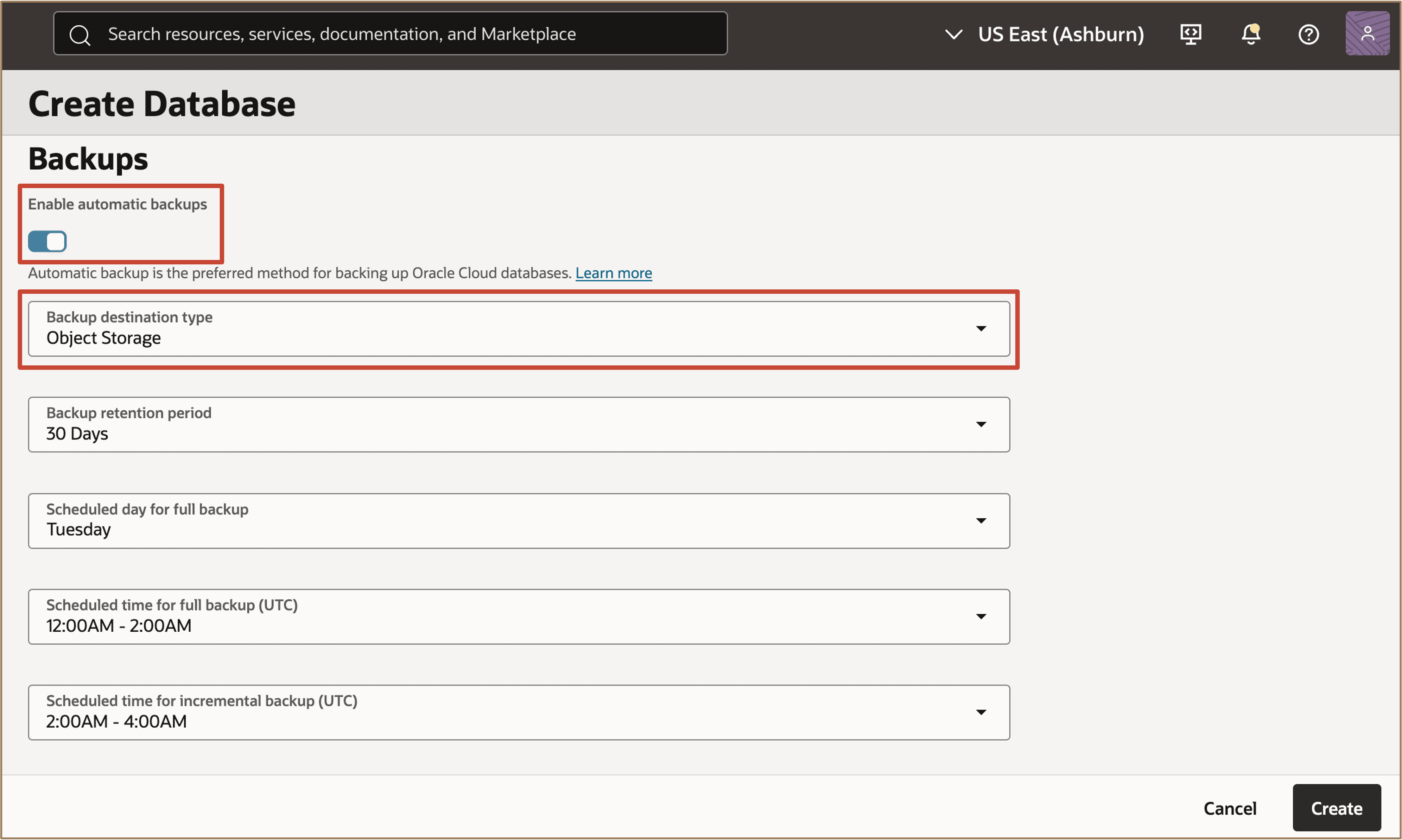
Description of the illustration config-backup.png
- Specify the backup schedule. Also schedule the first backup to be taken immediately or at a later time.
- Choose the backup retention option before terminating the associated database.
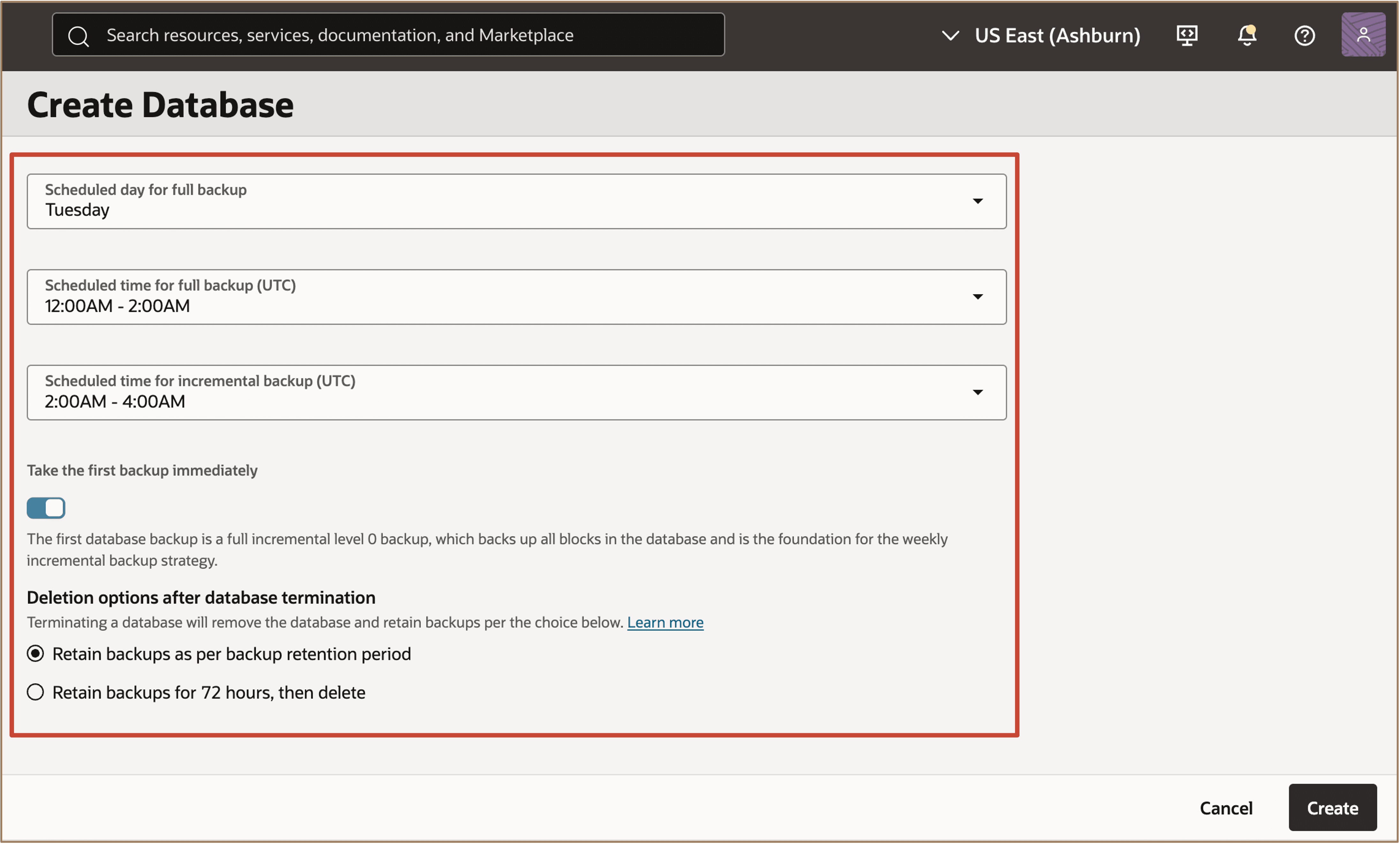
Description of the illustration config-backup-sched.png
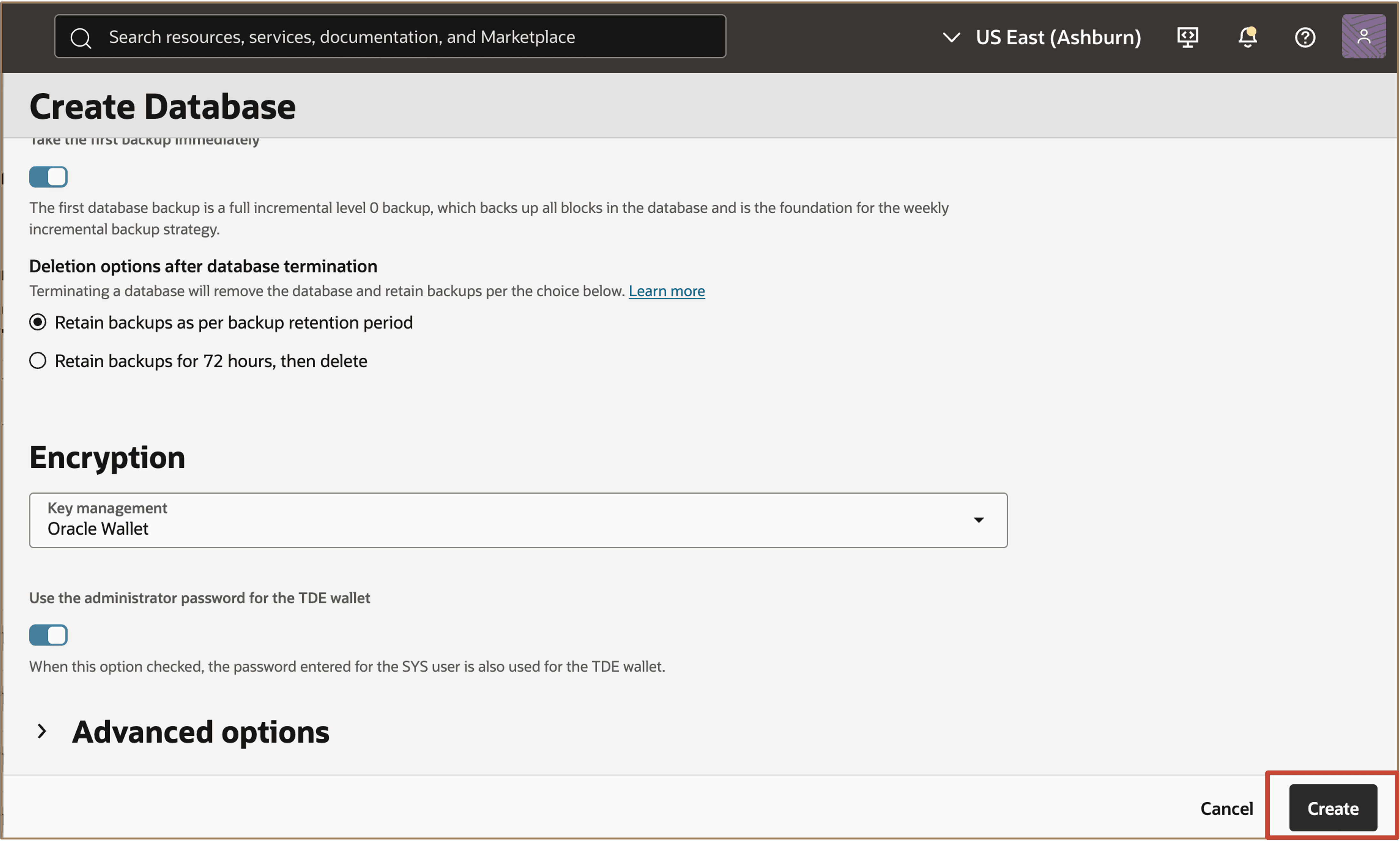
Continue with the standard database creation process, enter the required details, and click on Create.
-
After scheduling automatic backups, go to the database details page to view the backup schedule information.
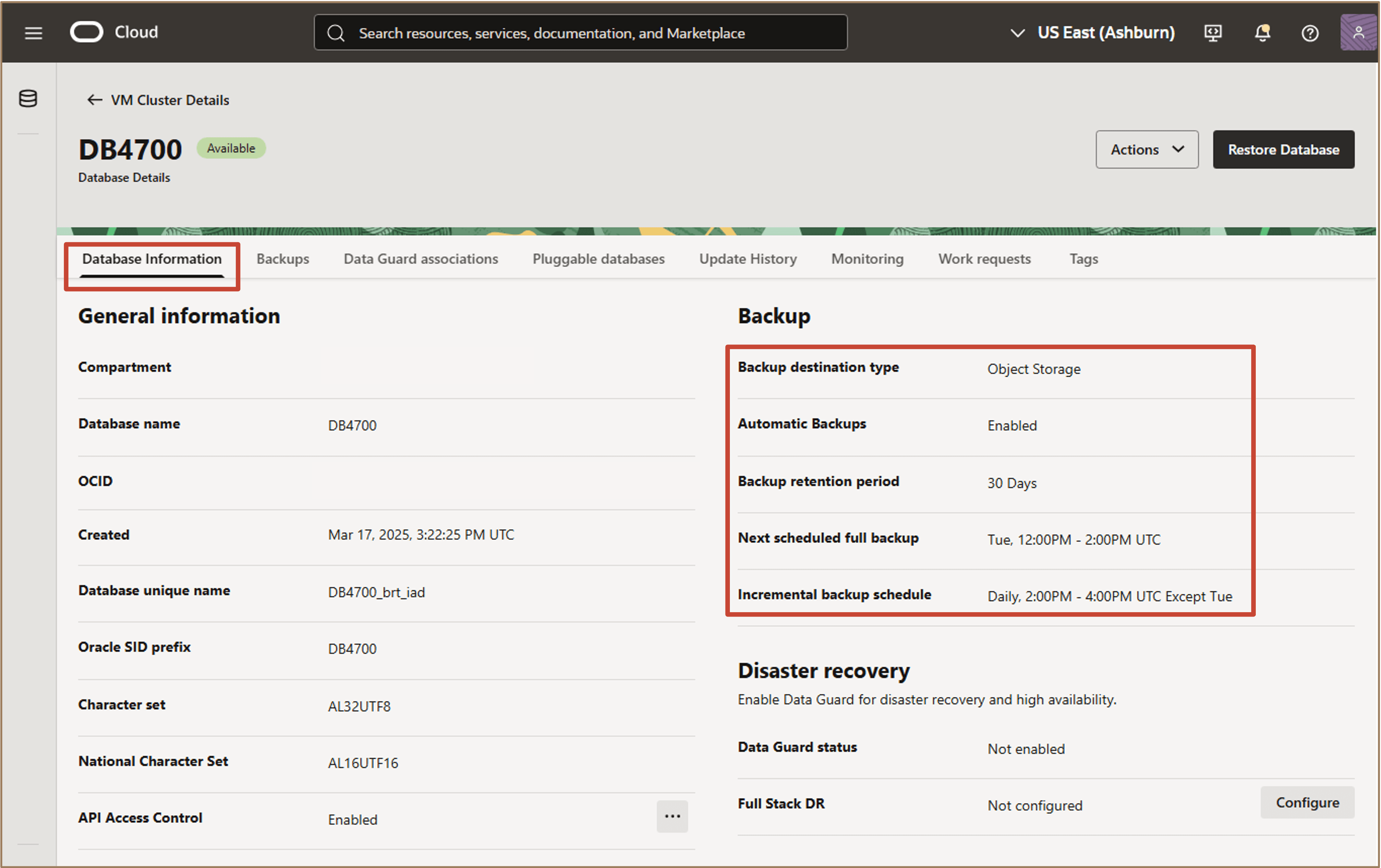
Description of the illustration view-backup-sched-details.png
Task 2: Modify the backup schedule.
-
From the Database Details page, open the Actions menu and select Configure automatic backups.
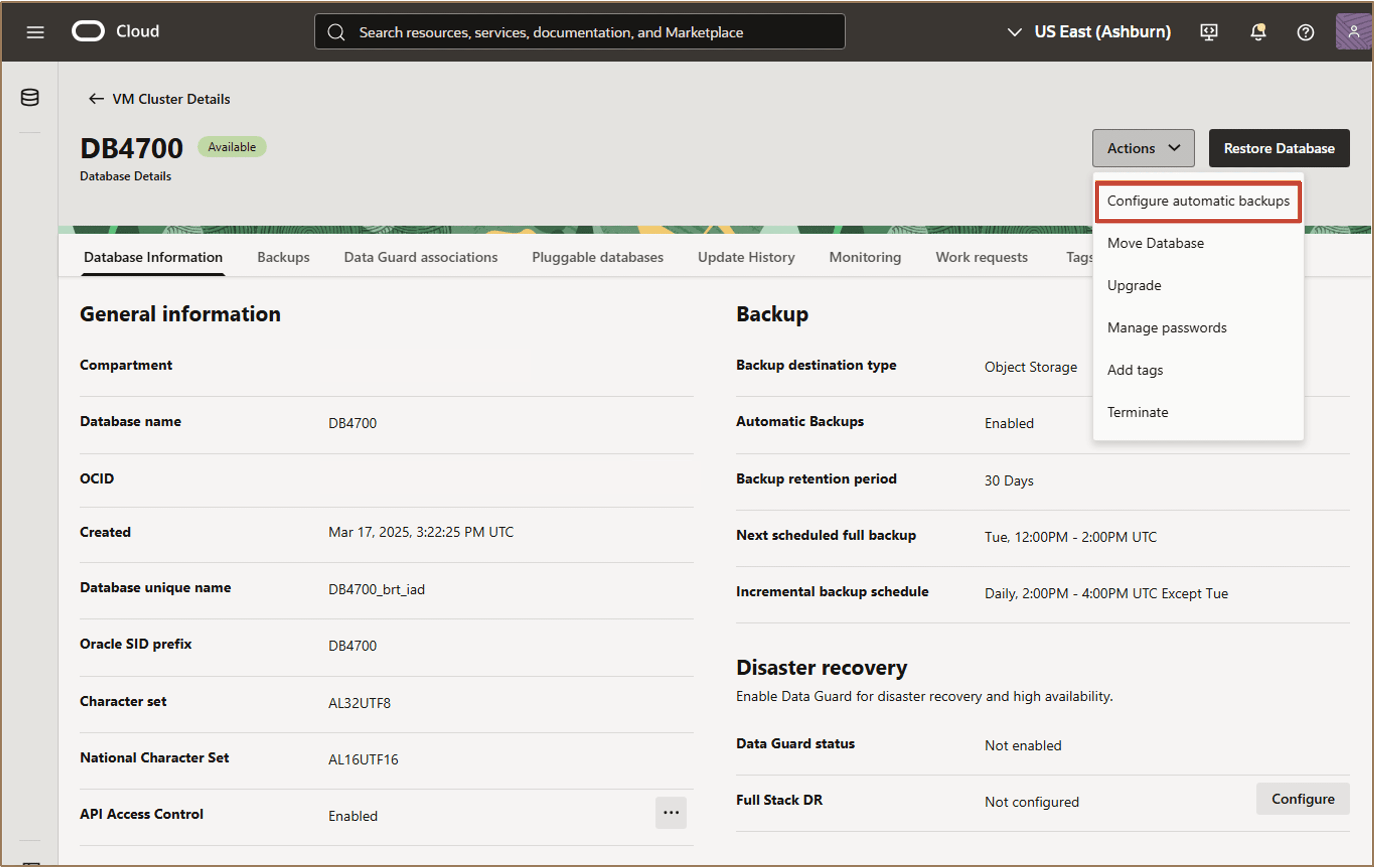
-
Modify the existing backup schedule and click on Save.
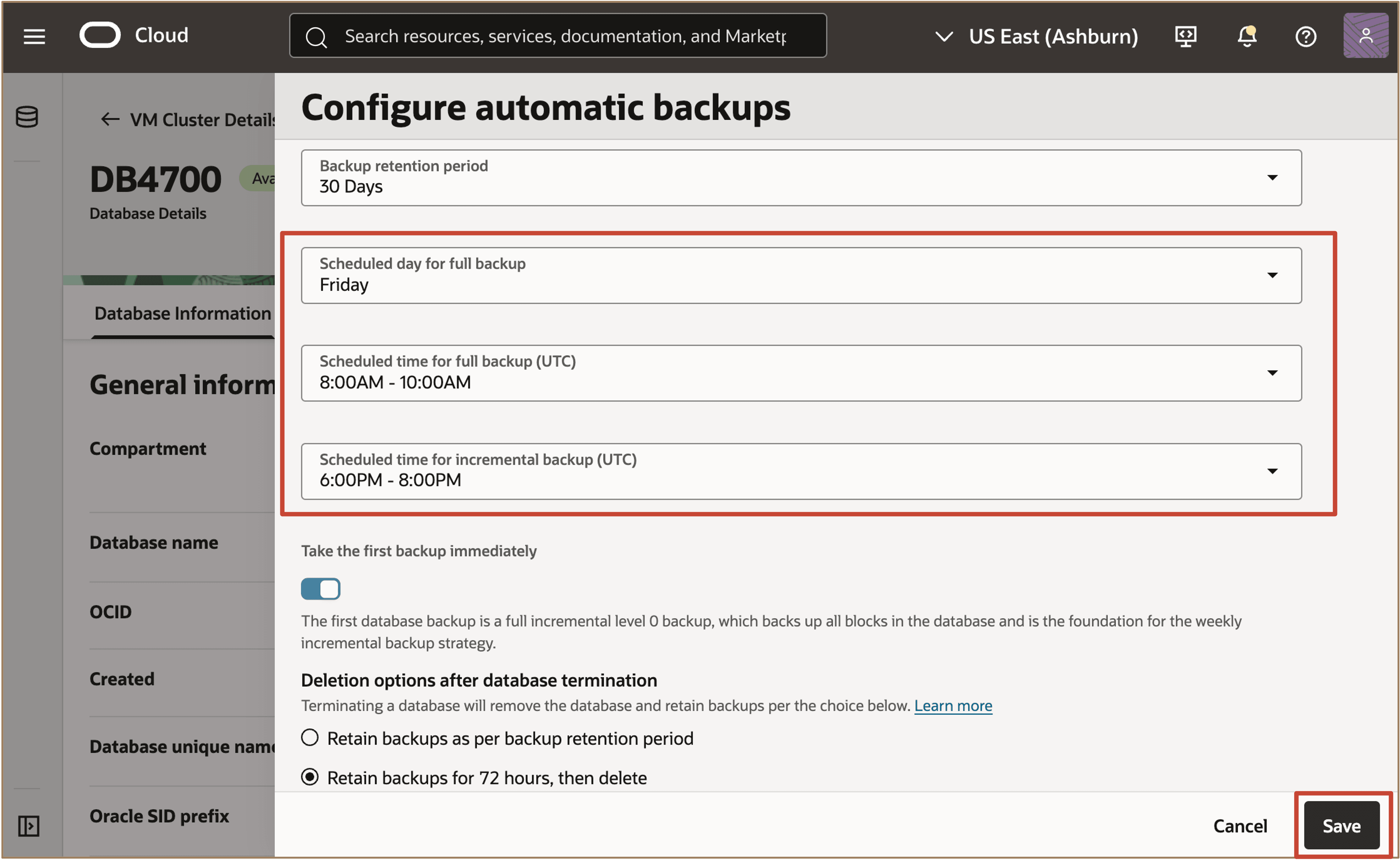
-
The new schedule will apply to all future backups.
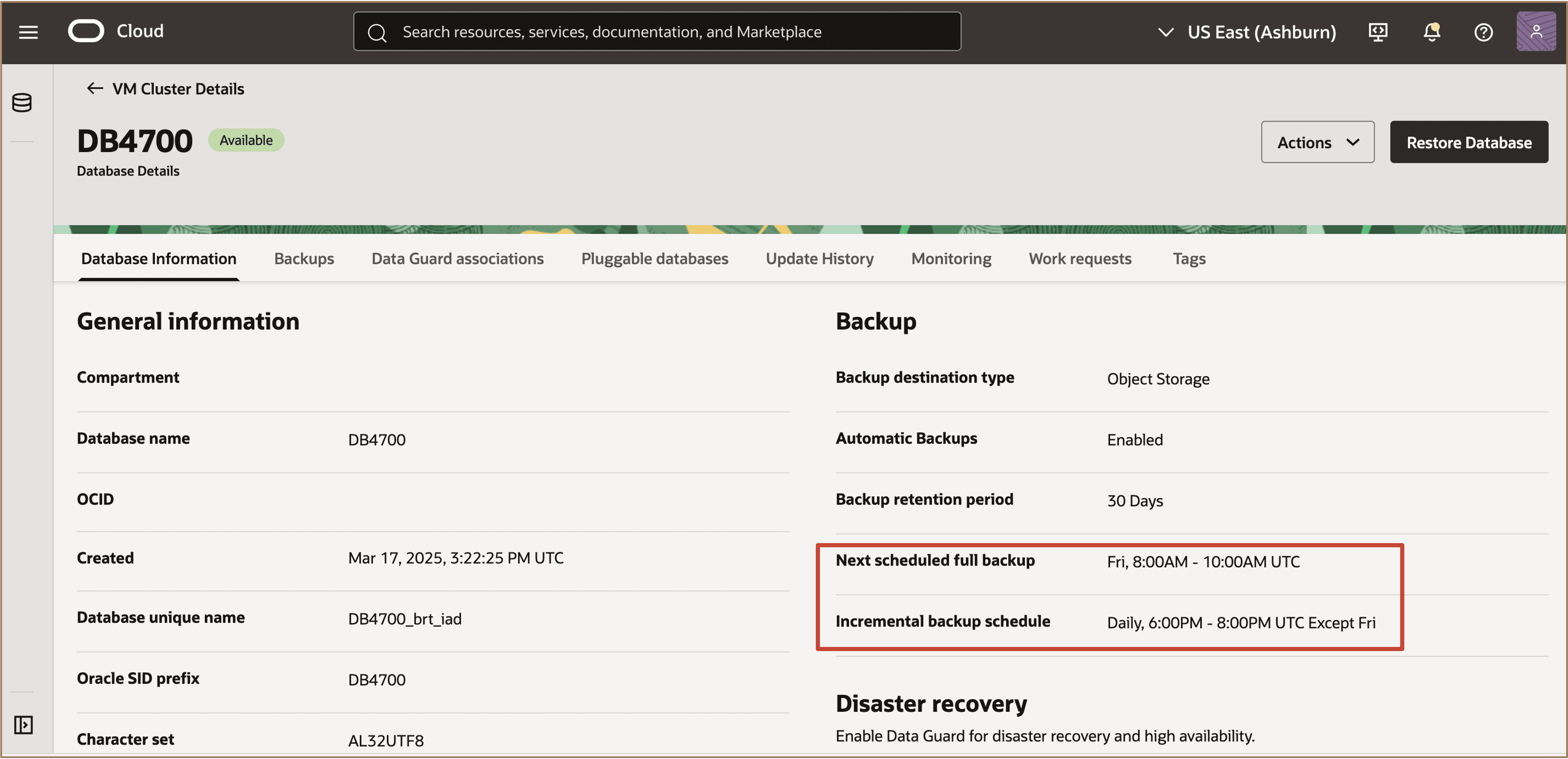
Related Links
Acknowledgments
- Authors - Leo Alvarado, Dileep Thiagarajan, Tammy Bednar (Product Management)
More Learning Resources
Explore other labs on docs.oracle.com/learn or access more free learning content on the Oracle Learning YouTube channel. Additionally, visit education.oracle.com/learning-explorer to become an Oracle Learning Explorer.
For product documentation, visit Oracle Help Center.
Configure Backup Scheduling and Retention options for Automatic Backups on Oracle Exadata Database Service on Cloud@Customer
G50196-01