Resize ASM disk groups on Oracle Exadata Database Service on Dedicated Infrastructure and Exadata Database Service on Cloud@Customer.
Introduction
Users can specify custom space allocations when creating or modifying a VM Cluster using ASM storage on Oracle Exadata Database Service on Dedicated Infrastructure and Oracle Exadata Database Service on Cloud@Customer. Users may accept the Oracle-supplied default space allocations or specify custom space allocations for the DATA, RECO, and optional SPARSE disk groups during VM Cluster provisioning or post-provisioning.
While this document describes the process to change the space allocations for ASM disk groups for an existing VM cluster, the same flow applies to allocating space when provisioning a VM cluster.
Key Benefits
-
Improved control for custom storage needs
VM clusters may now allocate custom space percentages to ASM disk groups -
Improved utilization of available space
New and existing VM clusters may reallocate space distribution across ASM disk groups to achieve greater utilization -
Increased flexibility for evolving space needs
ASM disk group space allocations may be changed after VM cluster creation, reducing risk of suboptimal initial allocation
Note that an ASM rebalance is required when adding capacity to or removing capacity from an ASM disk group, and when changing ASM disk group space allocations. The rebalance operation may impact performance of the disk group(s) while it runs. Plan accordingly to avoid impact to applications during key times.
Objectives
Modify an existing VM Cluster to change from the Oracle-supplied default ASM disk group space allocations to custom space allocations. Once the changes have been implemented, review the space allocations and observe that they may be changed back to Oracle defaults or to different custom values.
Prerequisites
- Oracle Database 19c release and later.
Task 1: Modify a VM Cluster using ASM storage to specify custom space allocations
-
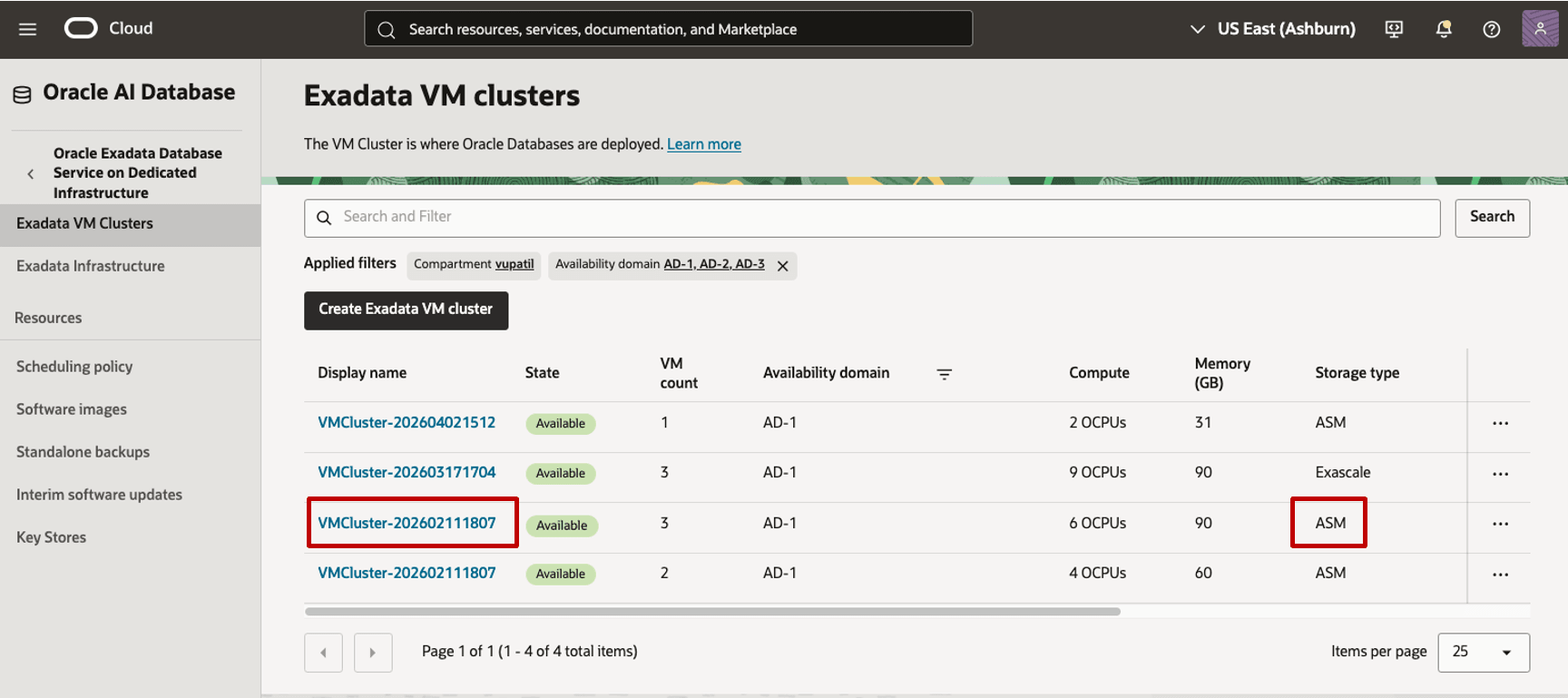
Navigate from the Home menu to Oracle AI Database, and select Oracle Exadata Database Service on Dedicated Infrastructure. From the Exadata VM Clusters page, select an existing VM cluster with Storage type ASM.
-
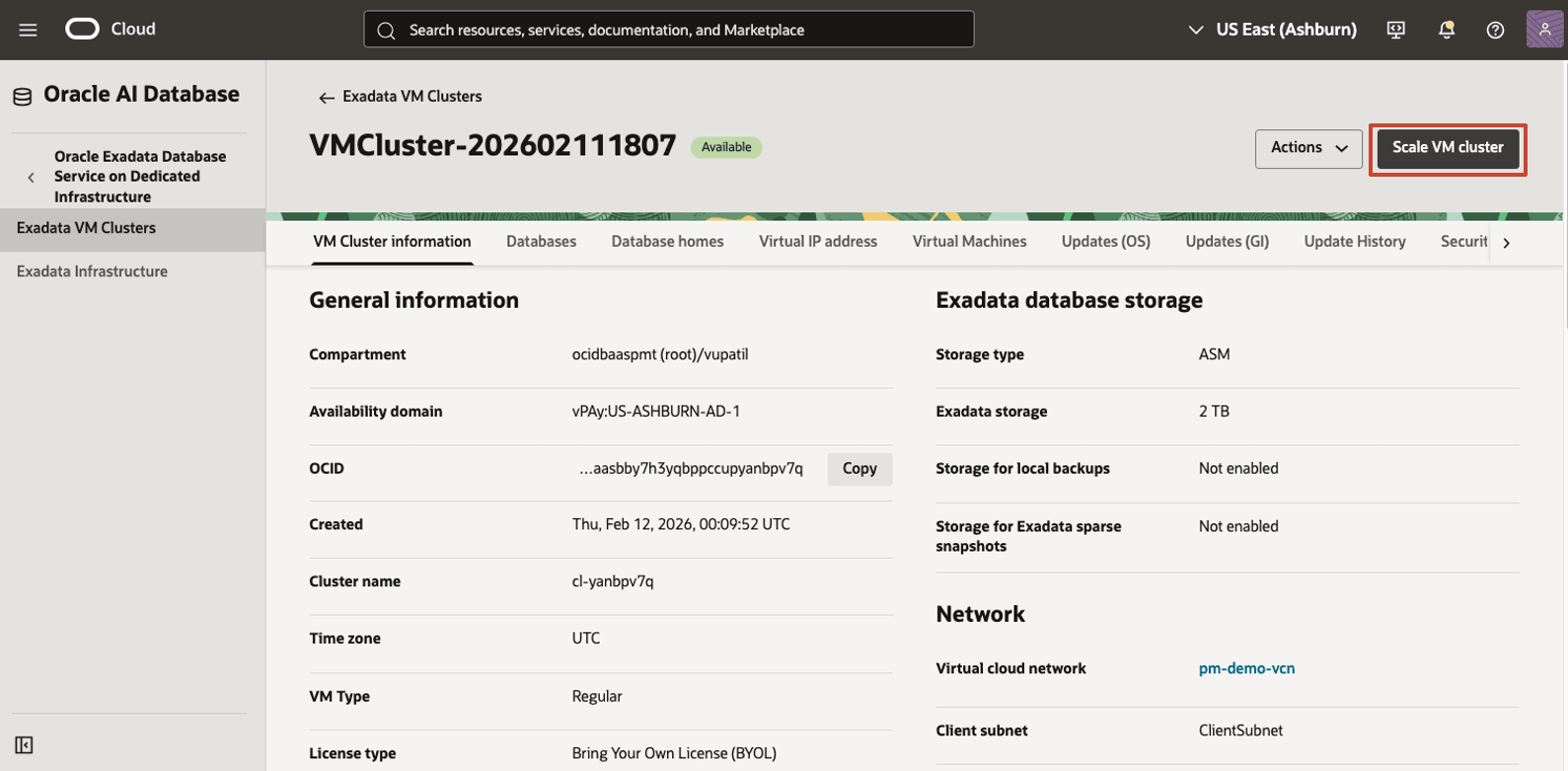
From the VM cluster details page for the selected VM cluster, choose Scale VM cluster.
-
On the Scale VM cluster page, scroll down to Exadata storage, where ASM database storage is specified in TB. Under Storage allocation, select Allocate custom storage sizes. Enter custom percentages for the required disk groups. Notice that the requested data storage (specified in GB) for each disk group on the right is updated as the percentage values are adjusted. The console will enforce that the total allocation equals 100%, along with a minimum value of 10% for each disk group. (The 10% minimum requirement for the SPARSE disk group only exists if the SPARSE disk group allocation is greater than 0%.) Once the desired allocations are specified, choose Scale.
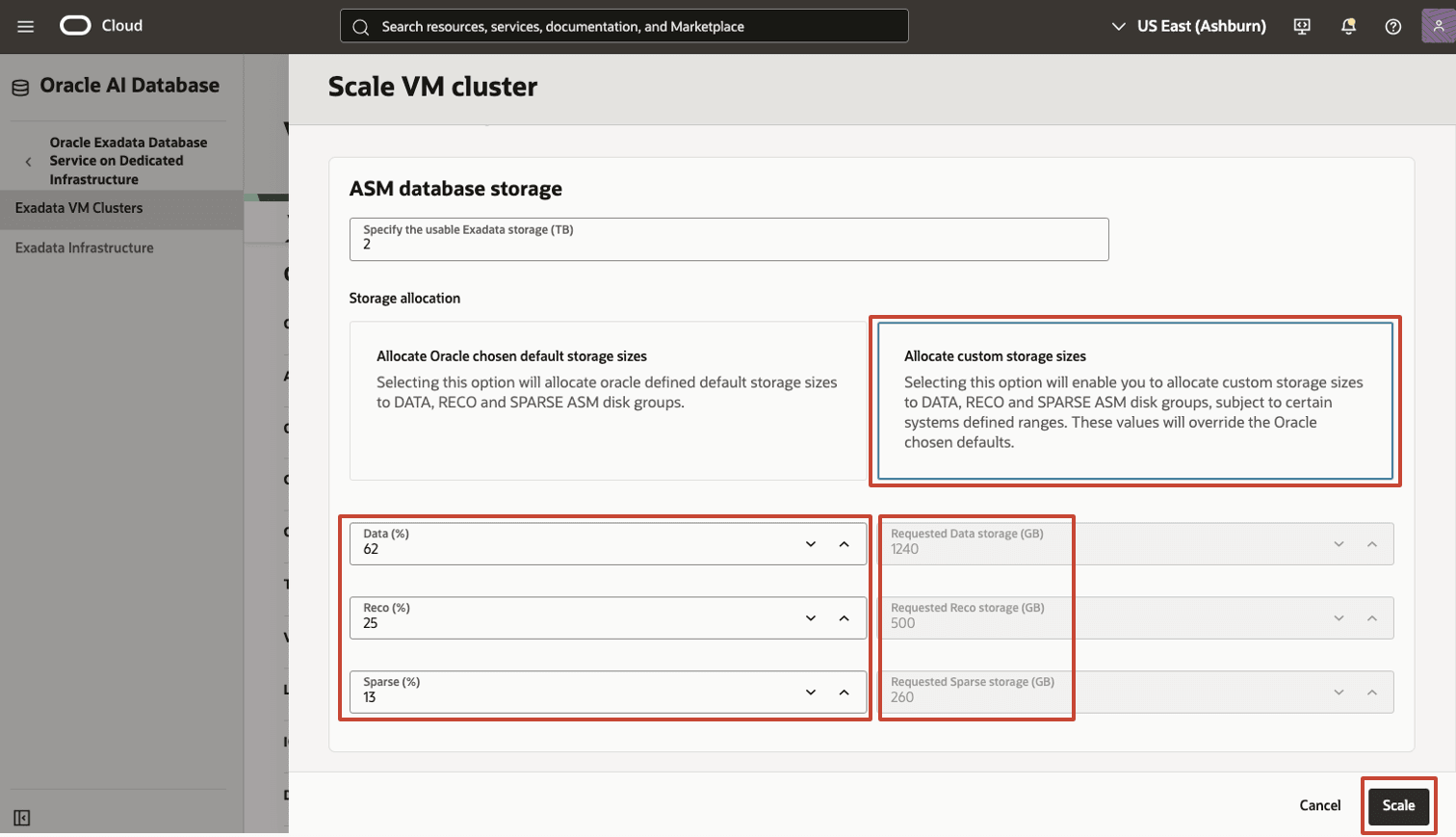
Description of the illustration custom-disk-group-allocations.png
-
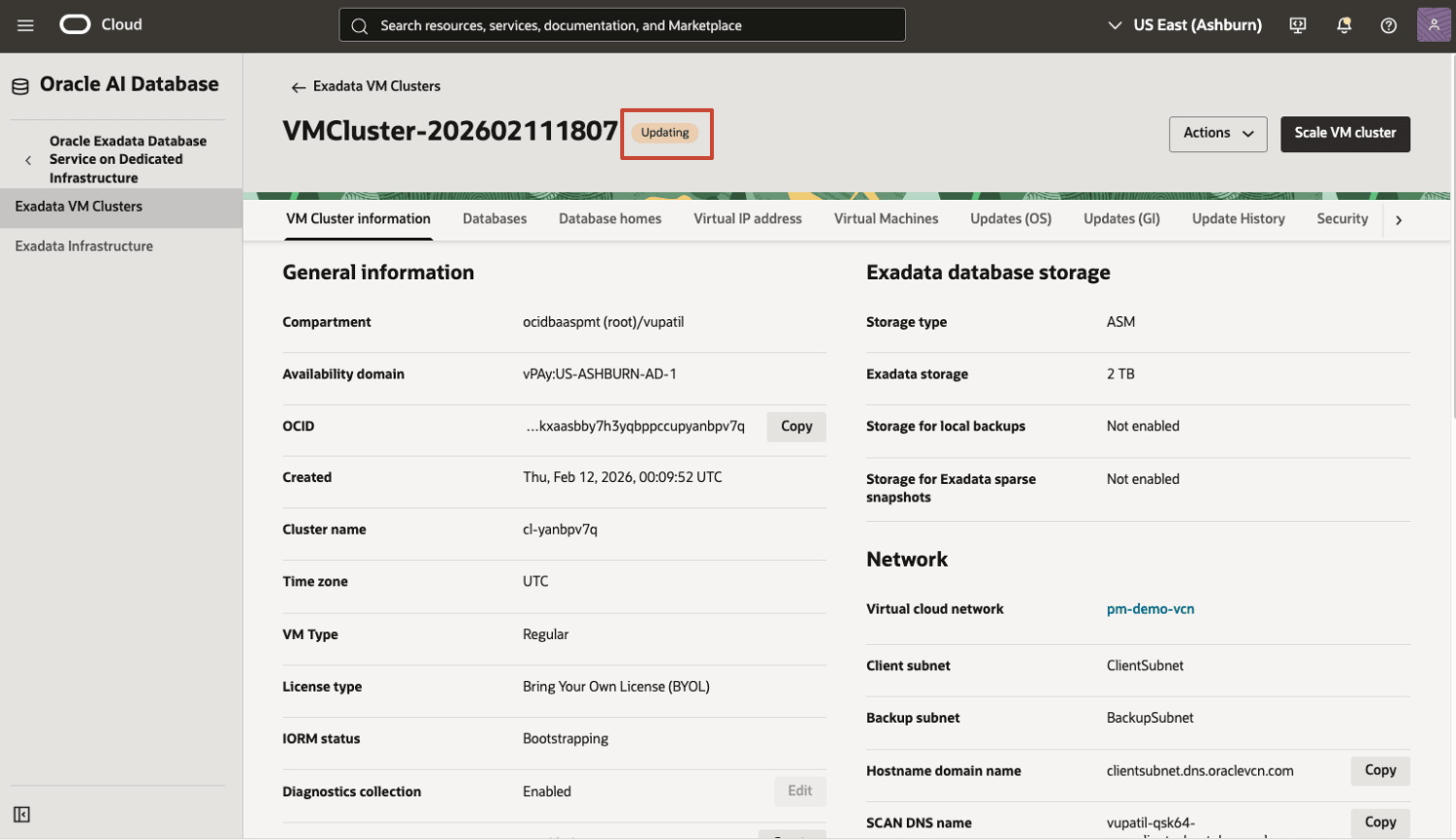
The VM cluster goes into Updating status.
-
Once the ASM configuration changes are made and the ASM rebalance operation is complete, the VM cluster returns to Available status. Note that, for large ASM disk groups, the ASM rebalance operation may take extended time to complete. Click Scale VM cluster again.
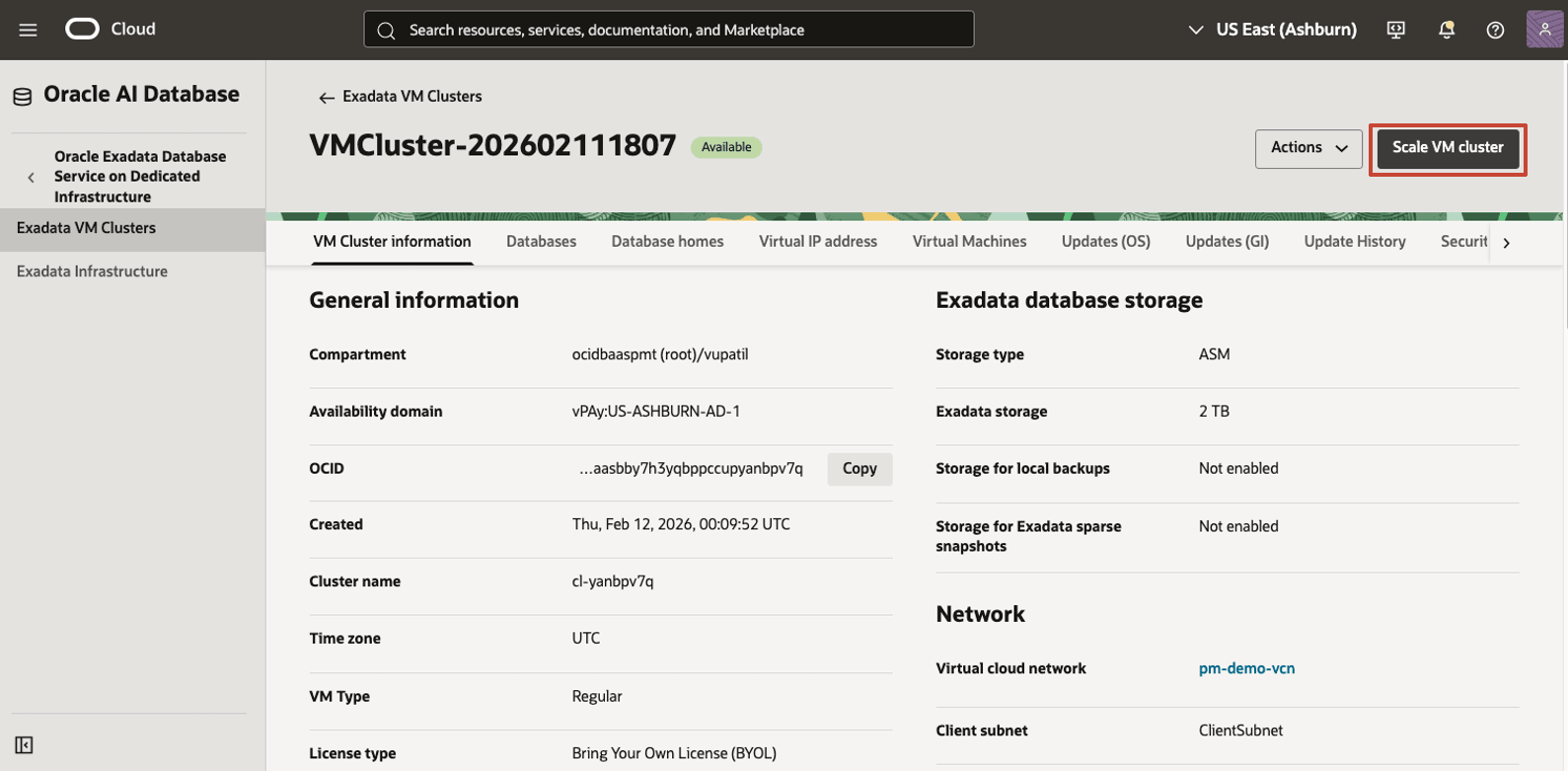
Description of the illustration cluster-available-status.png
Task 2: Review new ASM disk group space allocations and option to revert or specify different custom allocations
-
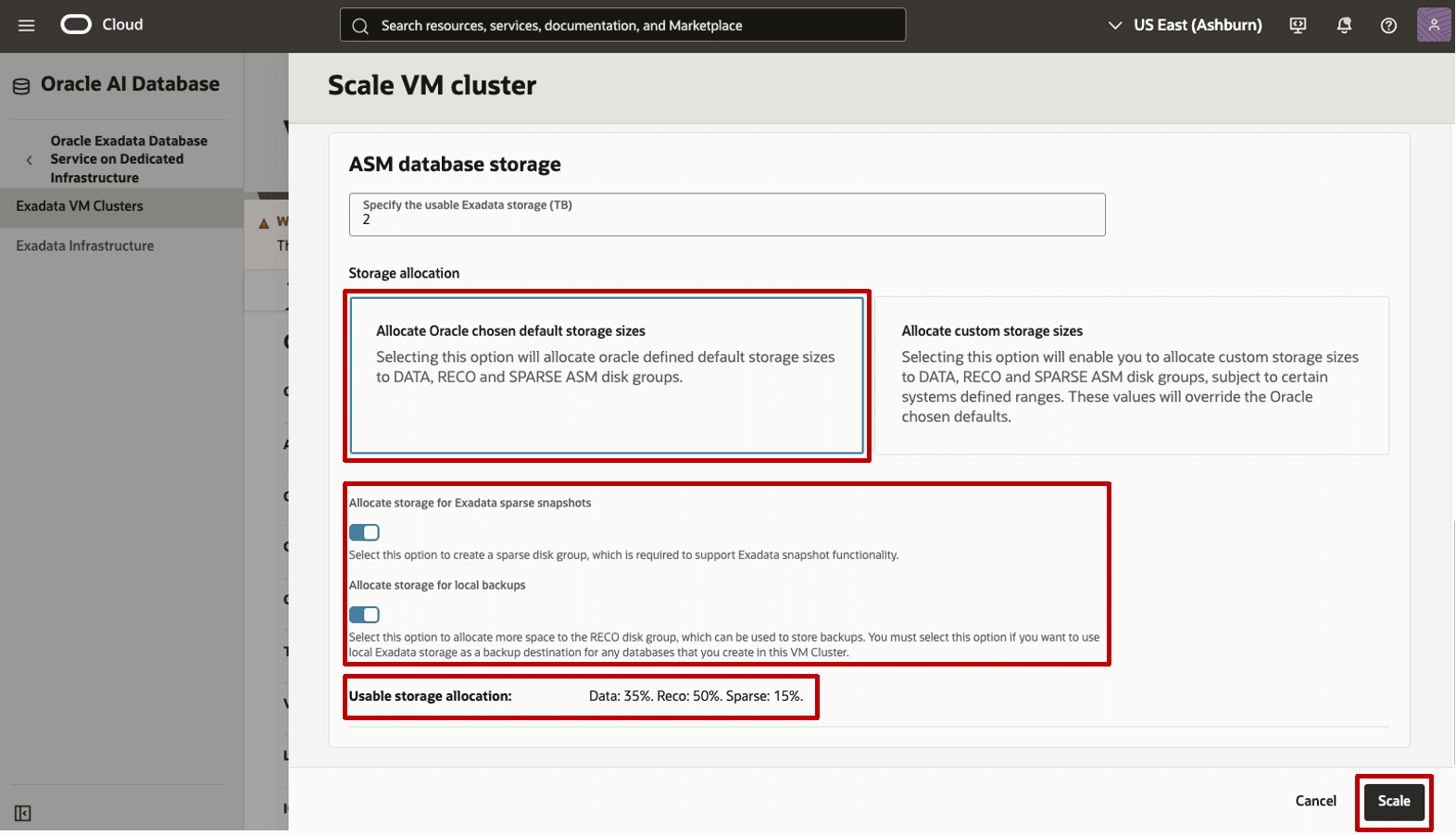
On the Scale VM cluster page, scroll down to ASM database storage. See that the pre-populated allocations match those specified in the previous Scale VM cluster operation. Notice that new custom space percentages may again be allocated, or the Oracle default allocations may be selected, along with reserving space for the SPARSE disk group, as well as additional space for local backups. When leveraging Oracle-default space allocations, the Console displays the resulting percentages to be allocated to each disk group based on selections made. Making any changes and choosing Scale will trigger a configuration change and an ASM rebalance to implement the new allocations.
Related Links
Acknowledgments
- Authors - Nathan Fuzi, Anirvan Das, Tammy Bednar (Product Management)
More Learning Resources
Explore other labs on docs.oracle.com/learn or access more free learning content on the Oracle Learning YouTube channel. Additionally, visit education.oracle.com/learning-explorer to become an Oracle Learning Explorer.
For product documentation, visit Oracle Help Center.
Resize ASM disk groups on Oracle Exadata Database Service on Dedicated Infrastructure and Exadata Database Service on Cloud@Customer
G55583-01