Migrate Oracle Database 11g from Windows to Oracle Database 19c on Linux
Introduction
This tutorial shows how to migrate an Oracle Database 11g database from Windows to Oracle Database 19c on Linux by using Oracle Recovery Manager (RMAN) backup and restore, a physical standby process, database upgrade, and non-CDB to PDB plug-in.
The process reduces application downtime by restoring the database on the target system before cutover, manually shipping archive logs, applying the remaining archive logs during the cutover window, upgrading the database, and plugging it into a container database (CDB).
Environment Details
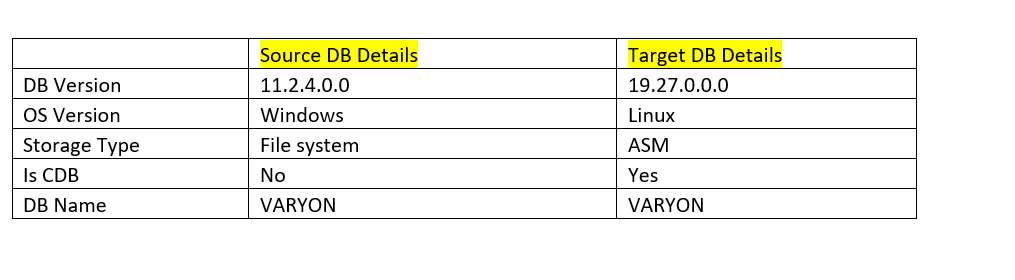
Objectives
- Migrate Oracle Database 11g from Windows to Oracle Database 19c on Linux by using a physical standby, upgrade, and plug-in process with minimal application downtime.
Prerequisites
- The source database must be in
ARCHIVELOGmode. - Force logging must be enabled on the source database.
- Provision OCI environment like a compartment, virtual cloud network (VCN), subnet, and so on.
- Provision a target multi-tenant database running on 19c.
Task 1: Backup the source database (Windows) with ‘NFS’ storage.
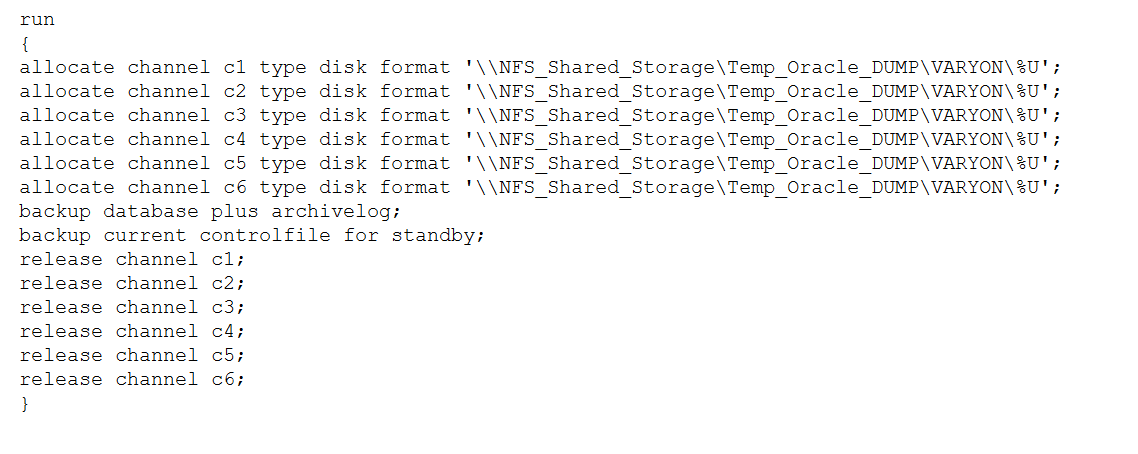
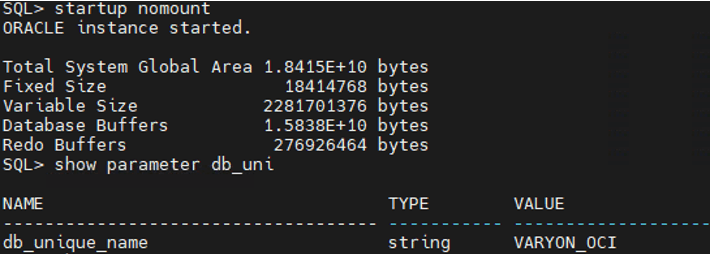
Task 2: Start database NOMOUNT in stage DB and start restoring the database in OCI.
- Start database in nomount mode.
- To run Database Restore script in background mode.
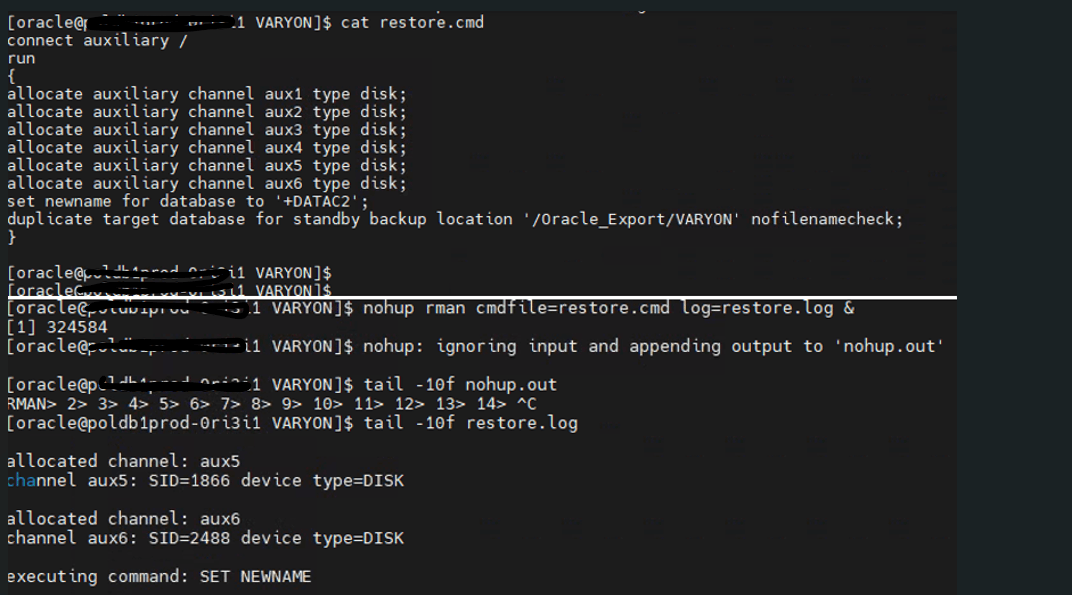
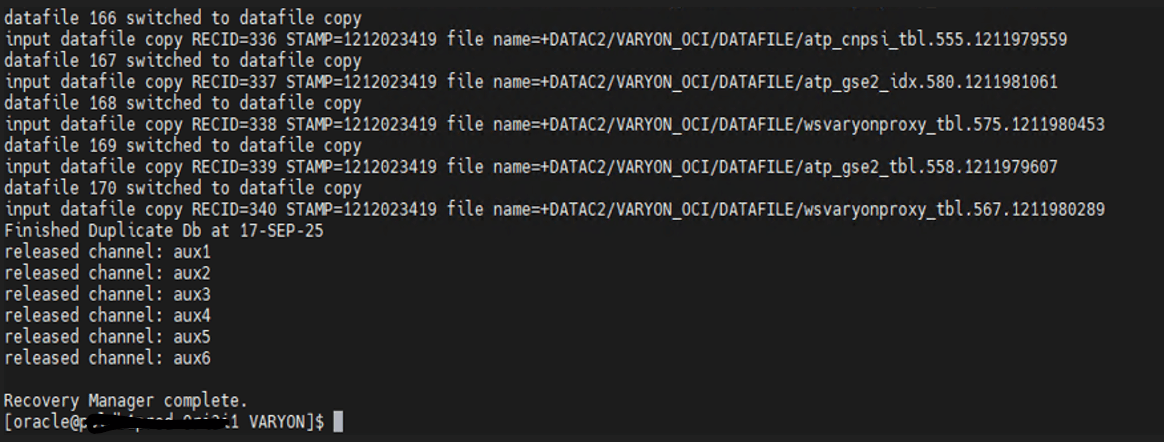
Task 3: Once the restore is complete, copy all archive logs from the source database to the NFS location until the cutover.
MRPshould be enabled on the target standby database.- Catalog archive directory path and applying logs on the target database.
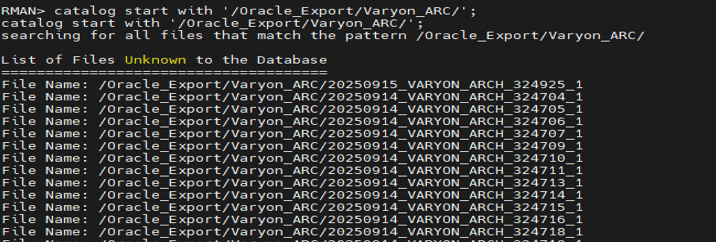
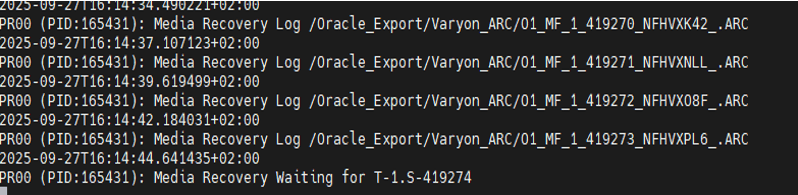
MRPwill pick these archive logs and start recovery after cataloging archive logs.
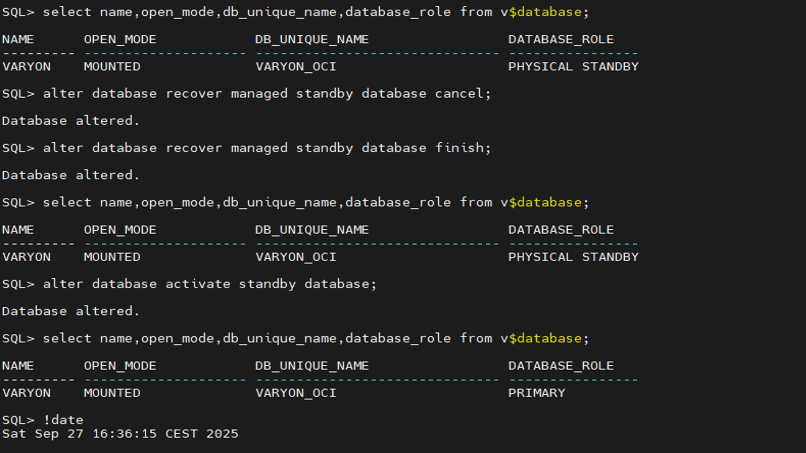
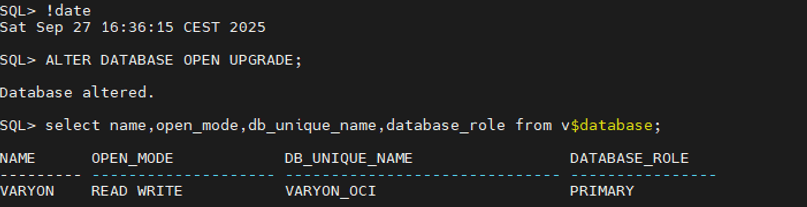
Task 4: Stop recovery, activate the standby database, and open the database in OPEN UPGRADE mode in the target DB system.
- To stop the
MRPProcess and activate standby database in source database.
- To open database with upgrade mode.
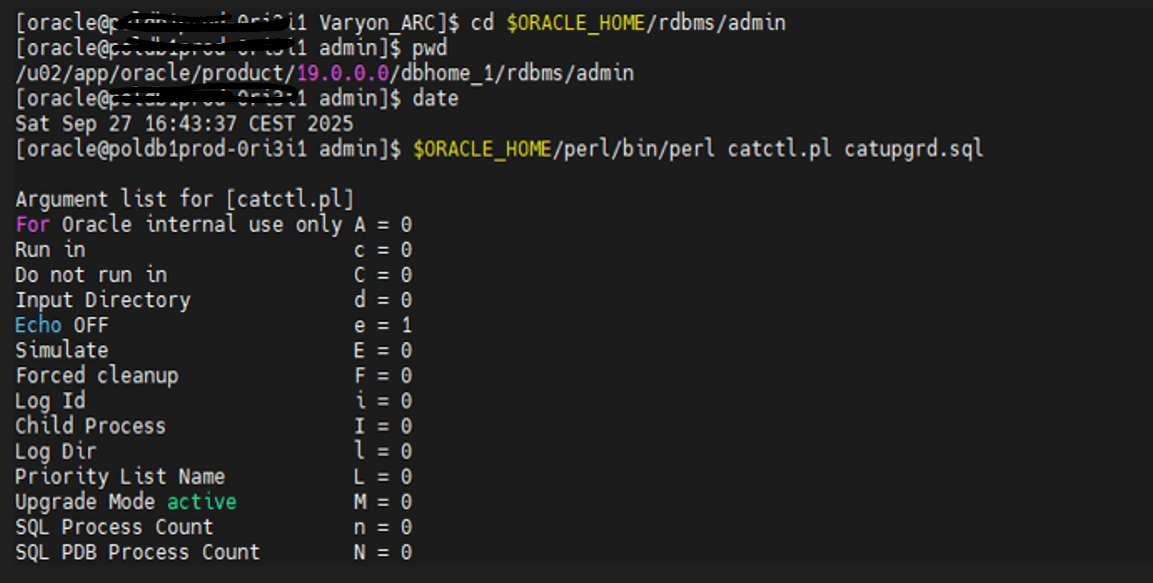
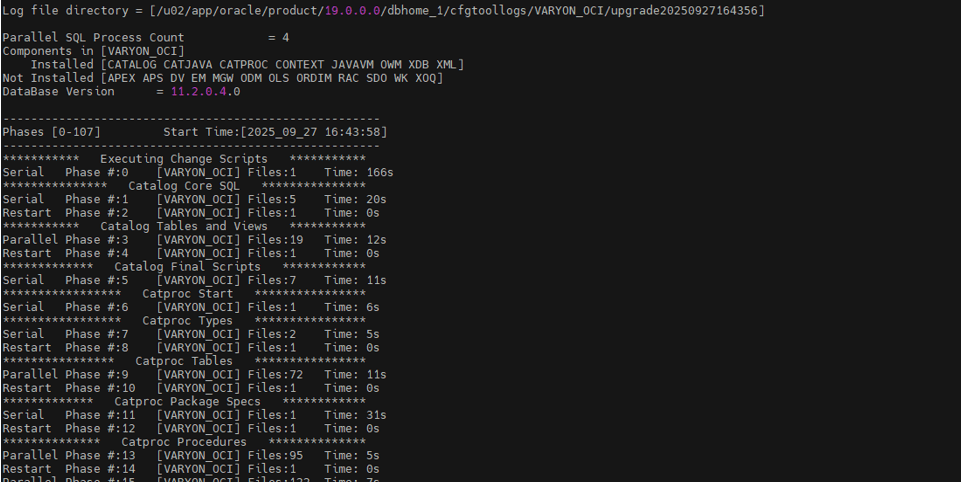
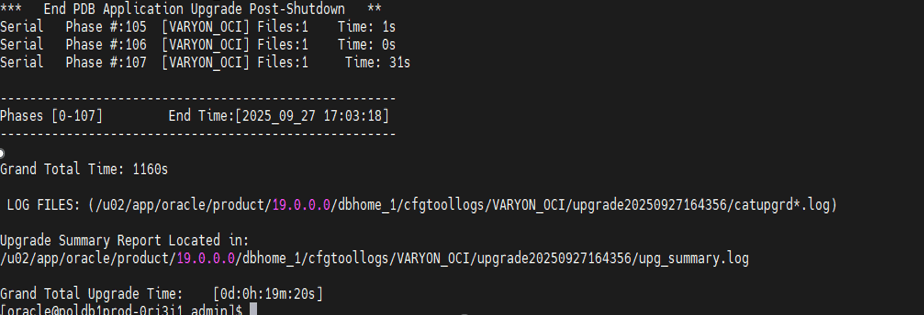
Task 5: Upgrade the stage database to the 19c version within the target database system.
- To run the upgrade script on the
Source DBsystem.
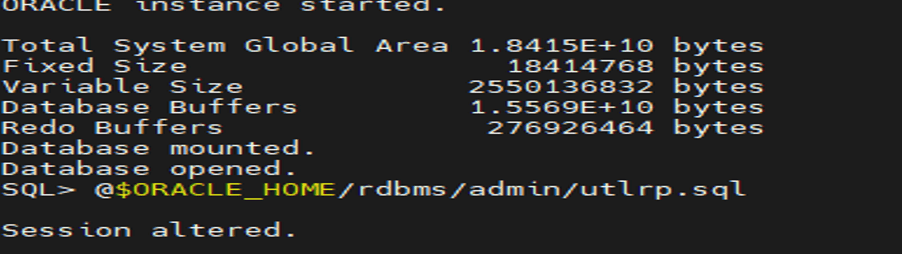
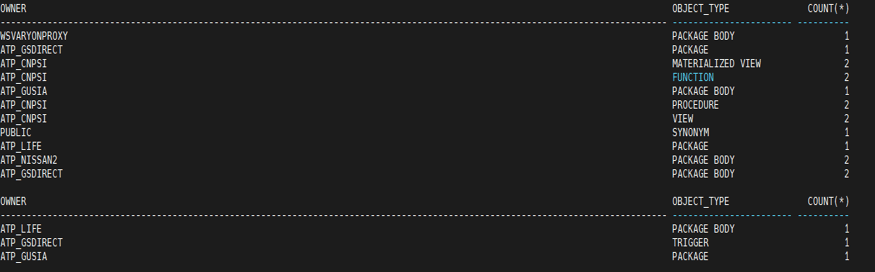
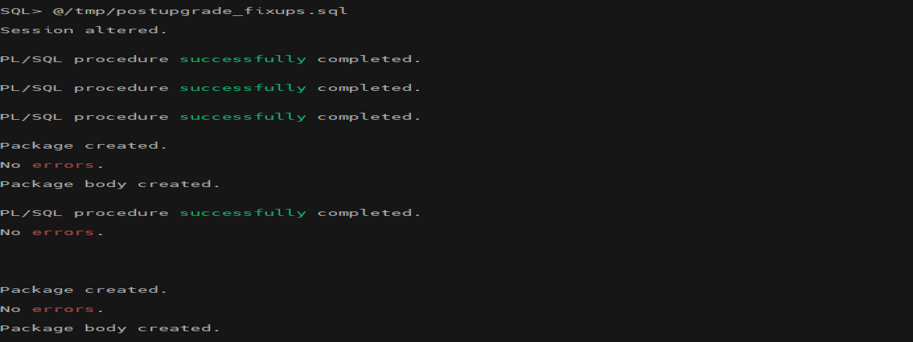
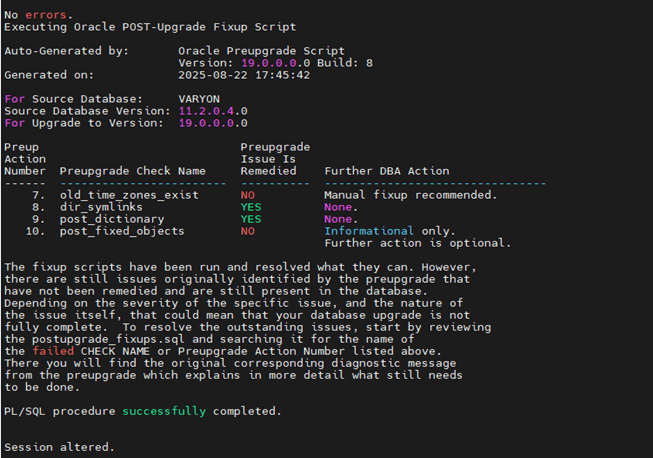
Task 6: Start the database, run the post-upgrade fixup script, and run the UTLRP command to compile invalid objects.
- Log in to the Target DB system and start the DB & run the
utlrpcommand on the target DB system.
- To run the post-upgrade fixup script in the target DB system.
Task 7: Upgrade the time zone on the stage database.
- start DB in
upgrademode.
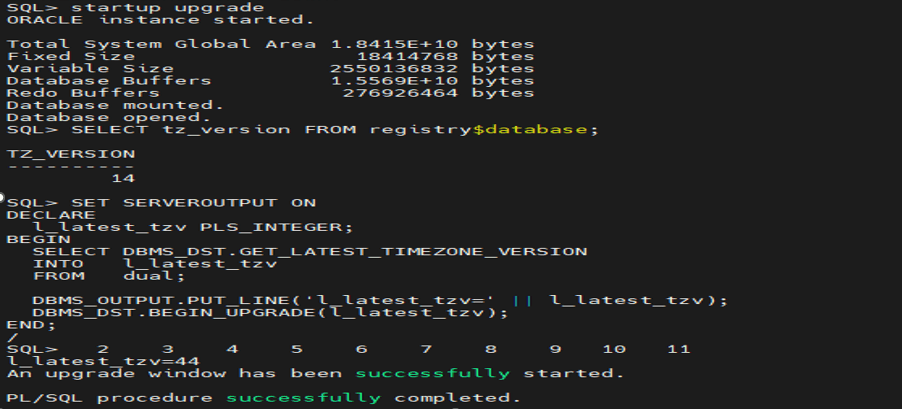
- Upgrade the time zone in the stage database before plugging the non-CDB into the
CDB.
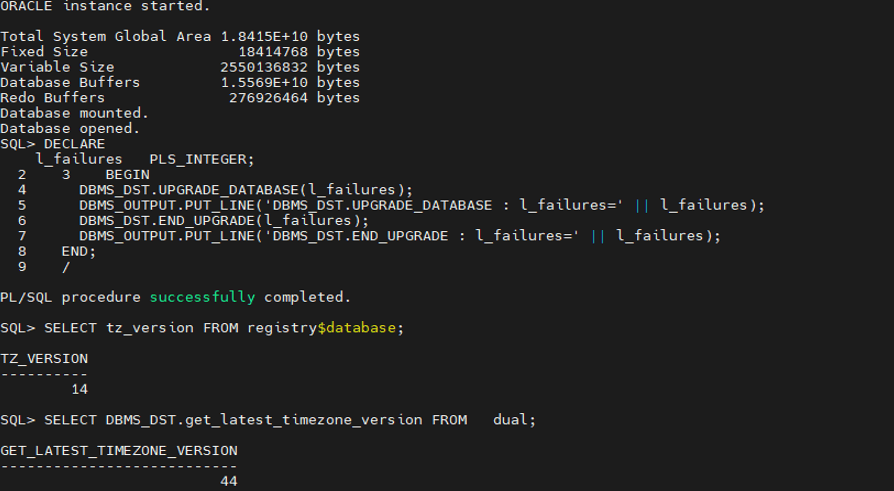
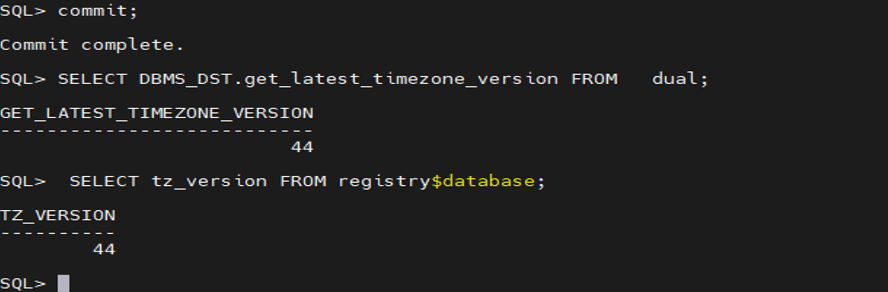
Task 8: Steps for using the PDB Plug-in.
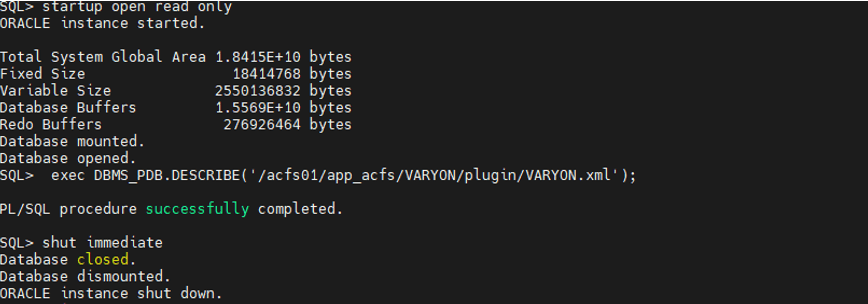
- Start the database in read-only mode and create an XML file for
PDBplugging.
- To check compatibility on the target
CDBdatabase before the plug-in. It should showyesas a result.
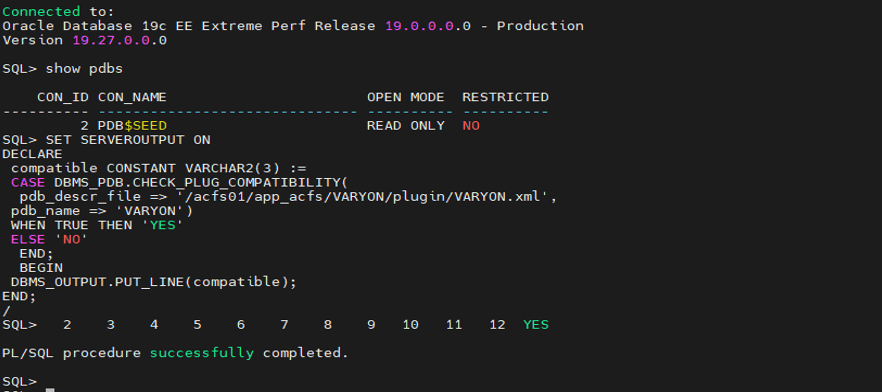
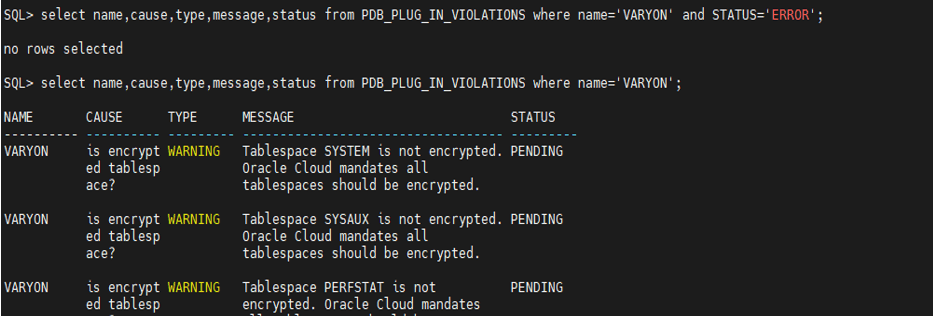
- Check if there are any errors for
PDBplugin violations. We can ignore warnings for tablespace encryptions.
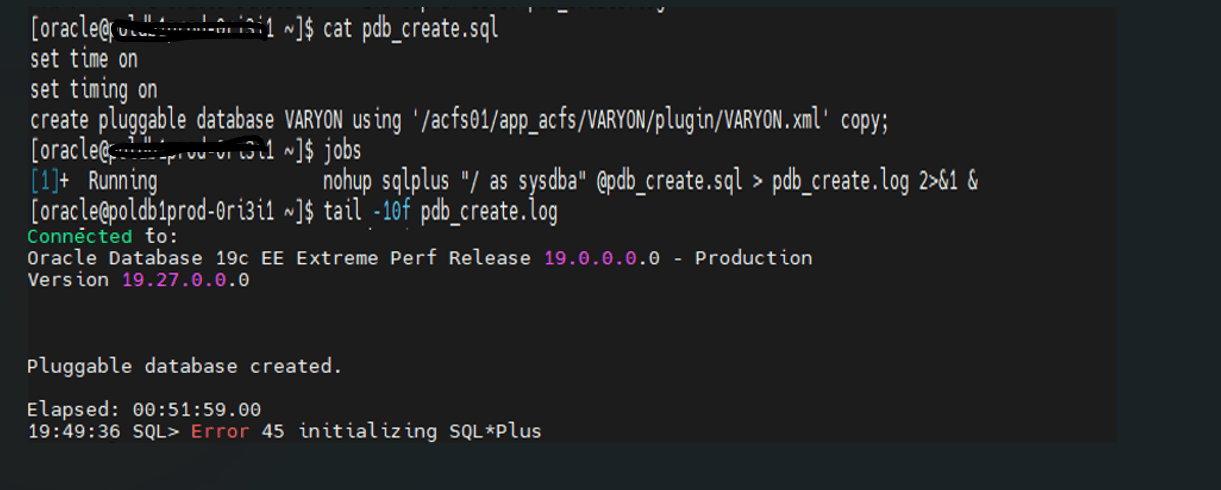
- To run a script to create a pluggable database on the target
CDBand run in background mode.
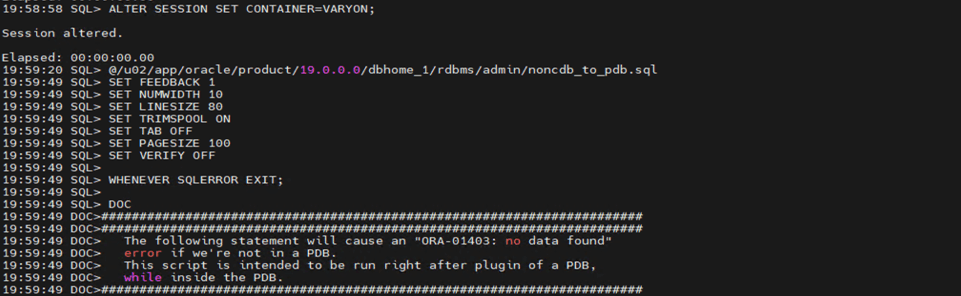
- To run the
noncdb_to_pdb.sqlscript after thePDBplug-in in the target DB system.
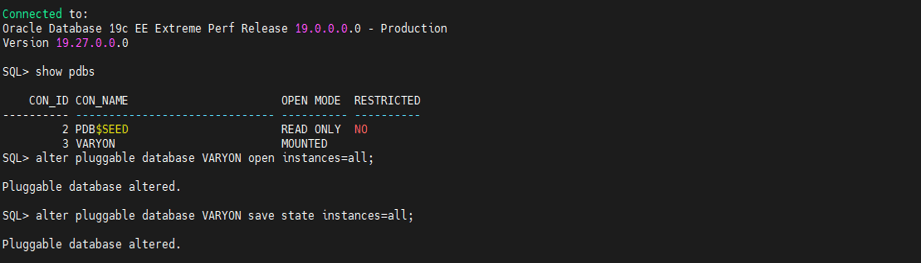
- To open the
PDBdatabase and set the save state for all instances.
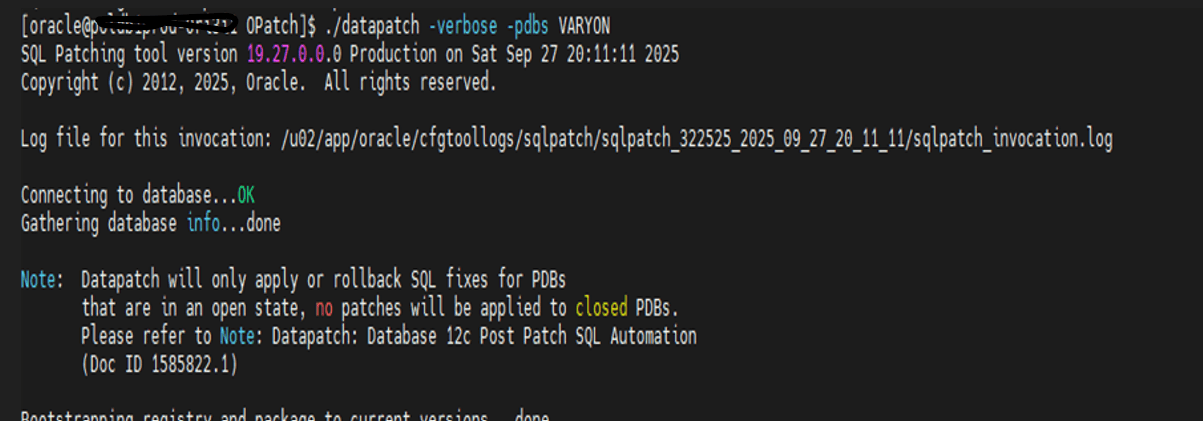
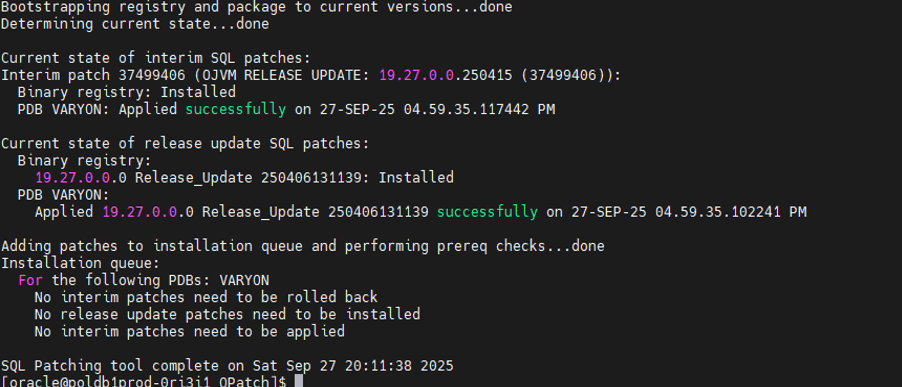
- To run
datapatchto apply current patches on thePDBdatabase in the target DB system.
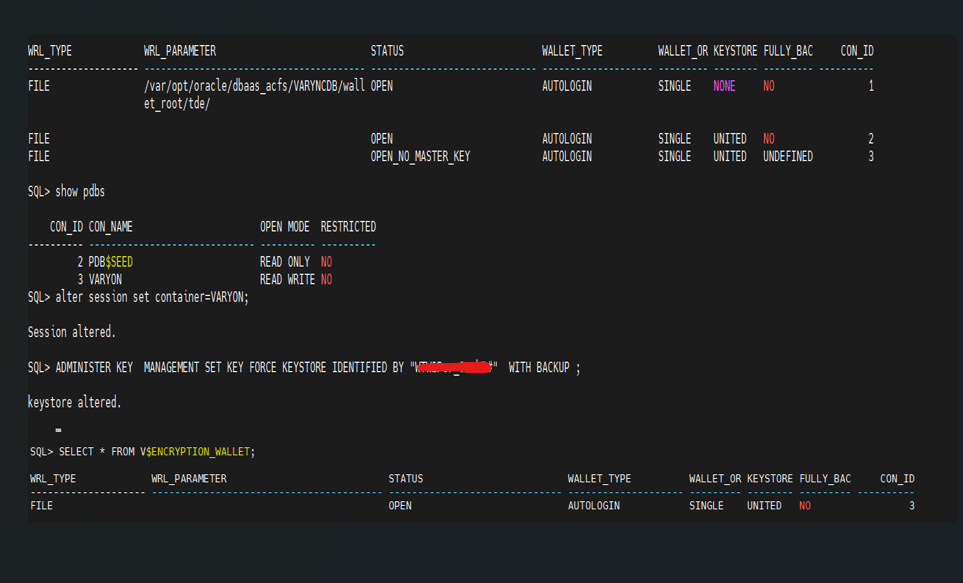
Task 9: Encryption key for PDB database.
- Set the encryption key for the
PDBdatabase.
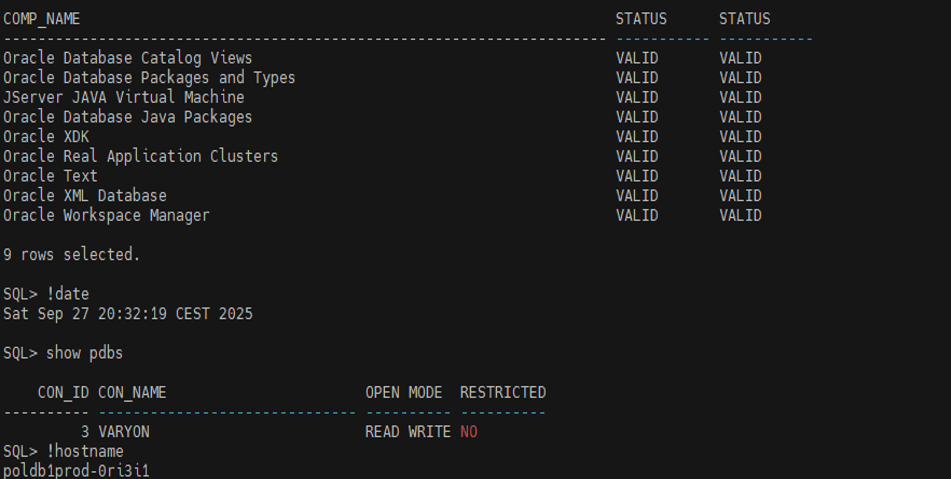
Task 10: Ensure that the components of the database registry are validated for post-checks.
- To validate DB components
Conclusion
The significant takeaway from this method is, using cross-platform database RMAN backup and restore, you can easily perform DB migration between Windows to Linux with a multi-tenant DB system. For minimum downtime migration requirements, this method helps like Data Guard set up and upgrade the database and plugin to a container database.
Related Links
Acknowledgments
Author - Yogesha D K (Senior Cloud Engineer, Customer Success Services)
More Learning Resources
Explore other labs on docs.oracle.com/learn or access more free learning content on the Oracle Learning YouTube channel. Additionally, visit education.oracle.com/learning-explorer to become an Oracle Learning Explorer.
For product documentation, visit Oracle Help Center.
Migrate Oracle Database 11g from Windows to Oracle Database 19c on Linux
G57057-01