3.3 Completing Design of a SOA Composite Application
This section provides an overview of how to complete design of your SOA composite application and deploy the application.
- Design the remaining contents of your SOA composite application. For example:
-
Connect the BPEL process to the adapter. For this example, the BPEL process is connected to the adapter as an external reference.
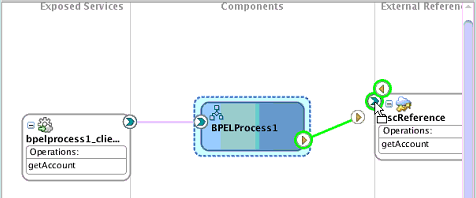
Description of the illustration connect-bpel-adapter.png -
Design the contents of the BPEL process. For example:
-
Double-click the BPEL process.
-
Add and configure an invoke activity to invoke the adapter.
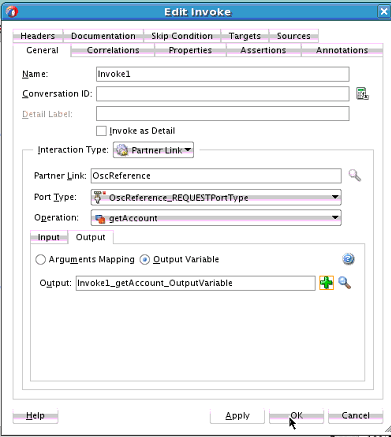
Description of the illustration connect-invoke-act-ref.png -
Add and configure assign activities to copy the contents of one variable to another when sending and receiving messages to and from the adapter.
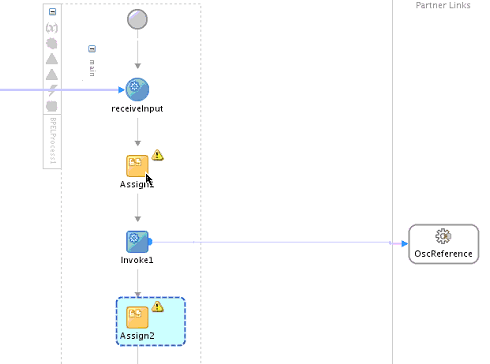
Description of the illustration connect-assign-acts.png -
Add and configure other activities, as appropriate.
When complete, view the SOA composite application in the SOA Composite Editor.
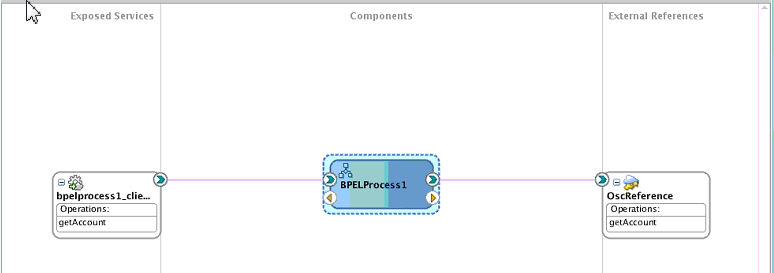
Description of the illustration soa-composite-complete.png
-
For specific information about creating and designing SOA composite applications, see Developing SOA Applications with Oracle SOA Suite. -