).
).1. In the
left navigation pane, click the Settings icon
().
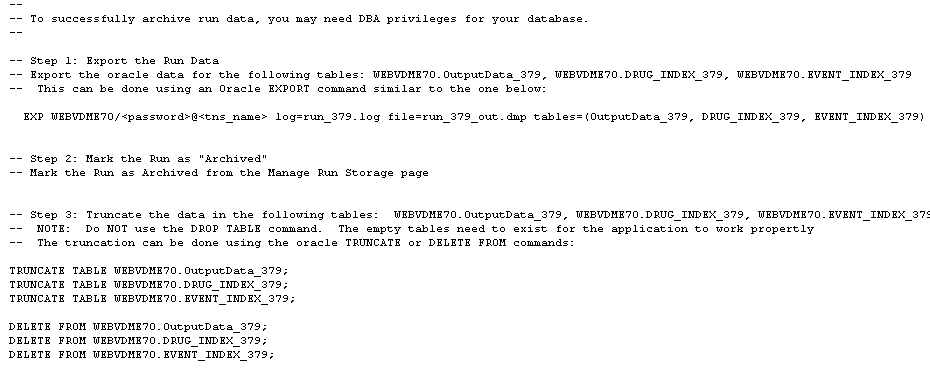
2. In the Administer System section, click Manage Run Storage.
3. Click the
Row Action menu ( ) for the run, and then click
Export Run Data.
) for the run, and then click
Export Run Data.
4. Follow instructions on the Export Run Data page, as shown in the following example: