Role-Based Access Control
Learn about the policies, groups and roles used to manage access to Oracle AI Database@AWS. Using these groups and roles ensures that assigned users have the appropriate permissions to operate the service.
Groups in Oracle Cloud Infrastructure IAM
Use the following groups in your Oracle Cloud Infrastructure (OCI) tenancy.
| OCI group name | Description |
|---|---|
aws-db-family-administrators |
Group to manage DB family actions |
aws-network-administrators |
Group to manage Network actions |
aws-db-family-readers |
Group to read DB family actions |
aws-network-readers |
Group with read permissions for Network actions |
aws-exa-infra-administrators |
Group to manage Exadata Infrastructure actions |
aws-exadb-vm-cluster-administrators |
Group to manage Oracle Database Home actions |
aws-exa-cdb-administrators |
Group to manage Oracle Container Database (CDB) actions |
aws-exa-pdb-administrators |
Group to manage Oracle Pluggable Database (PDB) actions |
aws-vm-cluster-administrators |
Group to manage Exadata VM Cluster and Oracle Database Home actions |
aws-costmgmt-administrators |
Group to manage usage reports |
aws-metrics-readers |
Group to read metrics |
aws-dbmgmt-administrators |
Group for Database Management actions |
aws-autonomous-vm-cluster-administrators |
Group to manage Autonomous VM Cluster actions |
See the following topics for more information:
Policies Automatically Created in OCI During Onboarding
The onboarding with Oracle AI Database@AWS automatically creates a set of policies in your OCI tenancy that lets the multicloud service and authorized user groups perform certain actions. The information on these policies is for reference only.
These policies must not be changed or deleted. They're required to avoid operational issues in the multicloud environment.
The policies are created in two compartments: the root compartment and the base compartment for the multicloud service. The base compartment is automatically created in the OCI tenancy during onboarding. The base compartment is named MulticloudLink_AWS_<YYYYMMDDHHMMSS> (where YYYYMMDDHHMMSS is the compartment creation timestamp).
The following table lists the policies created automatically during onboarding.
| Compartment | Policy unique name | Purpose |
|---|---|---|
| base | MulticloudLink_AWS_Management |
Lets the multicloud service manage all multicloud resources in the base compartment. |
| root | MulticloudLink_AWS_<UNIQUE_ID>_User_Group_Policies |
Lets authorized user groups perform operations on DB resources. |
| root | MulticloudLink_AWS_<UNIQUE_ID>_Observability |
Lets the multicloud service perform observability operations. |
| root | MulticloudLink_AWS_<UNIQUE_ID>_Tenant_Level |
Lets the mutlicloud service perform tenancy-level operations. |
OCI Multicloud Policies
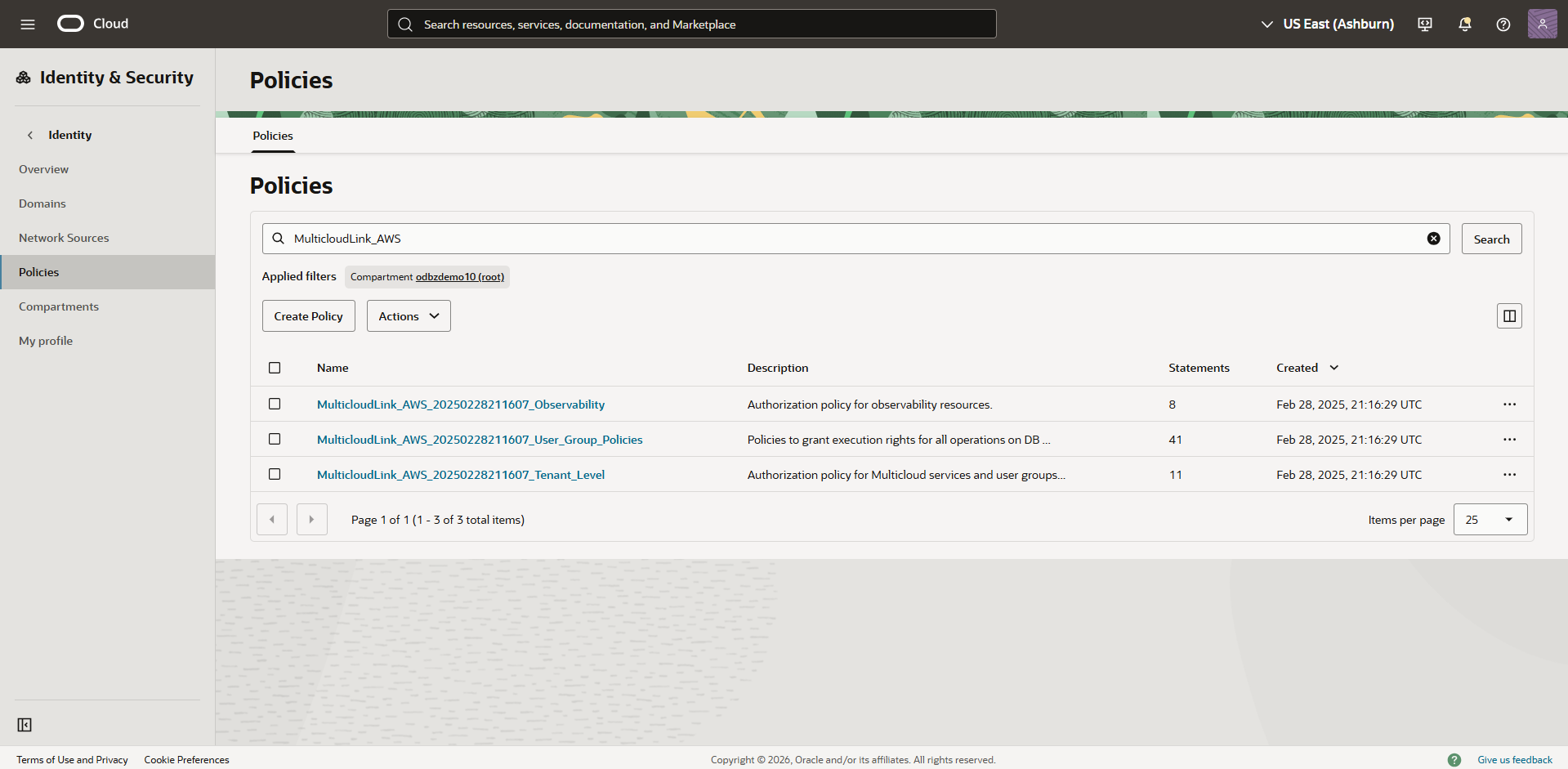
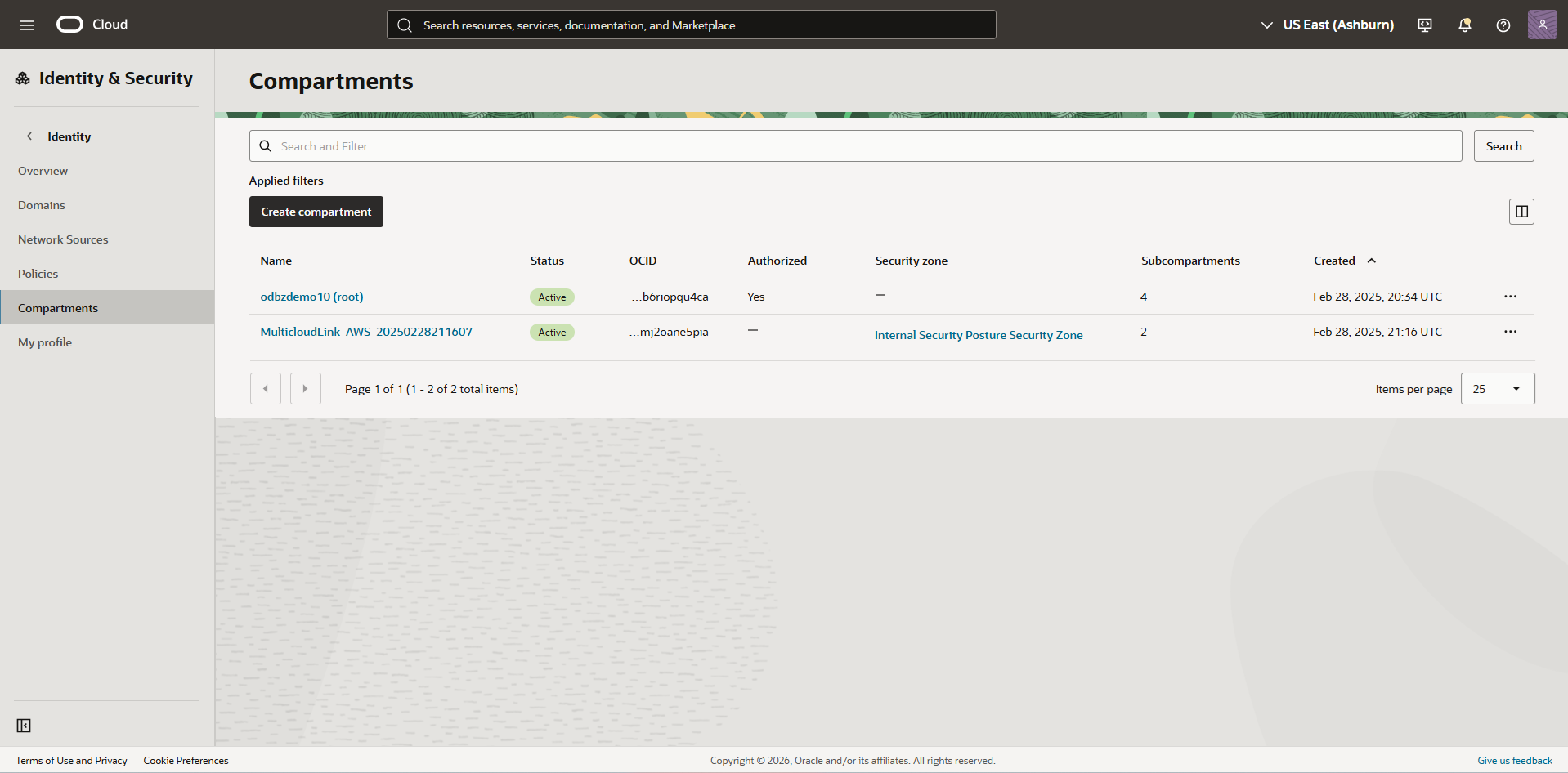
When you onboard your AWS environment to Oracle AI Database@AWS, during the OCI account linking process, OCI creates a Multicloud compartment and the OCI Identity and Access Management (IAM) policies needed by the service. These resources are essential for maintaining Oracle AI Database@AWS. OCI administrators must not modify, move, or delete these automatically created resources.
You can identify the IAM policies and the compartment by the MulticloudLink prefix.
Identity and Access Management (IAM) Deny Policies
OCI IAM Deny policies enable administrators to explicitly block unwanted actions, enhancing security and streamlining access control.
While OCI IAM Deny policies are a powerful tool for restricting permissions, they must be used with extreme caution within Oracle AI Database@AWS.
Do not apply any Deny policies that target or affect the IAM policies or compartments prefixed with MulticloudLink.
Applying Deny policies to Oracle AI Database@AWS resources breaks the ODBG service's integration with OCI, causing severe operational failures or a complete malfunction of the service.
Recover from a Tenancy-wide Deny Policy that Locks Multicloud Functions
A tenancy-wide deny policy such as Deny any-user to inspect all-resources in tenancy can block all user access or block the Multicloud integration.
To recover:
These steps use the Oracle Cloud Console. Alternatively, use the OCI CLI. Example CLI command:
oci iam policy update --policy-id <policy-id> --statements '["Deny group Interns to inspect all-resources in tenancy"]'