Autonomous AI Database (Serverless) - Restore
Learn how to restore an Autonomous AI Database.
Restore from Automatic Backup from the Azure Portal
Complete the following steps to restore your Autonomous AI Database from an automatic backup using the Azure portal.
-
From the Azure Portal, select Oracle AI Database@Azure, and then select Oracle Autonomous AI Database.
-
From the Oracle Autonomous AI Database list, select your Autonomous AI Database.
-
Expand the Settings section, and then select Backups.
-
Select the Restore button. From the dropdown list, select Backup timestamp for the restore and then select the Restore button.
-
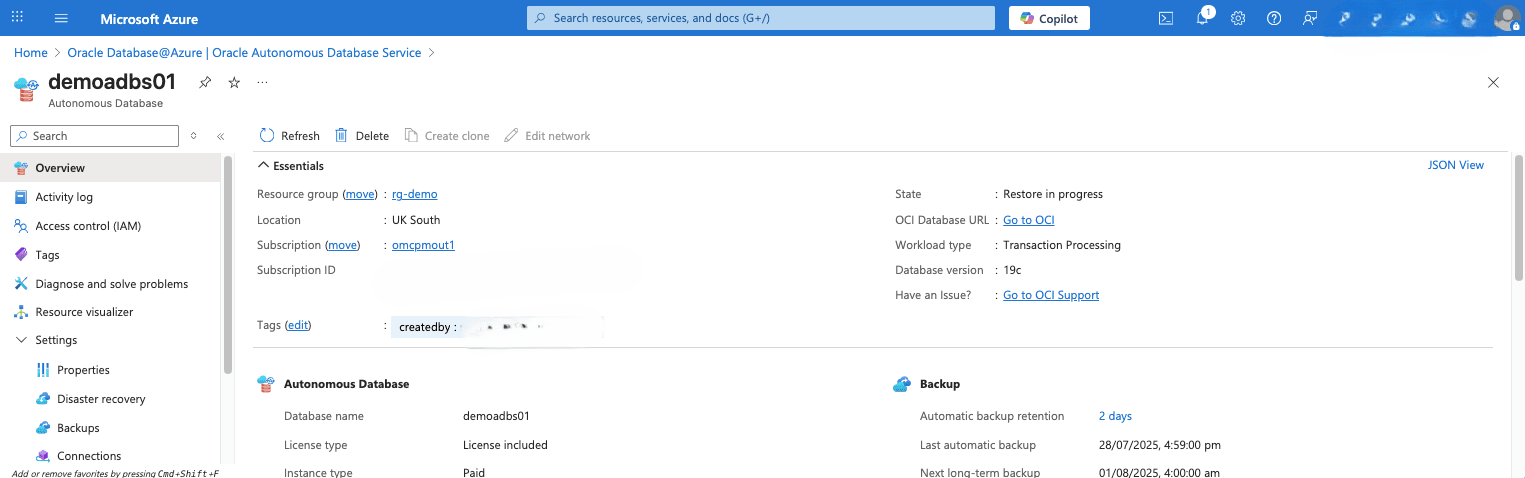
Navigate back to Overview page to view the details. The State field will change from Restore in progress to Available once the process is complete.
-
You will get a notification once the restore completed.
-
Restore from Automatic Backup from the OCI Console
Complete the following steps to restore your Autonomous AI Database from an automatic backup using the OCI console.
-
From the OCI console, select Oracle AI Database, and then Autonomous AI Database. Select Backups tab.
-
From the Backups tab, select the three-dot navigation menu, and then select the Restore button.
-
From the Restore page, enter the database name, and then select the Restore button to confirm the action.
-
A warning message will appear to confirm the results of the attempted restore. This action will restore the current database to the selected timestamps. After confirming, select the Restore button.
-
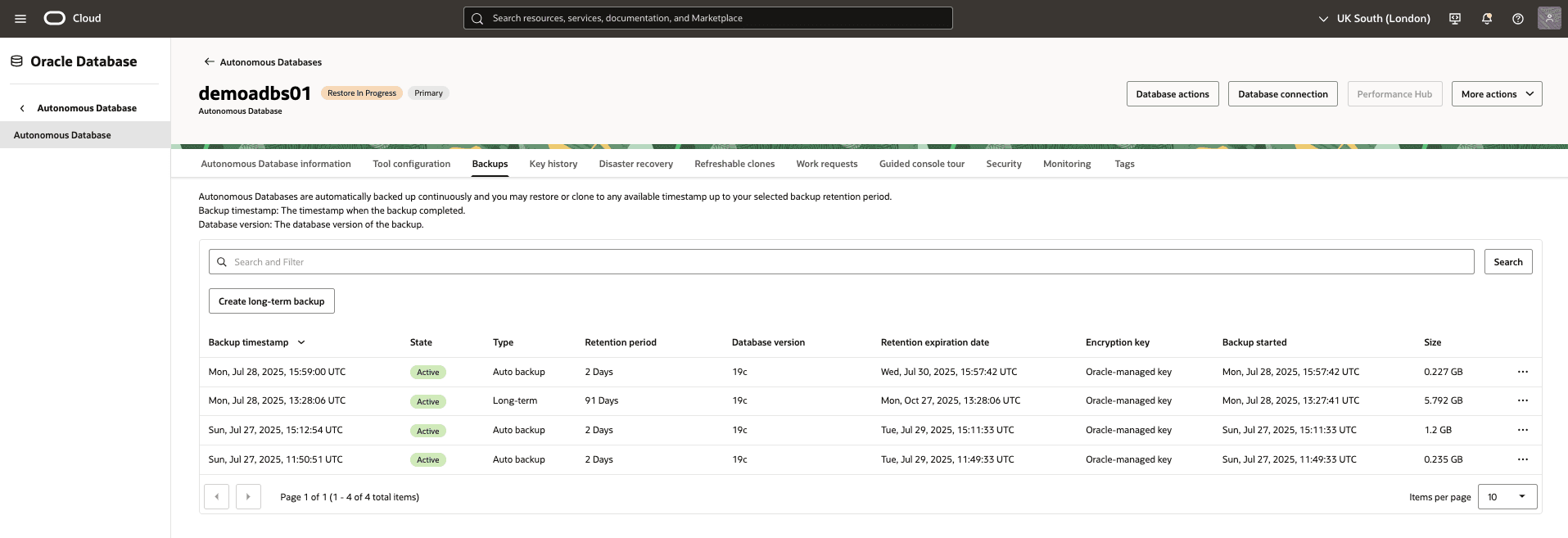
Return to the Backups tab within your Autonomous AI Database to view the state of your restore process. Once the restoring process is complete, the state will change from Restore in Progress to Active.
-
Prerequisites
-
Azure CLI installed
-
Azure CLI version >= 2.87.0
-
oracle-database (extension) version >= 2.0.4
-
Autonomous AI Database
Sample Azure CLI Command
# Define variables for the Autonomous AI Database ADB_NAME="demoadbsazcli" RESOURCE_GROUP="demo-rg-azcli" # Define the backup timestamp to restore from # Replace this value with a valid available backup timestamp RESTORE_TS="<backup-timestamp>" Format BACKUP_TIMESTAMP="<YYYY-MM-DDTHH:MM:SS.000Z>" Example BACKUP_TIMESTAMP="2026-07-10T21:00:00.000Z" # Restore the Oracle Autonomous AI Database Serverless instance az oracle-database autonomous-database restore \ --resource-group $RESOURCE_GROUP \ --autonomousdatabasename $ADB_NAME \ --timestamp $RESTORE_TS-
There is currently no content for this page. Oracle AI Database@Azure team intends to add content here, and this placeholder text is provided until that text is added. The Oracle AI Database@Azure team is excited about future new features, enhancements, and fixes to this product and this accompanying documentation. We strongly recommend you watch this page for those updates.
There is currently no content for this page. Oracle AI Database@Azure team intends to add content here, and this placeholder text is provided until that text is added. The Oracle AI Database@Azure team is excited about future new features, enhancements, and fixes to this product and this accompanying documentation. We strongly recommend you watch this page for those updates.