GoldenGate
We recommend taking a backup of your databases before deleting an Oracle GoldenGate deployment to prevent any potential data loss.
You can delete Oracle GoldenGate deployment(s) and connections(s) from the Google Cloud Console.
Delete a Deployment
-
From the Google Cloud Console, select Oracle AI Database@Google Cloud and then select GoldenGate.
-
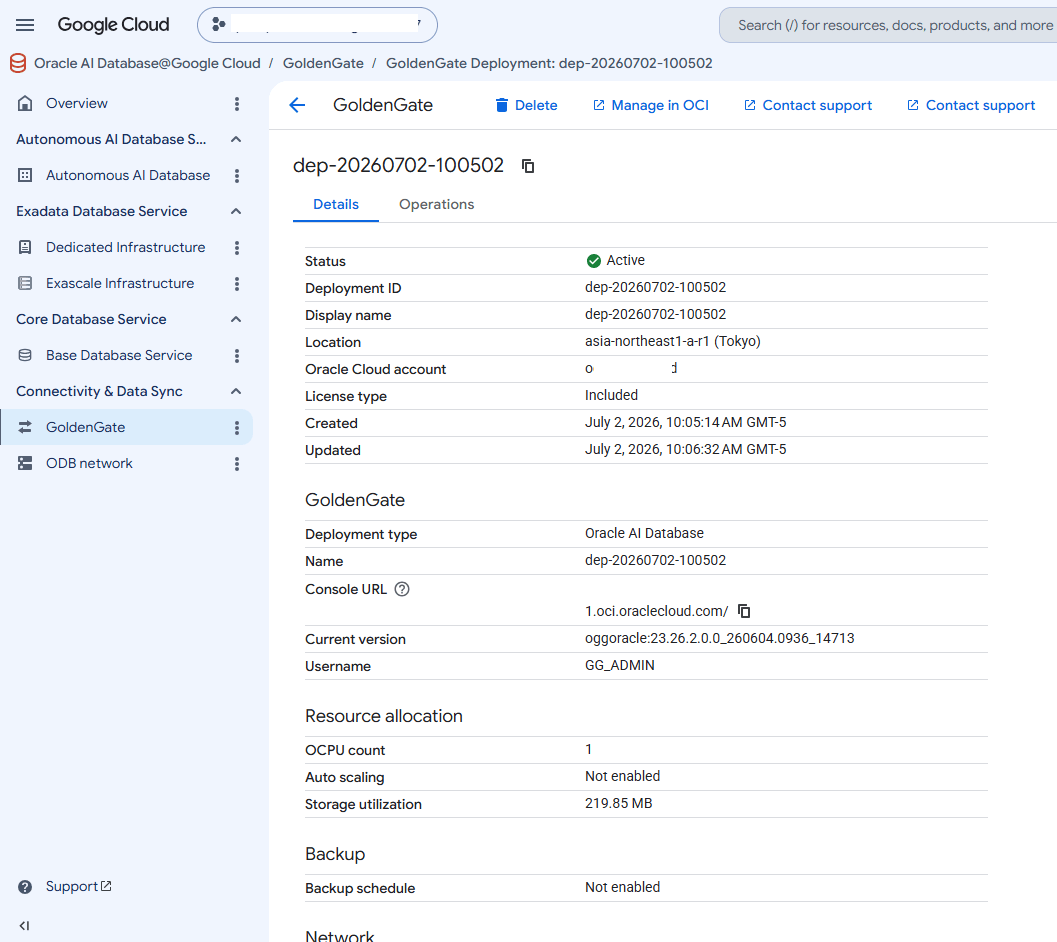
Select the Deployments tab and then select the deployment that you want to delete.
-
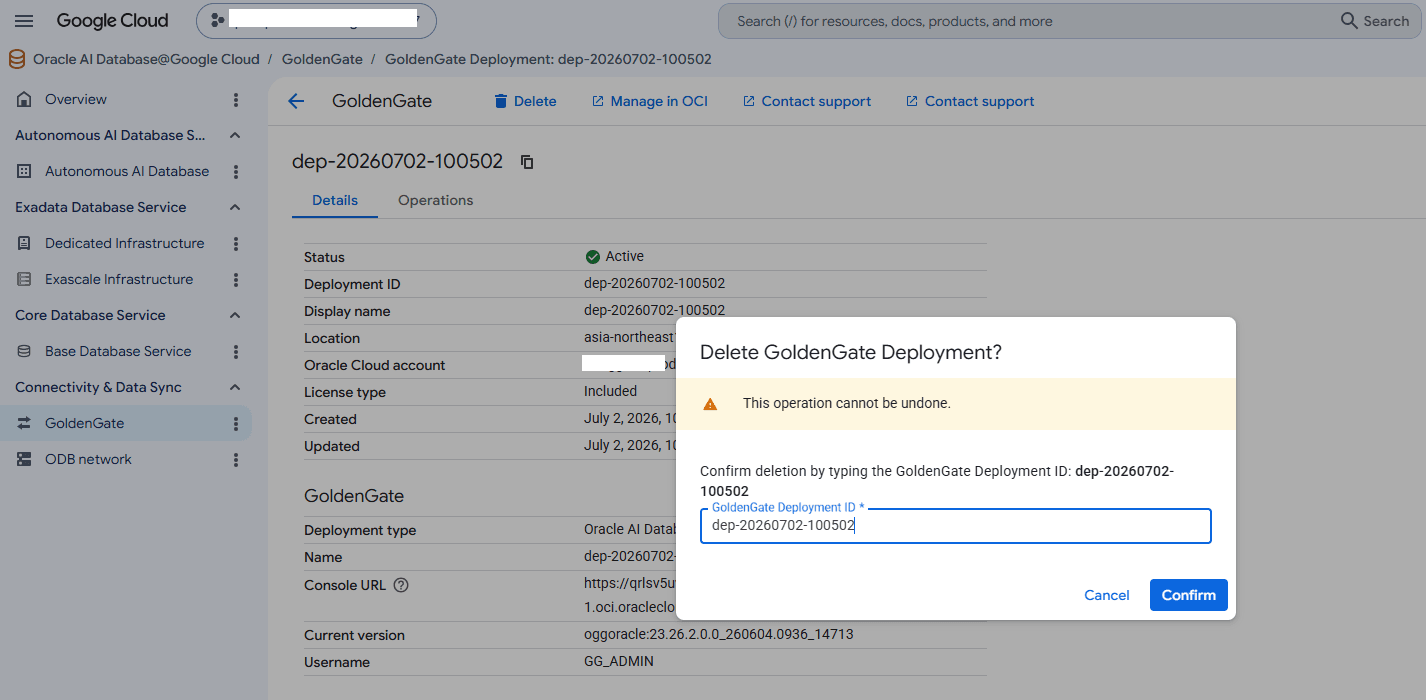
Select the Delete button. Enter your deployment ID into the GoldenGate Deployment ID field, and then select the Confirm button to delete the deployment.
Delete a Connection
-
From the Google Cloud Console, select Oracle AI Database@Google Cloud and then select GoldenGate.
-
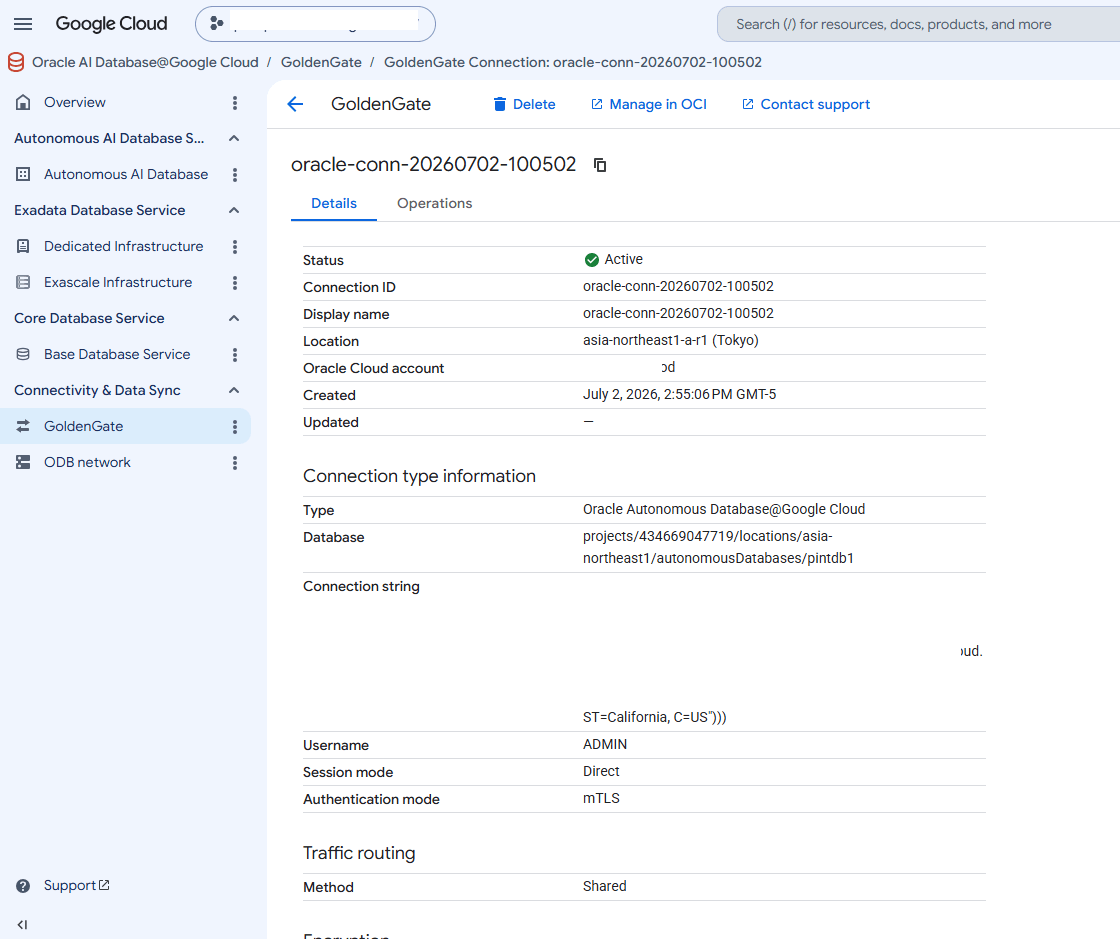
Select the Connections tab, and then select the connection that you want to delete.
-
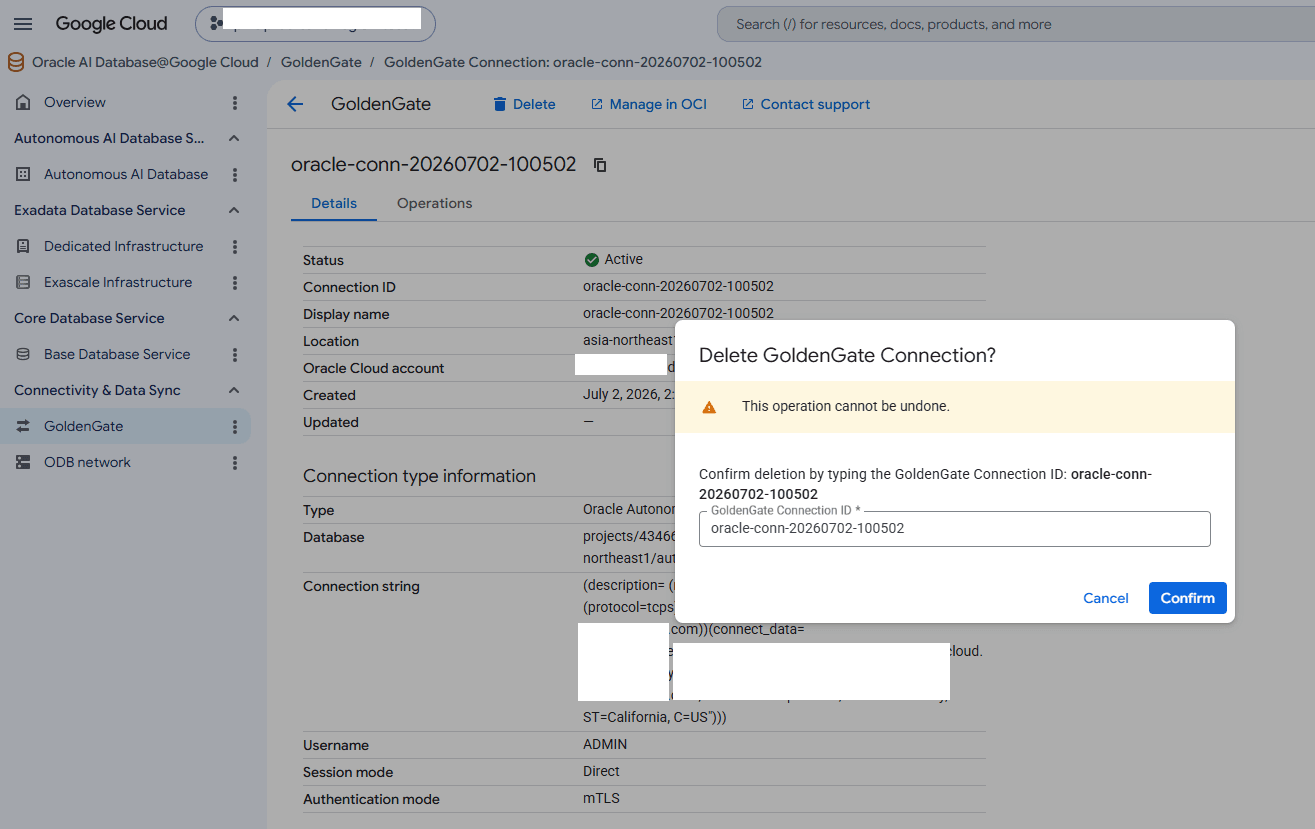
Select the Delete button. Enter the connection ID into the GoldenGate Connection ID field, and then select the Confirm button to delete your connection.
-
You can delete Oracle GoldenGate deployment(s) and connections(s) from the Google Cloud Console and Google Cloud (
gcloud) CLI.You can delete an Oracle GoldenGate deployment using gCloud CLI v565.0.0 or higher.
gcloud auth login

export PROJECT_ID=omcpmout2
export REGION_ID=us-east4
export DISPLAY_NAME=my-deployment

gcloud --project-id=$PROJECT_ID oracle-database goldengate-deployments delete \
    $DISPLAY_NAME
	--location=$REGION_ID

# Learn more on create command
gcloud oracle-database goldengate-deployments delete --help
Replace the following:
-
PROJECT_ID: The ID of your Google Cloud project where the deployment is created. -
REGION_ID: The region in which the GoldenGate deployment is created. -
DISPLAY_NAME: The name of the GoldenGate deployment to delete.
-
You can delete Oracle GoldenGate deployment(s) and connections(s) from the Google Cloud Console and Google Cloud (
gcloud) CLI.You can delete Oracle GoldenGate deployment(s) and connections(s) from the Google Cloud Console and Google Cloud (
gcloud) CLI.