프라이빗 끝점에 대한 필요 조건

Oracle Fusion Data Intelligence 인스턴스를 프라이빗 끝점으로 프로비전하려면 다음 리소스가 이미 생성되어 있어야 합니다.

  1. Oracle Fusion Data Intelligence 및 VCN의 프라이빗 서브넷을 28개(14개 IP 주소) IP 주소 이상의 가용성과 함께 배포하려는 지역 내 VCN(가상 클라우드 네트워크)입니다. 프로비저닝 후 변경할 수 있습니다.
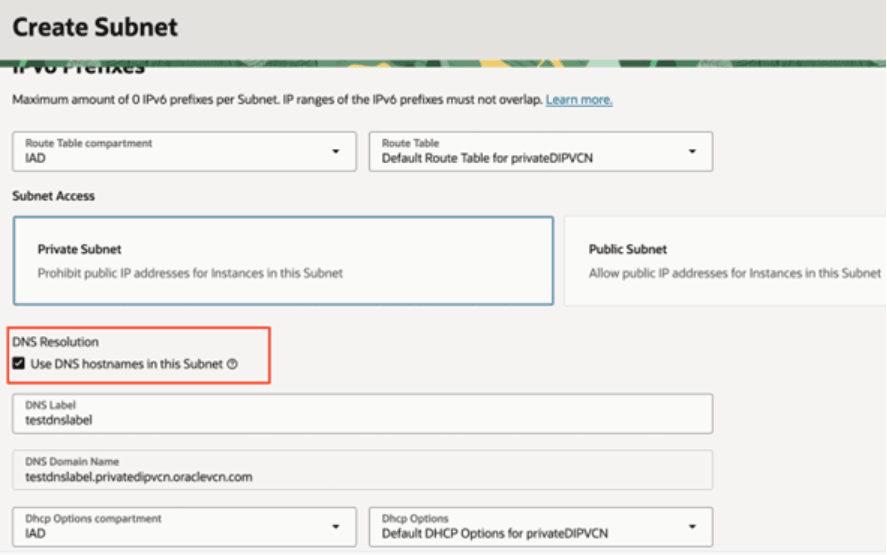
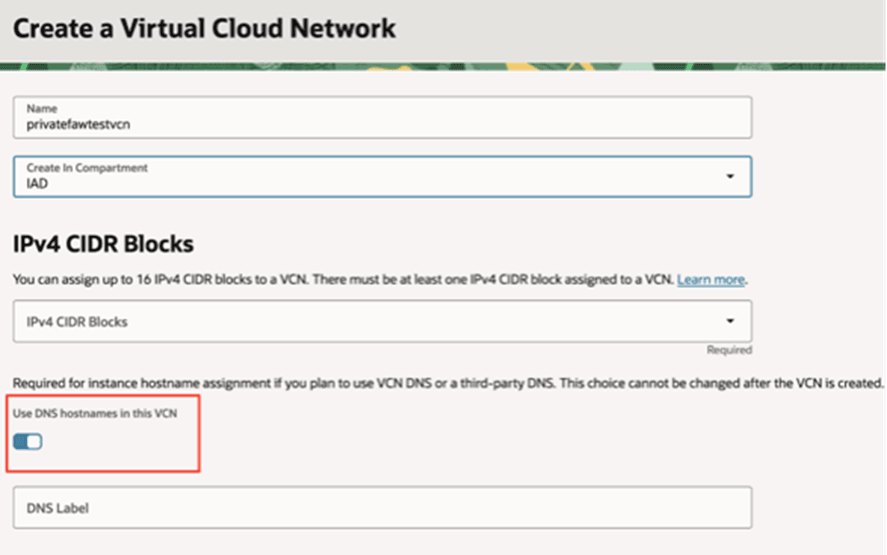
    인스턴스 생성 실패를 방지하려면 다음 옵션이 사용으로 설정되었는지 확인하십시오.

    Oracle Fusion Data Intelligence에는 인스턴스 및 해당 구성요소를 성공적으로 프로비전하려면 이러한 옵션이 필요합니다. VCN 및 서브넷 작업을 참조하십시오.

    참고:

    DNS 분석기를 사용자정의할 때는 우선순위가 가장 높은 Oracle Autonomous AI Database DNS 분석기를 추가해야 합니다.
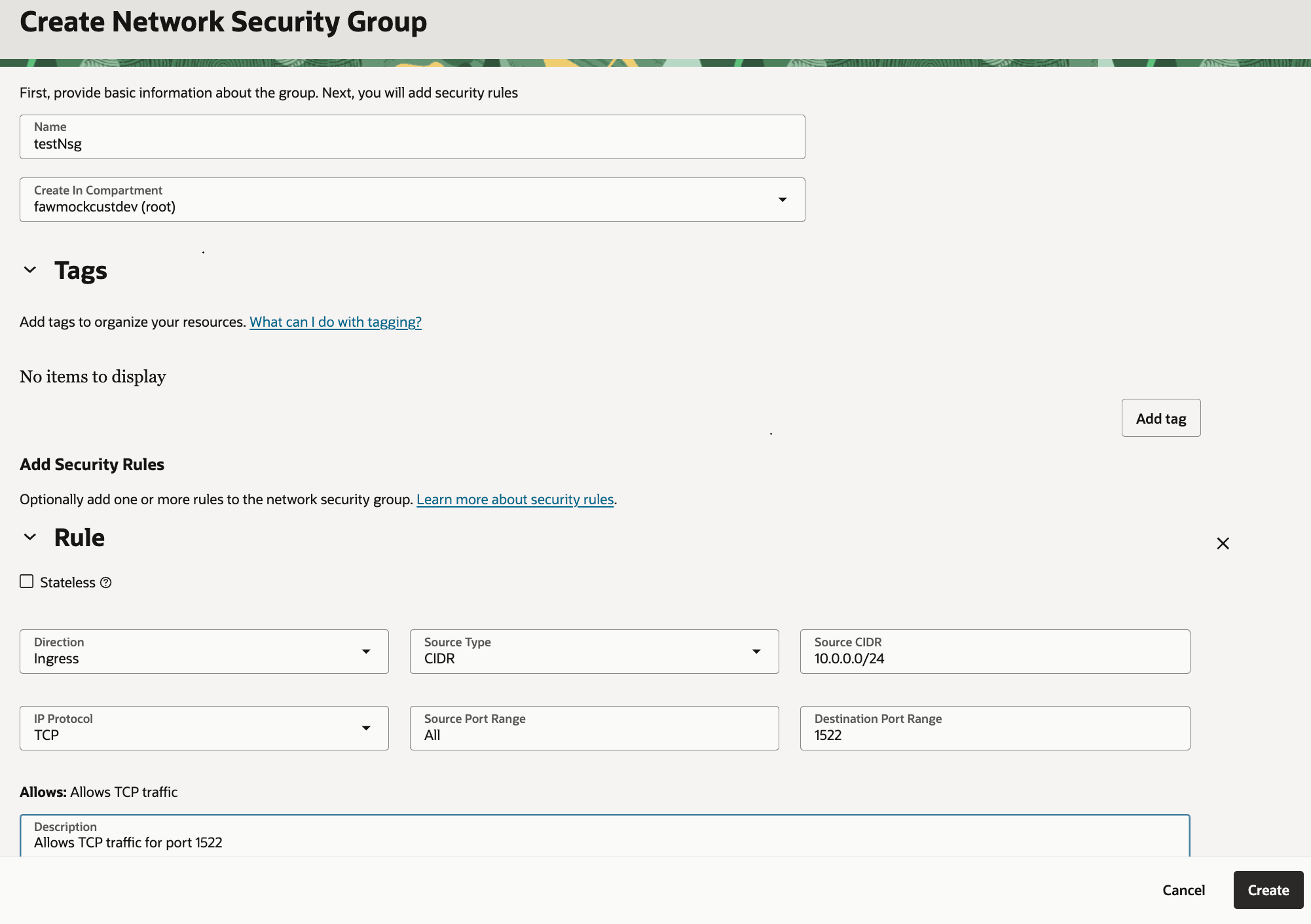
  2. 보안 규칙을 설정합니다. 수신 및 송신에 대한 Stateful 규칙을 구성해야 합니다. Stateful Stateless 규칙과 비교을 참조하십시오.
    보안 규칙을 구성할 때는 다음을 확인하십시오.
    • 소스 CIDR: 0.0.0.0/0, <VCN CIDR> 또는 <SUBNET CIDR>여야 합니다.
    • IP Protocol: TCP 또는 All Protocols.
    • 소스 포트 범위: ALL
    • 대상 포트 범위: ALL 또는 특히 1522443

    참고:

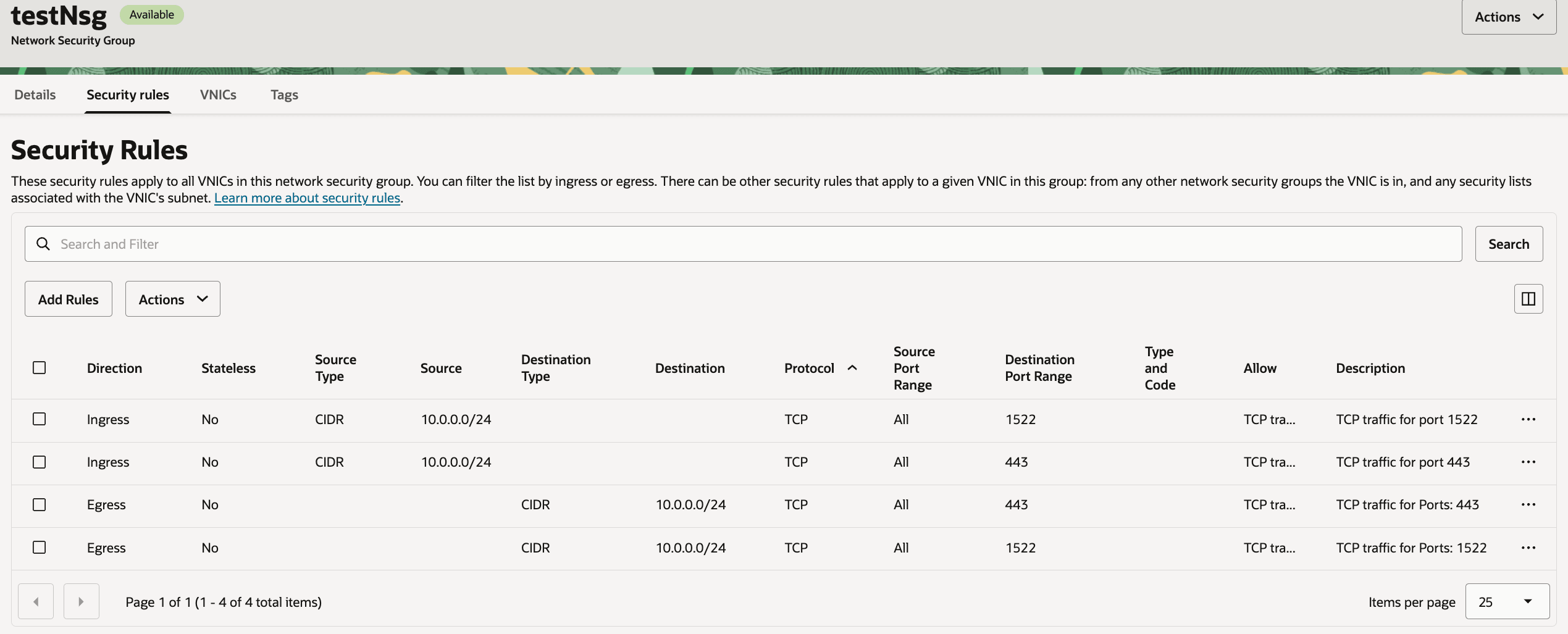
    Oracle Autonomous AI Lakehouse의 경우 포트 1522에서 인바운드 및 아웃바운드 트래픽을 지정하고, Oracle Analytics Cloud의 경우 포트 443에서 네트워크 보안 그룹 또는 VCN의 보안 규칙 정보를 입력합니다. VCN/SUBNET CIDR 블록에서 포트 443 및 1522에 대한 규칙의 수신 및 송신을 허용하는지 확인합니다. 프라이빗 끝점이 있는 Oracle Fusion Data Intelligence 인스턴스를 작동하려면 두 포트가 모두 필요합니다.
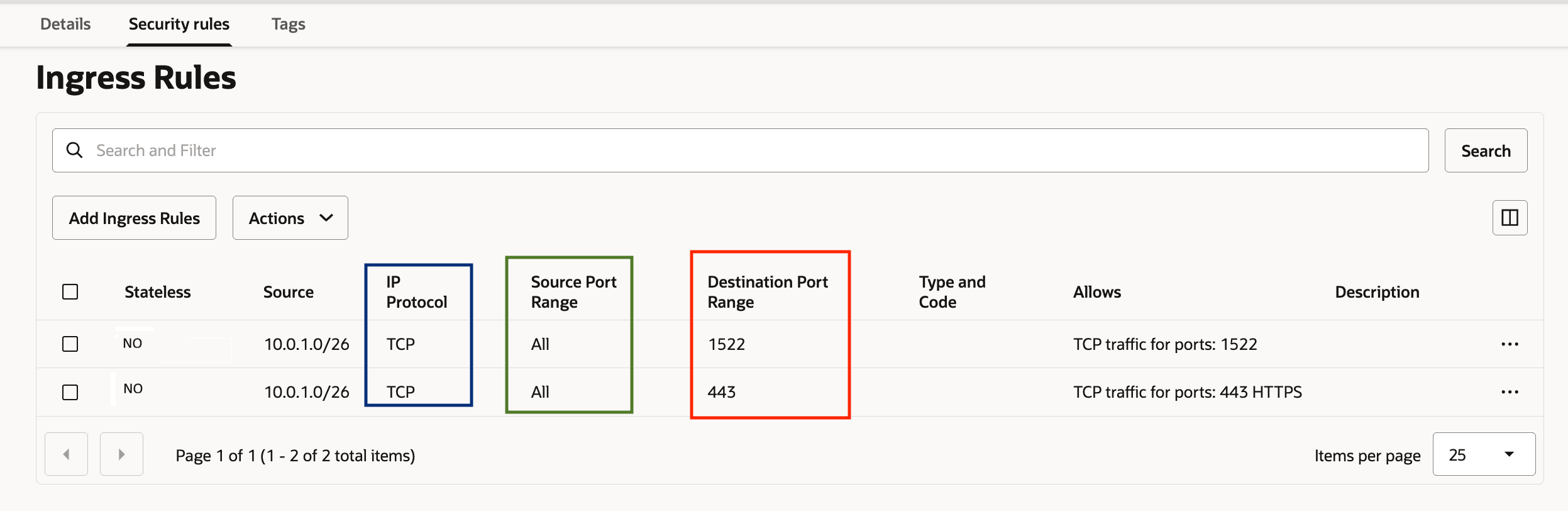

    다음 fawag-ingress-rules-pvt-fdi-oak.png에 대한 설명입니다.
    fawag-ingress-rules-pvt-fdi-oak.png 그림에 대한 설명


    다음과 같이 fawag-egress-rules-pvt-fdi.png에 대한 설명입니다.
    fawag-egress-rules-pvt-fdi.png 그림에 대한 설명

  3. 네트워크 보안 그룹 규칙을 사용하여 트래픽(수신 및 송신)을 제한하려는 경우 Oracle Fusion Data Intelligence 인스턴스를 생성할 때 제한해야 합니다. 비즈니스 요구 사항에 맞게 최대 5개의 네트워크 보안 그룹을 지정할 수 있습니다. 네트워크 보안 그룹이 Oracle Fusion Data Intelligence와 동일한 VCN에 있는지 확인합니다.
  4. 사용자(또는 Oracle Fusion Data Intelligence 인스턴스를 생성하려는 사용자)에게 VCN에 액세스하는 데 필요한 정책이 있는지 확인하십시오.

    다음 옵션에서 가장 적합한 레벨을 선택합니다.

    제한된 리소스 액세스 정책

    • Allow any-user to manage network-security-groups in tenancy where request.principal.type = 'fawservice'
    • Allow any-user to use vnics in tenancy where request.principal.type = 'fawservice'
    • Allow any-user to read vcns in tenancy where request.principal.type = 'fawservice'
    • Allow any-user to use private-ips in tenancy where request.principal.type = 'fawservice'
    • Allow any-user to use subnets in tenancy where request.principal.type = 'fawservice'

    Oracle Cloud Infrastructure 콘솔에서 가상 네트워크 제품군을 보고 관리하려는 경우 다음 정책을 생성할 수 있습니다.

    • Allow group FAWAdmin.grp to manage network-security-groups <in compartment your-compartment or in tenancy>
    • Allow group FAWAdmin.grp to read virtual-network-family <in compartment your-compartment or in tenancy>
    • Allow group FAWAdmin.grp to manage vnics <in compartment your-compartment or in tenancy>
    • Allow group FAWAdmin.grp to use subnets <in compartment your-compartment or in tenancy>
    • Allow group FAWAdmin.grp to use private-ips <in compartment your-compartment or in tenancy>

    광범위한 리소스 액세스 정책

    Allow any-user to manage virtual-network-family in tenancy where
          request.principal.type = 'fawservice'
    Oracle Cloud Infrastructure 콘솔에서 가상 네트워크 패밀리를 보고 관리하려는 경우 다음 정책을 생성할 수 있습니다.
    Allow group FAWAdmin.grp to manage virtual-network-family <in compartment compartment-name or in tenancy>

    이 외에도 다음과 같은 일반 서비스 정책을 만들어야 합니다.

    • Allow group FAWAdmin.grp to manage analytics-warehouse <in compartment your-compartment or in tenancy>
    • Allow group FAWAdmin.grp to read analytics-warehouse-work-requests <in compartment your-compartment or in tenancy>
    • Allow group FAWAdmin.grp to manage autonomous-database-family <in compartment your-compartment or in tenancy>
    • Allow group FAWAdmin.grp to manage analytics-instances <in compartment your-compartment or in tenancy>
    • Allow group FAWAdmin.grp to read analytics-instance-work-requests <in compartment your-compartment or in tenancy>