从 Office Store 安装 Add-in for Excel
介绍如何从系统中的独立 Excel 应用程序以及 Excel for the Web 上的 Microsoft Office Store 在线市场中安装 Oracle Database Add-in for Microsoft Excel 。
注意:
Oracle 建议从官方商店安装 Spreadsheet Add-ins 。如果您的组织中的在线商店受到限制或不可用,您可以从数据库操作下载插件并手动安装该插件。
有关更多信息,请参见 Download Spreadsheet Add-ins from Database Actions 和 Install Add-in for Microsoft Excel from Trusted Catalogs 。
先决条件
您的系统中安装了 Microsoft Excel 365。
要在 Excel for the Web 上安装插件,您必须具有活动的 Microsoft 帐户或有权访问 Microsoft Office 365 的帐户。
安装步骤
-
在系统中启动 Excel 应用程序并打开工作簿。
同样,您可以在浏览器中登录到 Microsoft 帐户,并在 Excel for the Web 中打开工作簿。Oracle 建议使用 Microsoft Edge 以提高兼容性和性能。
-
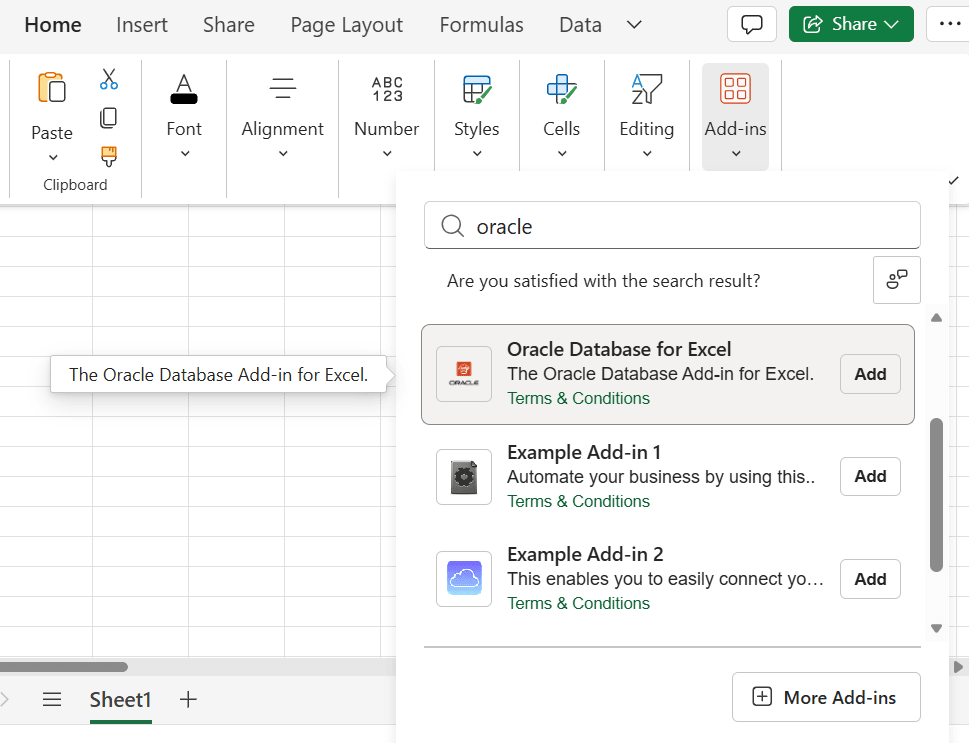
在主页选项卡上,选择加载项。
或者,您可以启用开发人员菜单并单击插件选项。
-
您可以使用以下方式搜索适用于 Excel 的插件:
-
在放大镜图标旁边的搜索加载项字段中,输入 Oracle Database 或 Oracle 。
-
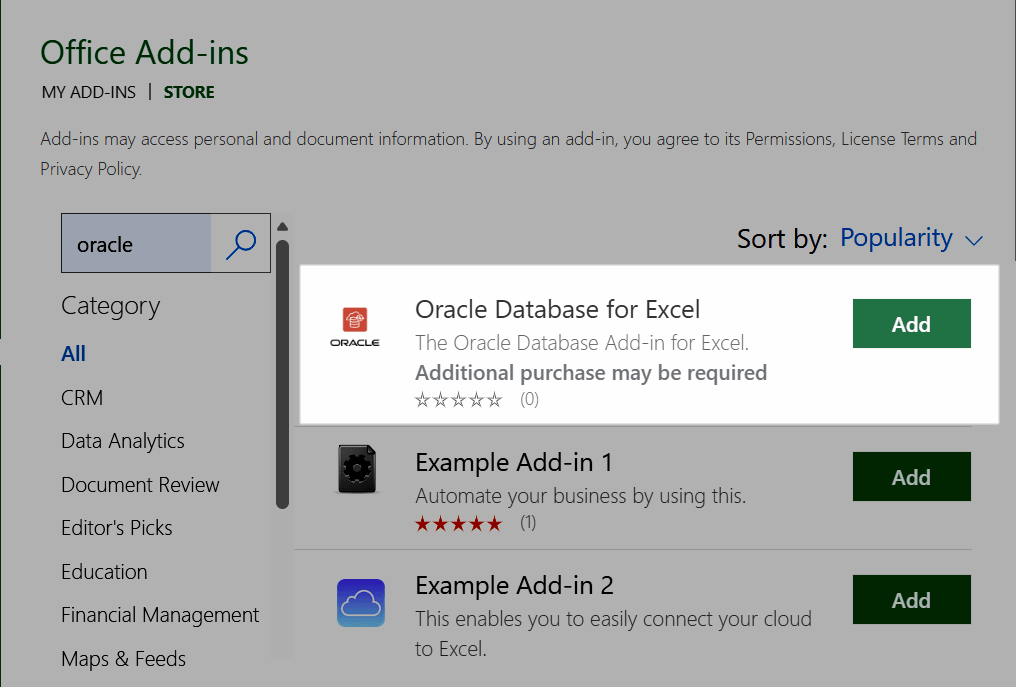
或者,您可以在 STORE 中搜索插件。单击获取插件或更多插件,具体取决于 Microsoft Office 版本,然后搜索 Oracle Database 或 Oracle Database。
搜索结果将显示 Oracle Database Add-in for Microsoft Excel。
-
-
单击添加以启动加载项安装。
-
独立 Excel 应用程序将立即安装插件。
-
首次在 Excel for the web 上安装插件时,Microsoft Office Store 会显示有关许可证条款和隐私政策的消息。请参阅 Oracle 的许可条款和隐私政策和联系人详细信息。
如果您同意,请单击继续以安装该插件。
-
成功安装后, Excel 将显示新的选项卡 Oracle Database 。
另请参阅:
要卸载插件,请参见 Remove Spreadsheet Add-ins 。
父主题:电子表格插件的安装选项