This section covers two scenarios and involves a user Worklist portal.
In the first scenario, a Loan Officer (user John) is assigned a new Loan Request through a business process system. Loan Officer John goes through the process of accepting the loan; the loan is then transferred to the Loan Manager (user Mary) for final approval. In the second scenario.
In the second scenario, a Loan Request is received on paper and must be entered into the user Worklist portal as a new task type. Loan Officer John claims the Loan Request as his task, and then follows the same sequence of accepting the loan and sending it to Loan Manager Mary for final approval.
Finally the scenario takes you through the process of using the reporting mechanism to obtain an audit trail of everything that occurs as the task moves from one person to another and is completed.
Loan Request Delivered through External Business Process System
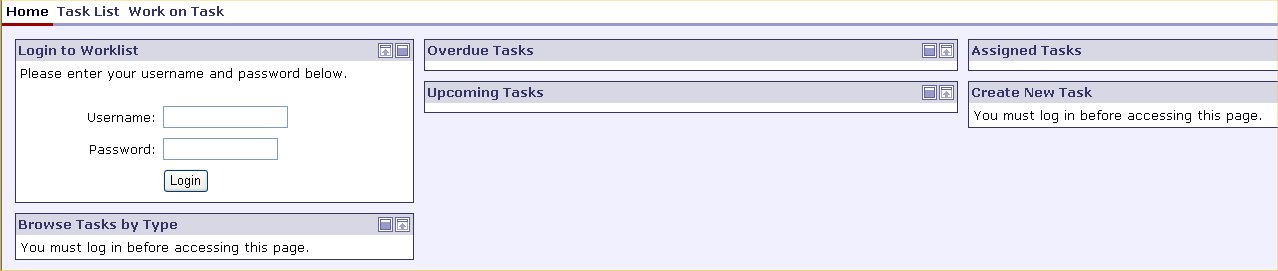
Loan Officer John logs onto the Acme Financial Group's Loan Request user portal system by enter his user name and password and clicking Login.
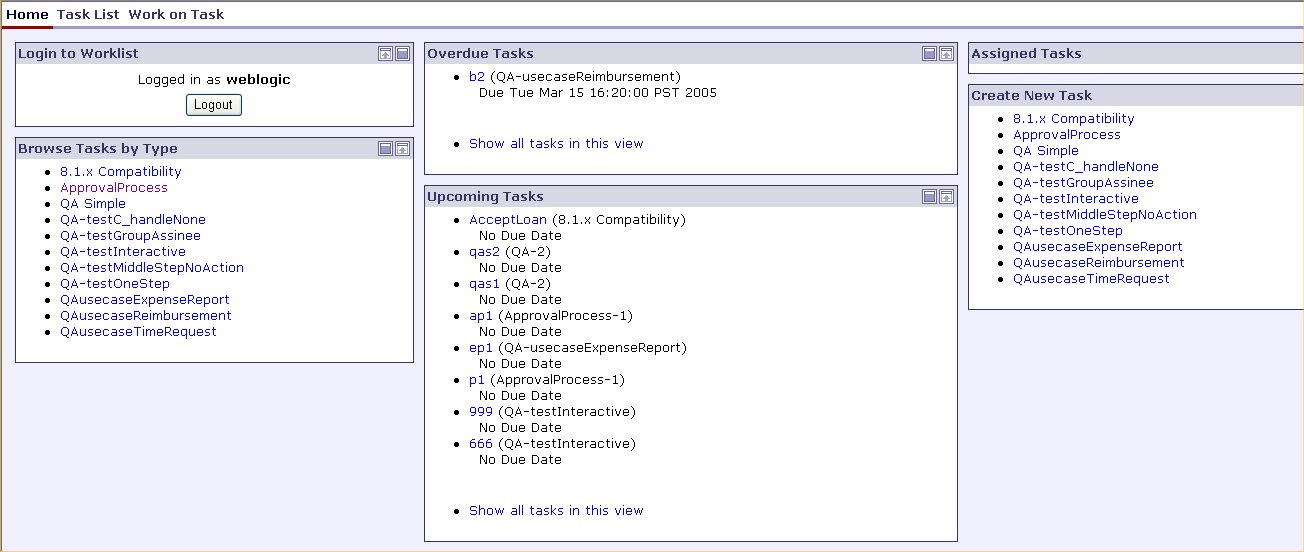
The Loan Request user portal appears. Here Loan Officer John can do the following:
By task type, browse his tasks to be completed.
View his tasks that are overdue.
View his upcoming tasks.
View tasks that are assigned to him.
Create a new task.
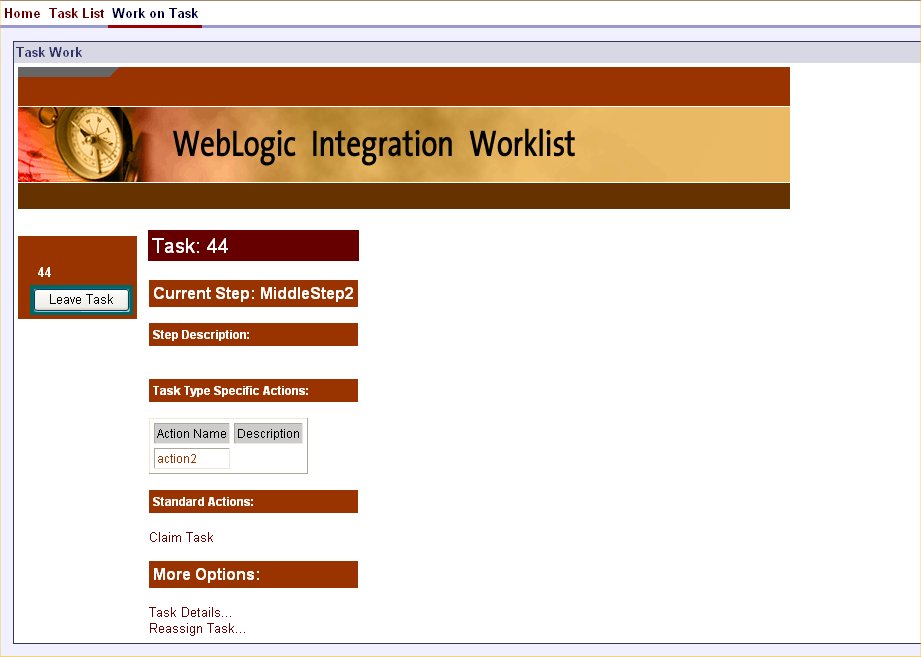
Loan Officer Johyn sees in the Assigned Tasks list that a new Loan Request has been assigned to the Loan Officer group to which he belongs. He clicks on the task name to review the task. The following screen appears:
Loan Officer John clicks Claim Task to claim the task and work on it. By claiming the task, he has assumed responsibility to work on it on behalf of the Loan Officer group to which he belongs.
After assessing the Loan Request, he decides to move the task to the Accepted state.
Because the loan requested is of an amount greater than $10,000 and the customer has been determined to be a high risk customer by the system, the task is automatically routed to the Loan Manager group for further approval.
Loan Manager Mary follows steps 1-4 above to move the task to the Approved state.
Upon approval, the Loan Request is automatically routed back to the business process system that delivered it.
Loan Request Received on Paper
An administrator at Acme Financial Group receives a Loan Request in the mail. She logs into the Acme Financial Group user portal system to create a new Loan Request task type to be assigned to the Loan Officer user group.
Under the Create New Task section of the Loan Request user portal, she selects the Loan Request task type, a standard task type that has been defined in the Acme Financial Group user portal.
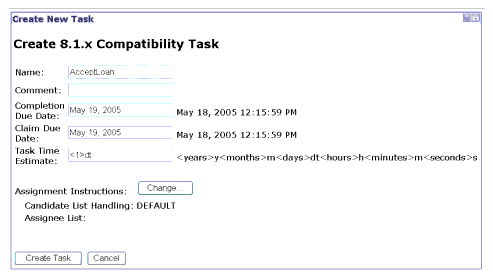
The Create New Task screen appears:
In the Name field, she enters the first task name: LoanRequest.
In the Comment field, she enters a comment or description: New Loan Request.
In the Completion Due Date field, she enters the date by which the Loan Request task type must be completed.
In the Claim Due Date field, she enters the date by which the Loan Request task type must be claimed.
In the Task Time Estimate field, she enters the estimated time in which the Loan Request task type should be completed.
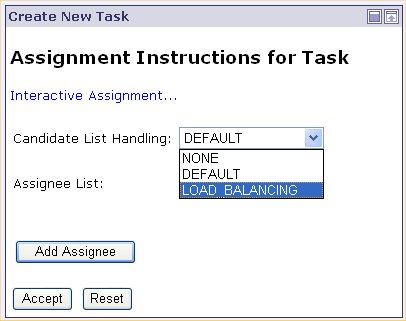
For Assignment Instructions, she has decided to assign the Loan Request task type to a Loan Officer based on Load Balancing. To do so, she clicks the Change button and the following appears:
From the Candidate List Handling drop-down list, she selects the Load Balancing option, and clicks Accept. As a result the Loan Officer with the least amount of assigned tasks will be assigned the Loan Request.