Oracle® Insurance Rules Palette 9.4.0.0 E18894_01
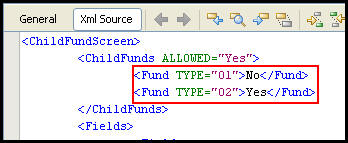
Parent and child funds are used when the same fund may be offered but there are different classes of the fund (versions, bands, groups, etc.). The Child Fund screen is used to establish parent/child relationships by creating the Generate Child Fund right-click option from Fund Group on the Fund screen. When selected, this link generates child funds under Fund Group for Fund Types defined in the Fund TYPE section of this business rule.
This business rule should be a Plan level override and used to control the fund types to be listed on the Child Fund screen and the display of MultiFields on the Child Fund screen.
Please see the XML Configuration Guide topic in this help system for a list of all elements, attributes and values needed for configuration. View Business Rules | Screen Rules | ChildFundScreen.
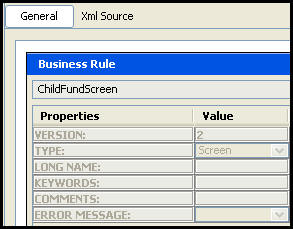
The Child Fund screen General pane displays the name of the rule, the properties of the Child Fund screen and their associated values.
Configuration for this rule is done in XML via the XML Source pane. The XML Source pane includes XML Editor functionality that enhances the configuration experience. More detailed information on configuration using the XML Source pane can be found in the XML Source Editing section.
Copyright © 2009, 2011, Oracle and/or its affiliates. All rights reserved. Legal Notices