| Skip Navigation Links | |
| Exit Print View | |

|
Oracle ZFS Storage Appliance Administration Guide |


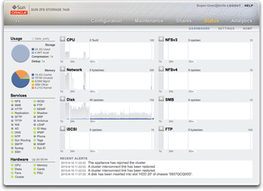
Viewing the Status > Dashboard screen
The Status section provides a summary of appliance status and configuration options. Refer to the following sections for conceptual and procedural information about appliance status views and related service configuration:
The Status > Dashboard screen provides a view of storage, memory, services, hardware, activity, and recent alerts.
The Status > Settings screen enables you to change the graphs that appear on the Dashboard and to customize the threshold settings associated with the weather icons shown for each graph on the Dashboard.
The Status > NDMP screen provides a view of any configured NDMP devices and recent activity for each NDMP session.


|