Key flexfields which have been created in Oracle Fusion Applications must be designated as business intelligence–enabled in order to expose them to Transactional Business Intelligence.
 To BI enable the flexfield segment instance:
Navigate to Manage Key Flexfields in your Fusion Seed Data application.
Click the Manage Structure Instances button.
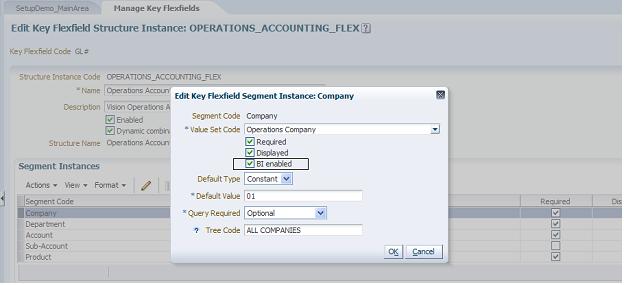
The Edit Key Flexfield Segment Instance dialog box appears as shown in Figure 17, BI Enabling.
In Edit Key Flexfield Segment Instance, select the BI Enabled check box.
For each flexfield segment instance, repeat steps 2 through 4.