
| StorageTek Tape Analytics Configuration Guide, Version 1.0.2 |
| E28378-04 |

|

|

|

|
Note – Before performing this procedure, you must verify that the library is fully initialized. See “Verify the Library is Operational” for instructions.
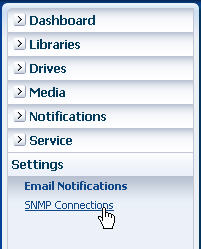
|
2.
|

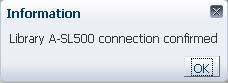
The test is initiated immediately.
Click OK to dismiss the message and proceed to Step 3.
|
•
|
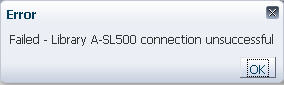
If the test is not successful, an error message appears. Click OK to dismiss the message. See “Troubleshoot an Unsuccessful SNMP Connection” for suggestions.
|

Note – A mismatch between the library engine ID shown here and the library engine ID specified when creating a trap recipient on the library does not affect the connection test.
|
|
|
|
|

|
| Copyright © 2012, 2013 Oracle and/or its affiliates. All rights reserved. | Legal Notices |