The print and export object controls are selected by default.
Allow Printing of Object—Enables printing of selected embedded objects (To add reports to the list of printable objects, see Configuring and Embedding Reports)
Allow Export of Object—Enables export of selected embedded objects
 To use the controls for embedded objects:
In Step 4: Associate Frames with Charts, Pivots, or Tables, from Frames and Embedded Objects, select an embedded object.
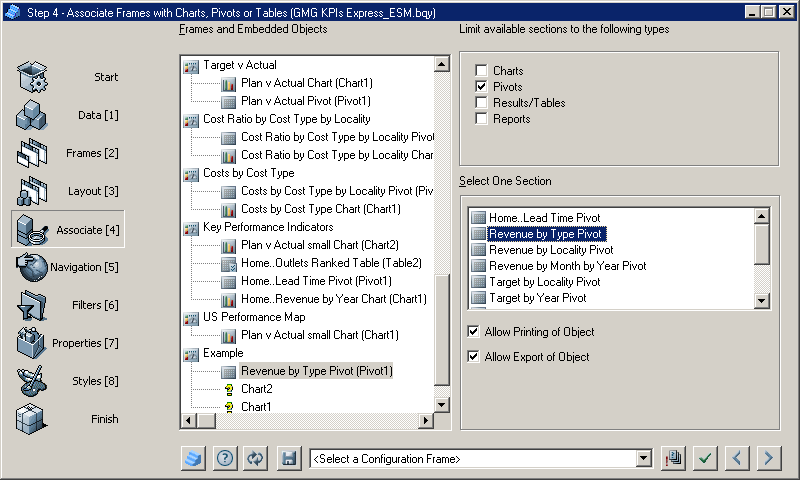
Clear the print or export options.
These options are selected by default.
After the object controls are configured, click
 to apply the selections to the document.
Click
 to move to the next step.
Step 5: Configure Navigation is displayed.