
Managing Related Content in Asset Management
The Basic Add component is the central repository for all changes to the asset record. As such, it displays all adjustments, including those made using the Cost/Adjust Transfer Asset component.
PeopleSoft Asset Management employs Related Content functionality to view Asset Cost History information from any page of the Basic Add component. Related Content is delivered as enabled.
This section shows the pages with delivered settings as enabled for Related Content specific to Asset Management. This delivered setup allows you to view the asset cost history within the Basic Add component.
Pages Used to Manage Related Content
|
Page Name |
Definition Name |
Usage |
|
|---|---|---|---|
|
Define Related Content Service |
PTCSSERVICES |
|
PeopleSoft delivers AM_COST_HISTORY2 service ID for asset cost history related content. |
|
Manage Related Content for Content References |
PTCS_SRVCFG_SRCH |
|
Select the content reference (Basic Add, for example) to edit or remove. |
|
Configure Related Content – Assign Related Content |
PTCS_ SERVICECFG |
Click the Edit button for the content reference. |
Assign the related content service ID to the application component(Basic Add component). |
Related Content Service
Access the Define Related Content Service (PeopleTools, Portal, Related Content Service, Define Related Content Service):
Image: Define Related Content Service page
This example illustrates the fields and controls on the Define Related Content Service page. You can find definitions for the fields and controls later on this page.
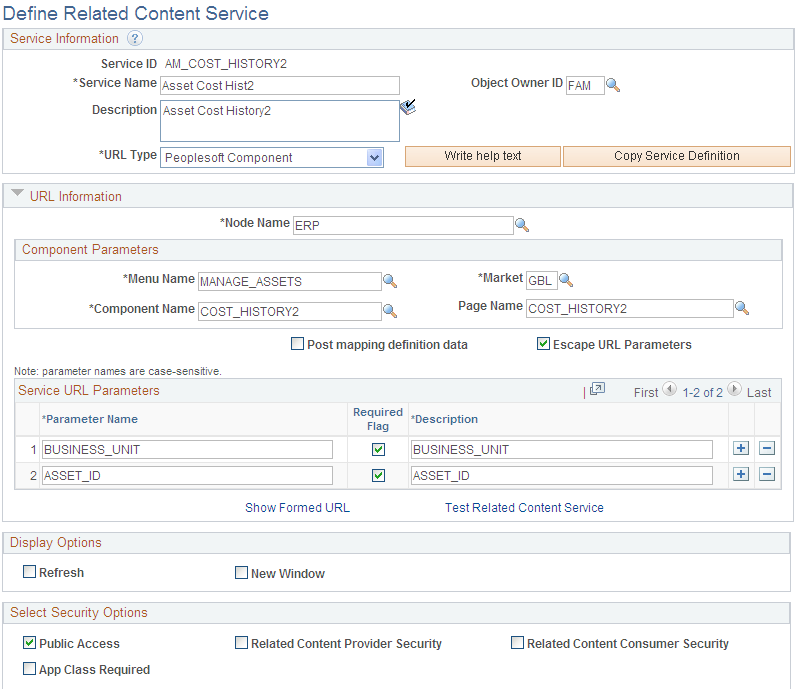
PeopleSoft Asset Management delivers the AM_COST_HISTORY2 service ID to provide related content that resides in the COST_HISTORY2 component.
Content Reference
The Content Reference page links the COST_HISTORY2 component information to the Basic Add component.
Access the Content Reference page (PeopleTools, Portal, Related Content Service, Manage Related Content Service, Manage Related Content for Content References):
Image: Manage Related Content for Content References page
This example illustrates the fields and controls on the Manage Related Content for Content References page. You can find definitions for the fields and controls later on this page.
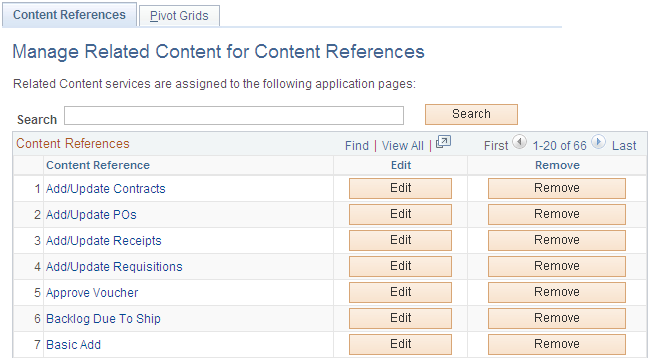
Click the Edit button for the Basic Add content reference:
Image: Assign Related Content page
This example illustrates the fields and controls on the Assign Related Content page. You can find definitions for the fields and controls later on this page.
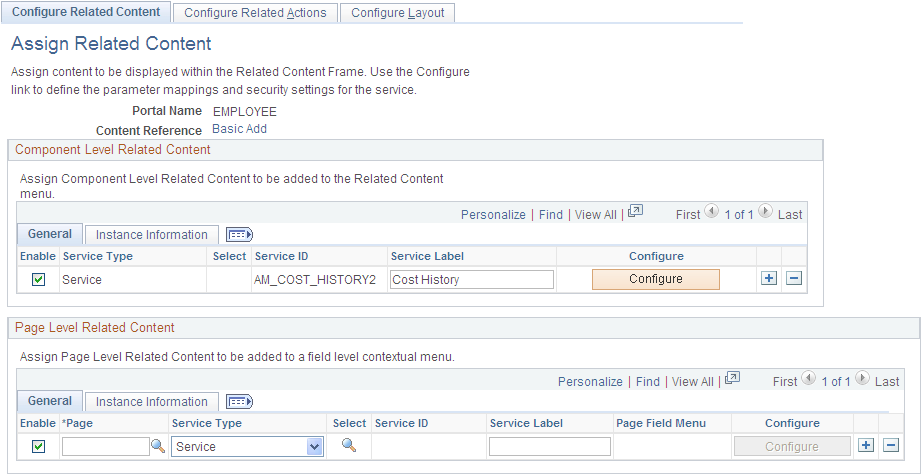
Notice that the Component Level Related Content is assigned to the Service ID, AM_COST_HISTORY2. There is no page level related content . If you want to modify the setup as delivered, see PeopleTools Documentation: PeopleTools Portal Technologies, Developing and Configuring Related Content Services.
Configure Layout Page
Click the Configure layout button to enable the Related Content Menu for the Basic Add component.
Image: Configure Layout page
This example illustrates the fields and controls on the Configure Layout page. You can find definitions for the fields and controls later on this page.
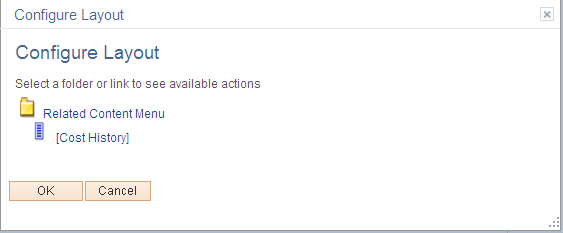
Click OK and Save the Configure Layout page.