EZTask - Check In
The Check-In train guides you through the reservation check-in process. You can access the Check-In train by selecting the Check-In link found at the following locations:
OPERA captures the length of time taken to check in each reservation. Check In time begins when you enter the Check In train and ends when you complete the check in. The system displays the Average Check In Time on the Housekeeping Heartbeat screen.
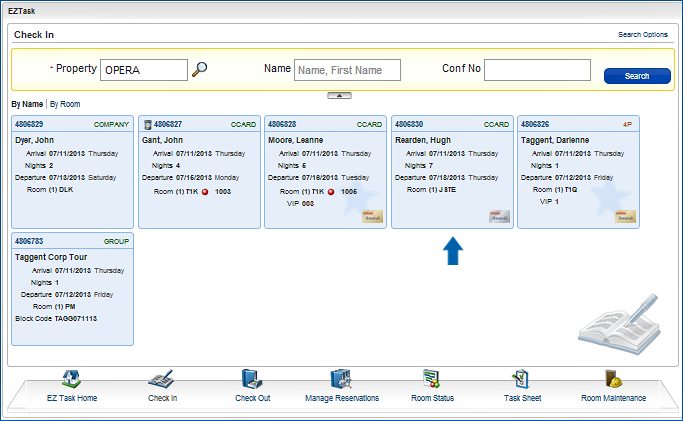
Select Reservation # 4806830 for Hugh Rearden (below) and we'll go through the steps to check in this reservation.
Check-In Process
Check-In uses a 4-step "train" approach that walks you through the process steps for checking in a reservation. The check-in train will automatically take you to the step that needs further information. You can move forward and backward through the train by selecting the stop or by using the Previous, Next, and Check-In buttons.
Using this function helps streamline the check in process, as it:
Steps can be visited out of order, however the check-in can not be completed if the previous steps are not satisfied. In that case, a warning message will appear to inform you of missing information.