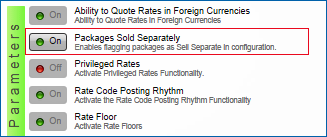
Parameter - Packages Sold Separately
The Packages Sold Separately parameter in Rate Management controls the Sell Separate check box displayed in Rate Packages, Package Codes, and Package Groups.
|
Packages Sold Separately controls the Sell Separate check box. |
Parameter Group: |
|
Level: |
|
|
Rate Management |
|
Property |
|
|
How it works:
If Packages Sold Separately is ON, selecting the Sell Separate check box allows you to sell packages separately from a package rate and attach them directly to a reservation. For example, if a rate code includes a breakfast package, selecting Sell Separate allows you to sell the breakfast package apart from the rate code.
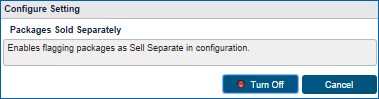
Selecting Packages Sold Separately displays the following pop-up for toggling the parameter ON of OFF.
|
Select Packages Sold Separately to turn the parameter ON or OFF. |
Affected Screens
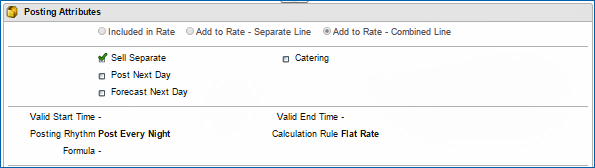
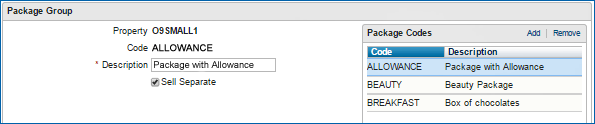
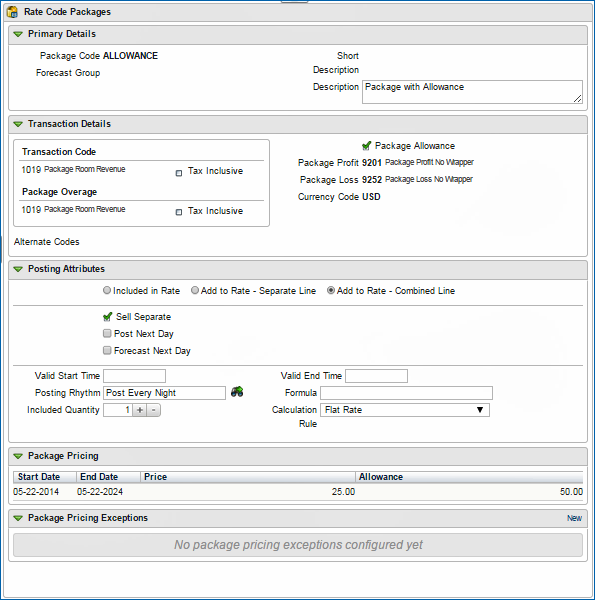
With the Packages Sold Separately parameter ON, the following screens display the Sell Separate check box:
Administration > Financial > Rates and Packages > Rate codes > Package Codes > Posting Attributes
Administration > Financial > Rates and Packages > Package Groups
Administration > Financial > Rates and Packages > Rate Codes
Note: The sell separate checkbox on the rate code screen is view only and is based on the package code or package group configuration.