Chat with the Help Assistant
Use the Help Assistant to get answers to questions about using Primavera Cloud. The Help Assistant is an AI model designed to provide concise, accurate responses to questions using two sources: Primavera Cloud Help Documentation and Primavera Cloud REST API Documentation. It is not designed to provide deployment advice, synthesize customer data, or generate new content.
You can submit up to 100 messages per day, and this resets daily. As you approach the limit, a message displays that you're nearing the limit and includes the reset time in your local time zone.
Note The Help Assistant is not enabled by default and is only available in certain regions. If available in your region, the Help Assistant must be enabled by an application administrator. See Enable the Help Assistant for more information.
Best practices for using the Help Assistant:
- Ask one question at a time rather than combining multiple questions.
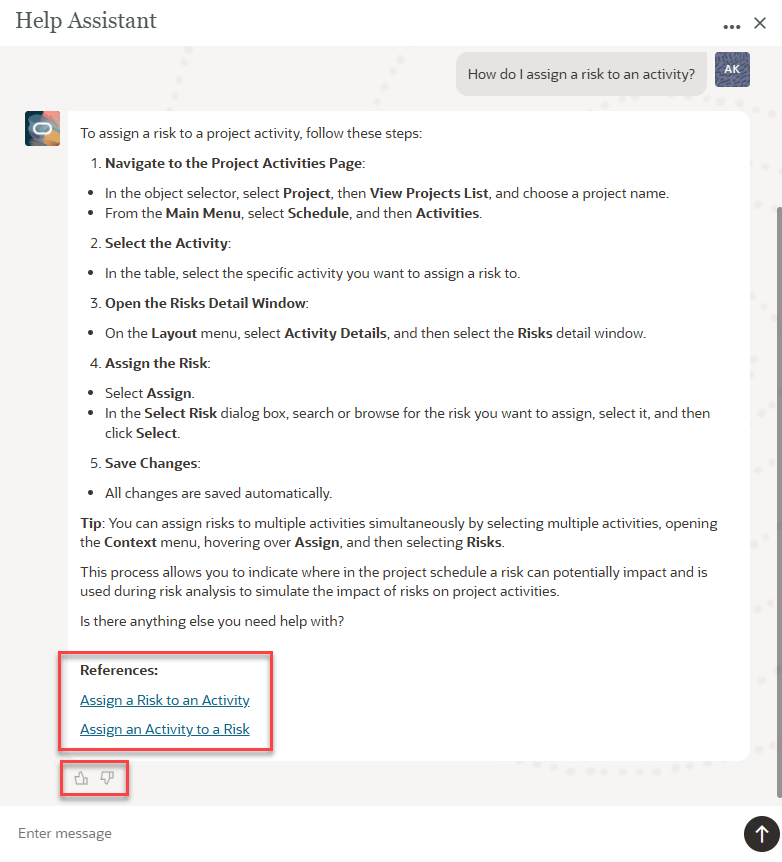
- Be specific. For example, instead of entering "risk", which returns all information containing risk, consider asking "How do I assign a risk to an activity?".
- Use Primavera Cloud terminology and standard industry terms. Avoid slang or internal company jargon, which can prevent results from appearing or provide confusing responses.
Note Help Assistant summaries are prepared by generative AI and intended for informational purposes only. Carefully review and verify these against trusted sources as they may include out-of-date, inaccurate, or incomplete information.
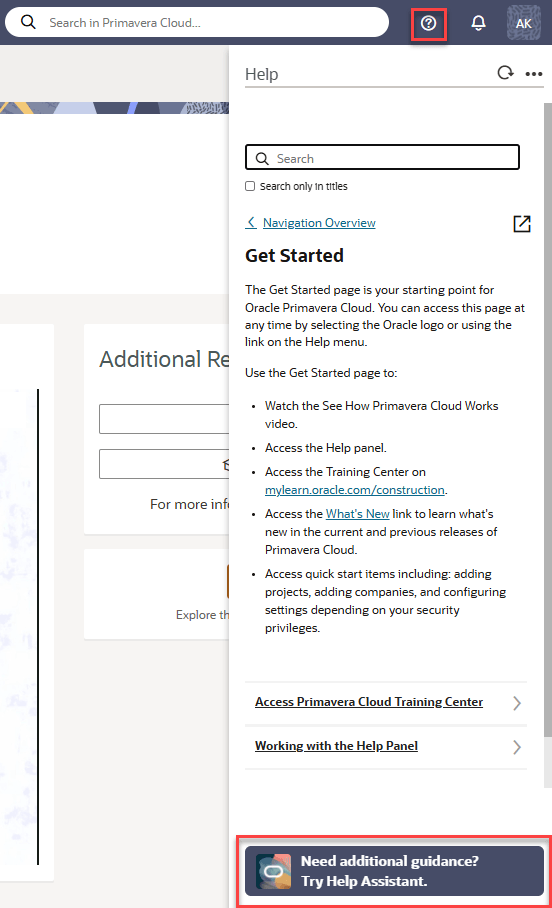
To access the Help Assistant, select  Help on any page, and then select the Try Help Assistant button at the bottom of the help panel.
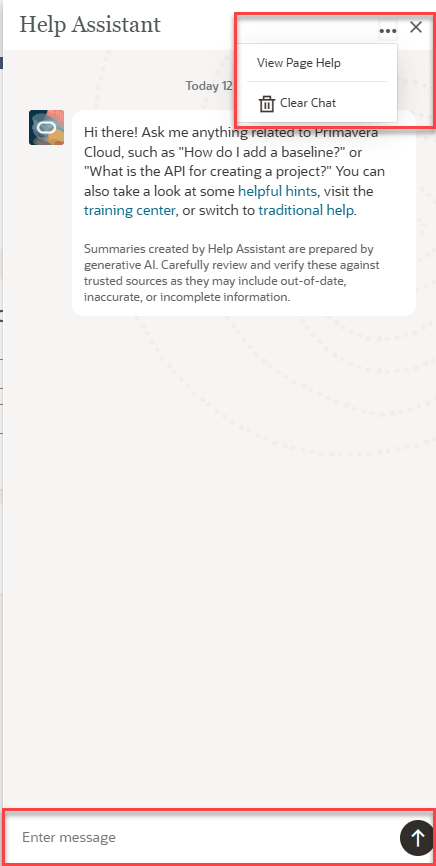
The Help Assistant opens in place of the page help. You can now chat using the Enter Message window at the bottom. Select the  Actions menu to clear your chat or return to traditional page help.
Responses to your prompts will vary and can include sections such as Take me to, with navigation links, or References, with links to related help documentation. Use the  and
and  feedback buttons to rate answers. Your feedback helps to improve the quality of Help Assistant responses over time.