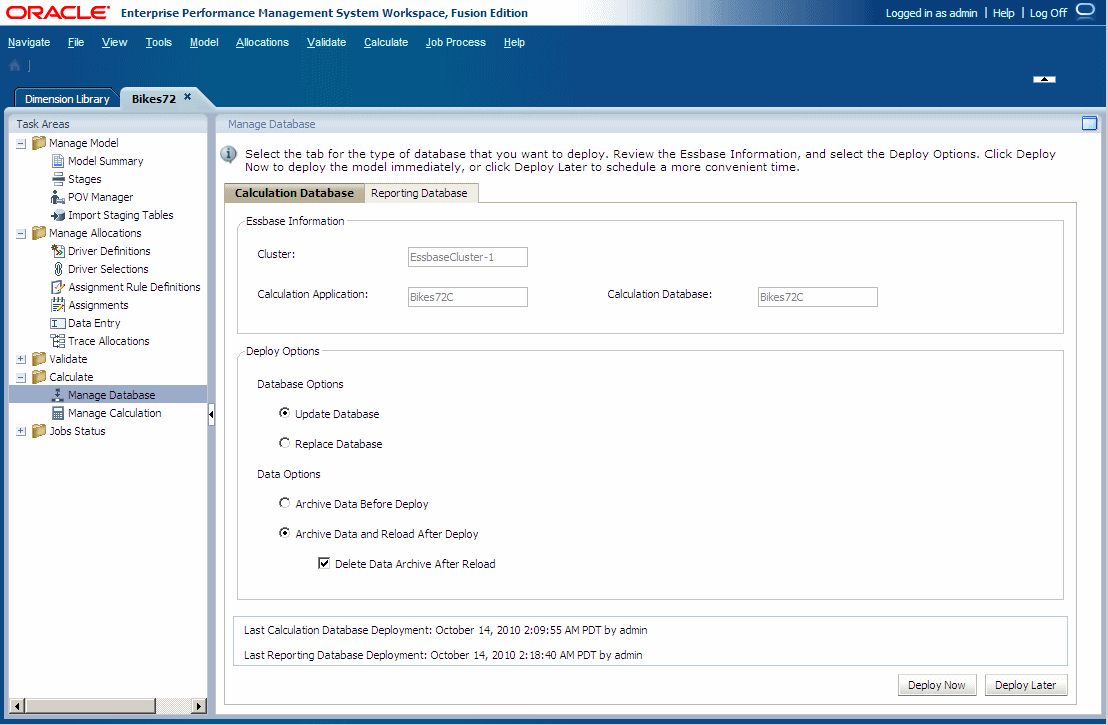
Deploying the Calculation Database
The options on the Calculation Database tab apply only to the calculation database. A Calculation database is created using the Oracle Essbase Block Storage option (BSO) to create the metadata outline.
Caution:
Oracle recommends that, before importing data or artifacts, you create a backup of the data in Oracle Hyperion Enterprise Performance Management Workspace and Essbase. Contact the administrator for assistance.
For the first deployment of a database, you should select the Replace Database option to create the database in its entirety. After the first deployment, when you need to redeploy the calculation database, you can select deployment options to retain or restore the existing artifacts and property setting in the new database.
The following artifacts may be retained:
-
Essbase data
-
System-generated and user-created calculation scripts
-
Report scripts
-
Substitution variables
-
Rules Files
-
Security Filters
-
Database settings
For the Calculation database only, data may be exported using one of these formats:
-
If there is at least one dense dimension with less than 1,000 dimension members, data is exported in a column format and a rule file is generated. The Rules file is generated after the new outline is created.
This Rules File specifies the format of the data for Essbase. The file is located in the same folder as the Essbase Database Application folder that contains the exported data. The file name is formatted as follows:
RMMddxxx.rulorRMMddxxx.txtwhere
MMis the current month,ddis the current day of the month, andxxxis a generated unique identifier. The file name with the extension.rulcontains the rule file, and the file name with the extension.txtcontains the data file. -
If there is no dense dimension with less than 1,000 dimension members, data is exported in a flat file.
Before redeploying, the system analyzes the dimensions and generates a message advising which export option will be used. Any errors in the deployment are reported in
hpcm.log.
To deploy calculation databases:
-
In an open model, from
Task Areas, select Calculate, and then Manage Database.The Calculation Database tab of the Manage Database screen is displayed.