Creating Assignments
Assignments carry costs and revenues from one intersection to another, creating a financial flow within a model.
Oracle recommends the following flow:
-
Create all assignments for a process or allocation in sequence to ensure that all elements are captured.
-
Validate the model structure to verify that no appropriate driver selections are missing.
To create assignments:
-
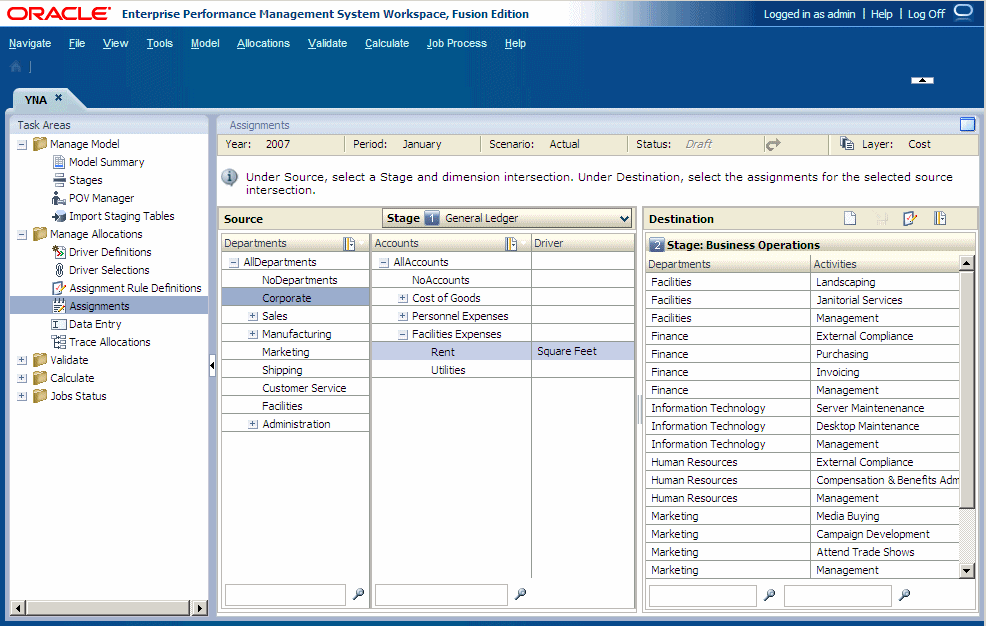
Select a POV for the selected model, and then click
Go
 .
.
-
Beside
Source, from the
Stage
drop-down list, select a model stage for the assignment.
The dimensions and members for the selected model stage are displayed.
-
Optional:
Under
Destination, select
Member Selector
 to filter the list of available destinations:
-
Select
Filter

-
Enter the filter criteria in one or more dimensions, and then click
OK.
Enter the exact name of the required members, or use trailing asterisk (*) as a wild card to select a range of members, or a trailing question mark (?) to select a single character. For example, to find all members of a dimension that begins with the letter "M", enter "M*". Entering the asterisk before the letter does not work, for example "*M."

-
Select
Filter
-
Under
Destination, click
Add
 .
.
-
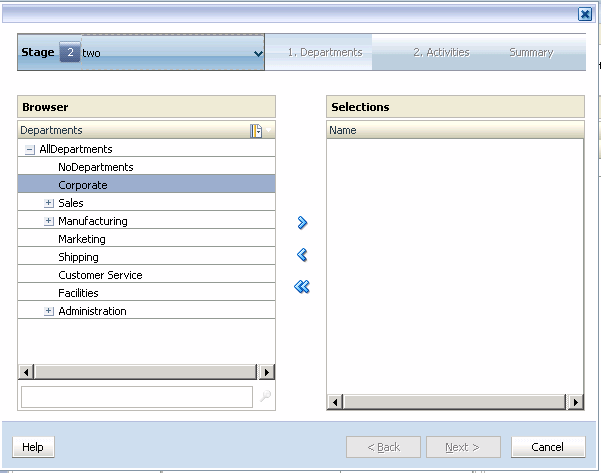
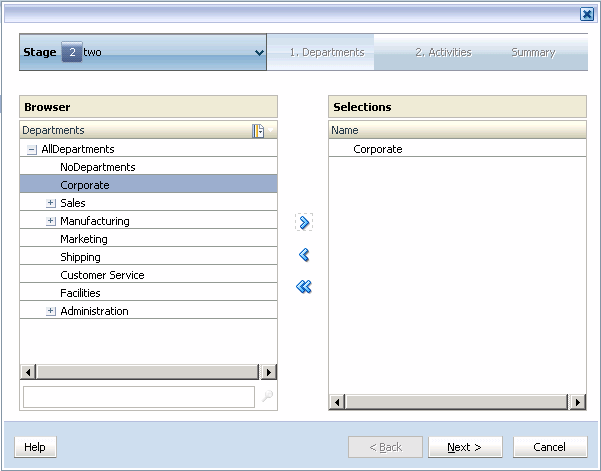
Click
Add
 to move the selected member to
Selections.
to move the selected member to
Selections.
Note:
To remove a member from the Selections list, highlight the member to be removed, and click Remove
 . To remove the entire list, click the
Remove All
. To remove the entire list, click the
Remove All
 .
.
-
Optional:
Repeat step
9
and step
10
to select additional members.
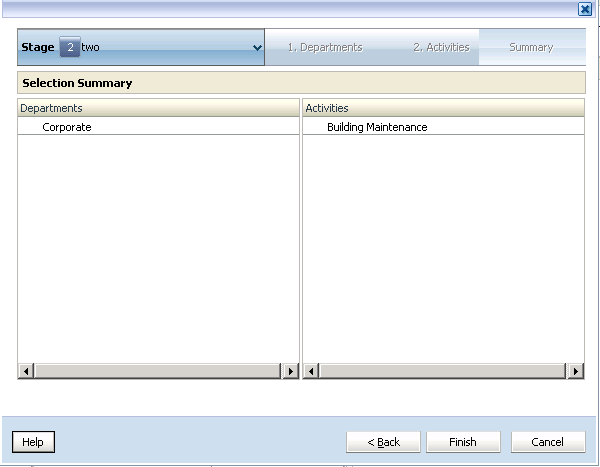
When all members have been selected, the Destination Selection Summary is displayed.