 from the header
to display the Administration tools.
from the header
to display the Administration tools.User group mapping enables you to map user or users to specific user group which in turn is mapped to a specific Information Domain and role. Every user group mapped to the infodom must be authorized.
The User Group Map window displays fields such as User ID, Name, and the corresponding Mapped Groups. You can view and modify the existing mappings within the User Group Maintenance window.
To access User Group Mapping, follow these steps:
1. From the Oracle Financial Services
Analytical Applications Infrastructure window, click Administration
icon from the header
to display the Administration tools.
Figure 1: OFS AAI Administration Window
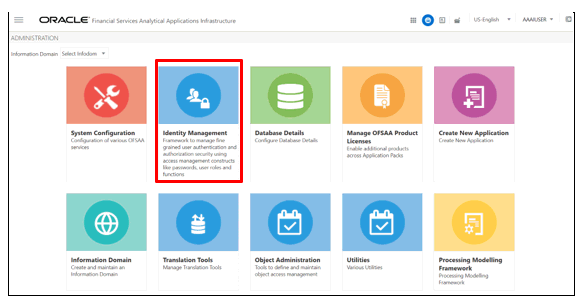
2. Select Identity Management from the Tiles menu to view the Security Management window,
or
3. Click the Navigation Menu  to
access the Navigation List.
to
access the Navigation List.
4. Select Identity Management to view the Security Management window. You can map the users to the user groups in this window.
Figure 2: OFS AAI Security Management Window
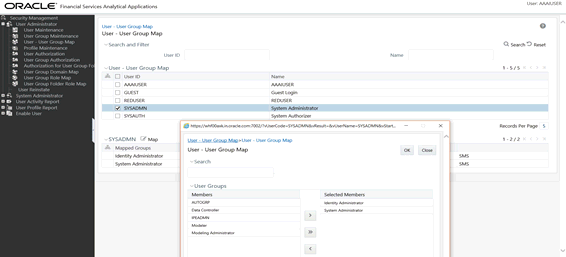
5. For details on mapping users to user groups, see the OFS Advanced Analytics Infrastructure User Guide. The following table lists the seeded user groups for OBP.
Table 1: Seeded User Groups for OFSAA - OBP Interface
Name |
Description |
OBP Admin |
A user mapped to this group has access to all the menu items for the entire OBP Application. The exclusive menu is available only to users of this group. |
OBP Data Mapping |
A user mapped to this group has access to the OBP Data Mapping menu. |
OBP Operator |
A user mapped to this group has access to the Orchestration and Execution menu. |