IBSS - RM Security DB
To configure RM security DB, follow these steps:
- Open the insbridge.net.softraterconfig.xml.
- Add the security connection details below the CONTROLLER connection.
- Configure the RM portal login. Please refer to the IBSS - Configure RM Portal Login topic.
- Deploy and start the IBSS.war.
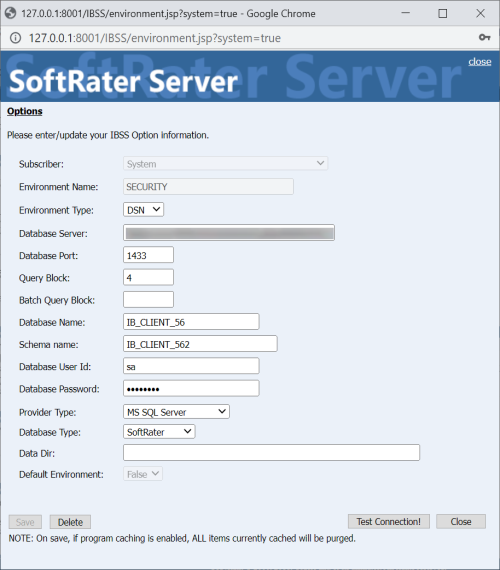
The security Environment should be displayed.

- Check details of your Security Database and verify connectivity.
<connection DataDir="" conn_type="connection_string" dataSchema="IB_CLIENT_562" dataServer="fsgbu-mum-458.snbomprshared1.gbucdsint02bom.oraclevcn.com" dataSource="IB_CLIENT_562" dbtype="R" default="false" id="-200" jndi_ctx_factory="" jndi_name="" jndi_url_host="" jndi_url_port="" jndi_url_rmi="" name="SECURITY" port="1433" provider="1" pwd="1Y0S]5Z7*zYN*WZU" sql_batch_block_cnt="" sql_block_cnt="4" sub_name="" system="true" uid="1O0X" xdb_p1="1"><string>