Assigning Payslips to Pay Groups
Once you have designed your payslip, you must assign the payslip to a pay group using the Payslip Definition by Pay Group component (GPGB_PSLIP_GP_PNLG). This topic discusses how to assign created payslips to pay groups.
|
Page Name |
Definition Name |
Usage |
|---|---|---|
|
GPGB_PSLIP_GRP |
Assign created payslips to a pay group. Each pay group can have its own payslip. |
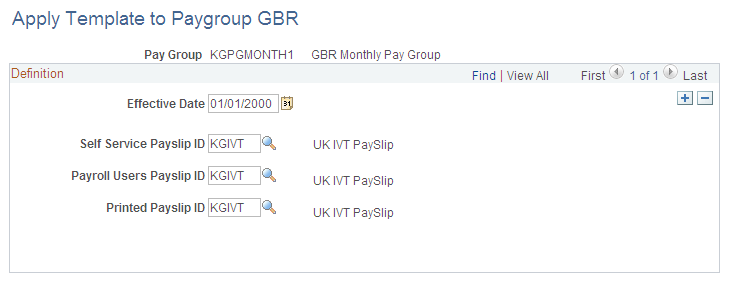
Use the Apply Template to Paygroup GBR page (GPGB_PSLIP_GRP) to assign created payslips to a pay group.
Each pay group can have its own payslip.
Navigation:
This example illustrates the fields and controls on the Apply Template to Paygroup GBR page.
Field or Control |
Description |
|---|---|
Self Service Payslip ID |
Select the self-service payslip that you want to assign to the pay group. |
Payroll Users Payslip ID |
Select the payroll users payslip that you want to assign to the pay group. |
Printed Payslip ID |
Select an ID for the printed payslip (a printed payslip may not have the same setup as the payroll users or self-service payslip, so it needs its own definition and ID). |