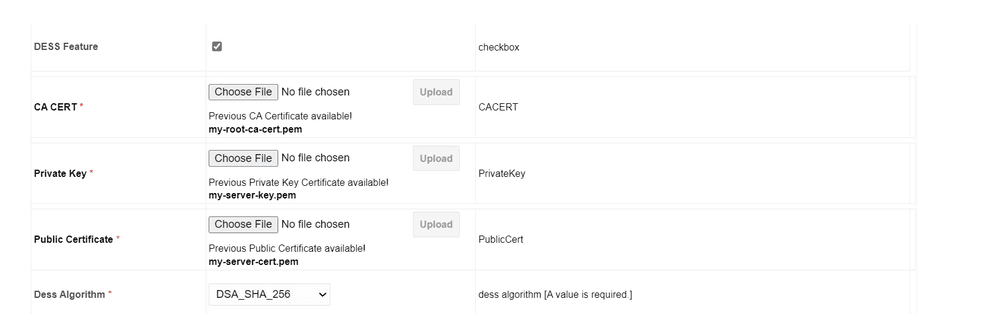
11.3.1 Local Node Configuration
Perform the following procedure to enable DESS (Diameter End-to-End Security) in the local node:
Note:
By default DESS feature will be disabled.- Log in to the active SOAM (Service Operations, Administration, and Maintenance) GUI.
- From the Main Menu, navigate to Diameter, Configuration, Local Node, and then click Insert.
- Enable DESS Feature check box.
- Upload CA CERT.
- Upload Private Key.
- Upload Public Certificate.
Note:
Certificates must be in .pem format. - Select DESS algorithm from the dropdown menu:
- RSA_SHA_256
- EC_DSA_SHA_256
- DSA_SHA_256
- Click Apply.
.
Note:
When applying, GUI will verify the certificates and throws error if public certificate is not issued by CA certificate or public and private certificate are not in pair.Figure 11-4 Local Node GUI Configuration