在表单上定义父代优先函数
您可以为以下函数定义父代优先 (PF) 函数,该函数将父代成员置于表单中的子代之上:
-
DescendantsPF -
IDescendantsPF -
IChildrenPF
无法在表单设计器中的成员选择器中或应用程序中的其他位置选择 PF 函数。只能在表单设计器的布局选项卡上键入它们。
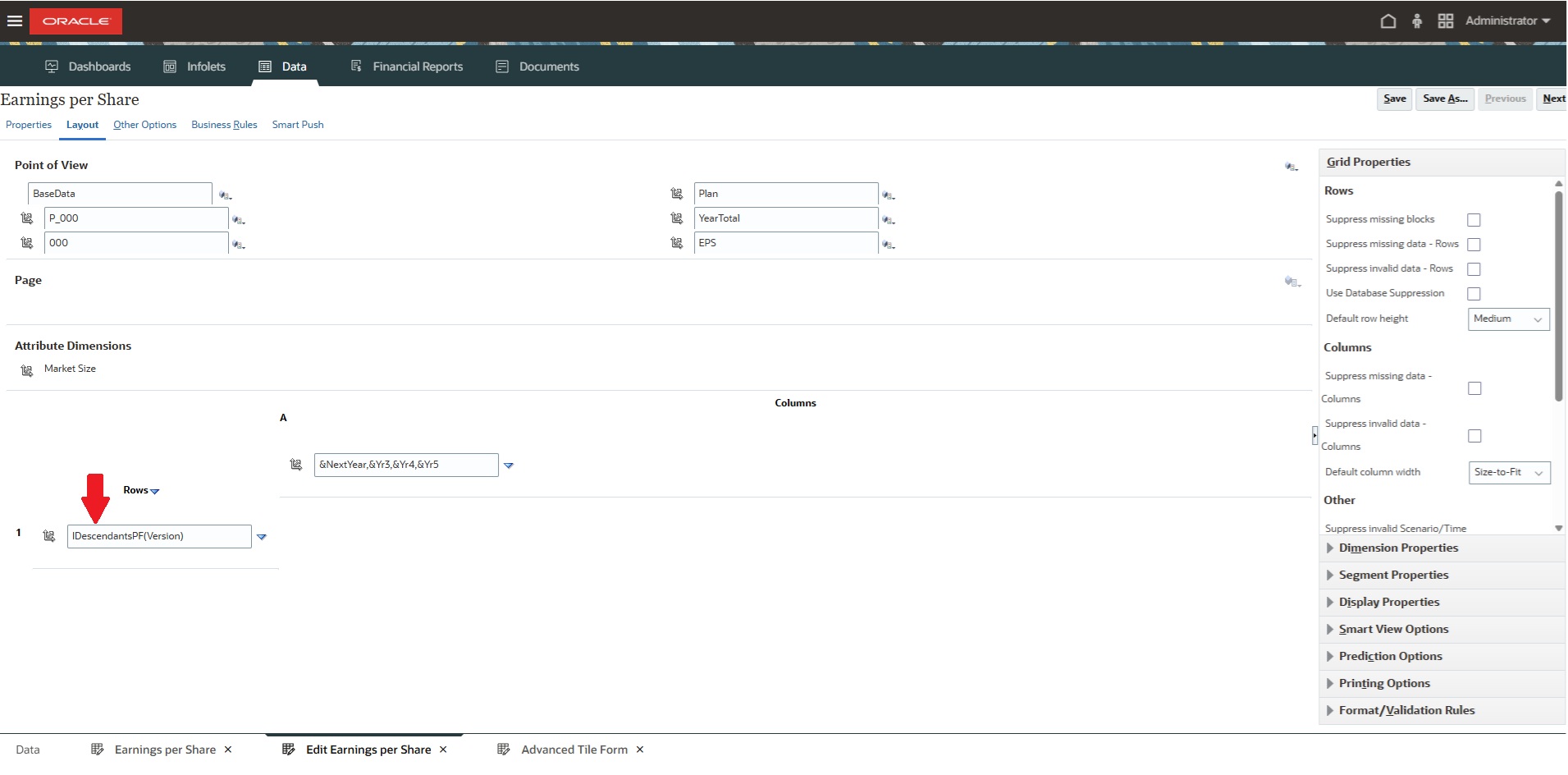
PF 函数示例
以下示例说明了 PF 函数在表单上的显示方式:
Table 14-8 表单上的 PF 函数示例
| 功能 | 不使用 PF 函数 | 使用 PF 函数 |
|---|---|---|
|
|
Jan, Feb, Mar, Q1, Apr, May, Jun, Q2, Jul, Aug, Sep, Q3, Oct, Nov, Dec, Q4 |
Q1, Jan, Feb, Mar, Q2, Apr, May, Jun, Q3, Jul, Aug, Sep, Q4, Oct, Nov, Dec |
|
|
Jan, Feb, Mar, Q1, Apr, May, Jun, Q2, Jul, Aug, Sep, Q3, Oct, Nov, Dec, Q4, YearTotal |
YearTotal, Q1, Jan, Feb, Mar, Q2, Apr, May, Jun, Q3, Jul, Aug, Sep, Q4, Oct, Nov, Dec |
|
|
Q1, Q2, Q3, Q4, YearTotal |
YearTotal, Q1, Q2, Q3, Q4 |
手动输入 PF 函数
要在表单设计器中创建 PF 函数:
-
打开表单进行编辑或创建表单,然后单击布局选项卡。
-
在 POV、页面、列或行中,查找已定义的
Descendants、IDescendants或IChildren函数或定义一个函数。 -
紧接在
Descendants、IDescendants或IChildren后面手动输入PF;例如DescendantsPF(YearTotal)、IDescendantsPF(YearTotal)或IChildrenPF(YearTotal)。 -
单击保存,然后查看表单。父代成员将首先显示在表单的层次中。