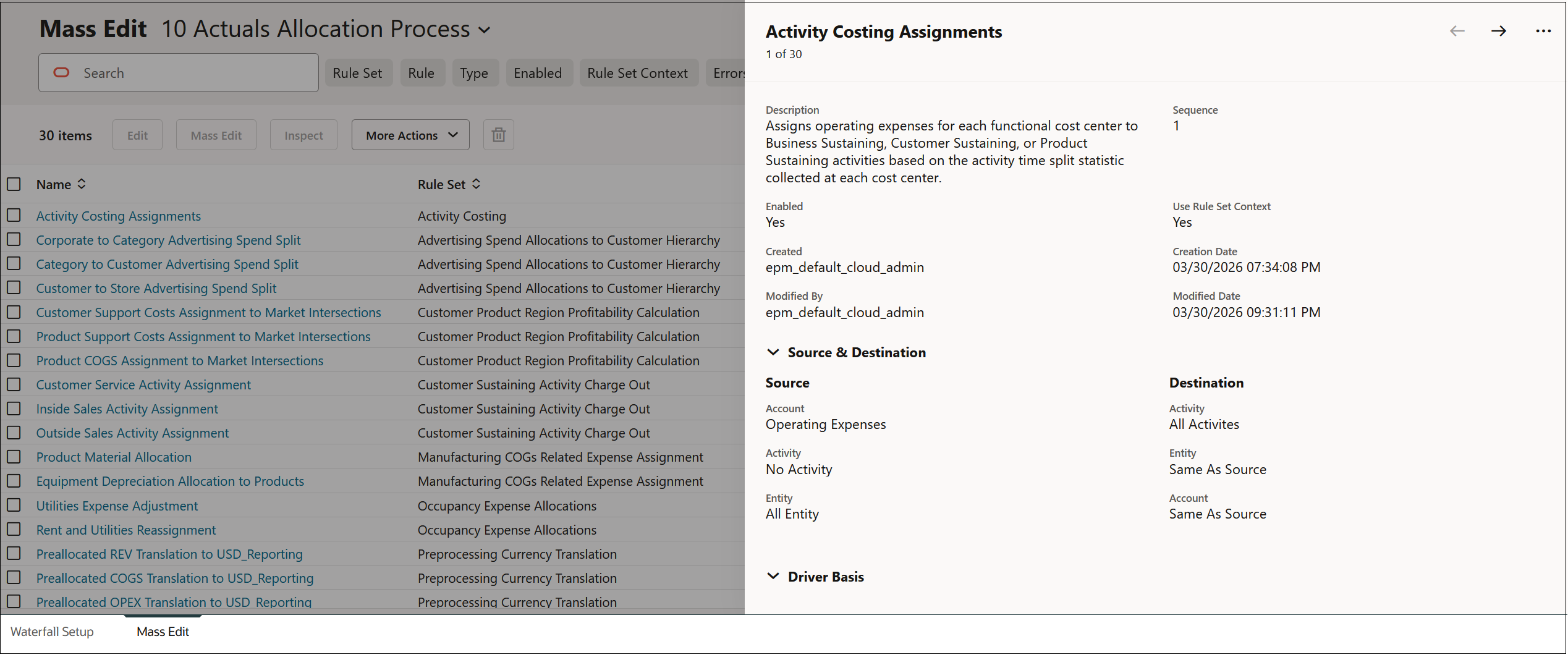
若要顯示有關規則的詳細資訊,請選取規則,然後按一下檢查。詳細資料會顯示在大量編輯頁籤的快顯視窗中。
例如,在隨 Enterprise Profitability and Cost Management 提供的 BksML50 範例應用程式中,有關「活動成本計算指派」規則的詳細資料顯示如下:
按一下快顯視窗頂端的 和 ,即可在大量編輯頁籤上的規則之間向前和向後捲動。
按一下 ,然後選取關閉或最大化,以關閉或最大化快顯視窗。
Scripting on this page enhances content navigation, but does not change the content in any way.
 和
 ,即可在大量編輯頁籤上的規則之間向前和向後捲動。
 ,然後選取關閉或最大化,以關閉或最大化快顯視窗。