啟用 XBRL 服務整合
唯有 EPM Enterprise 才提供 XBRL 服務整合功能。EPM Standard 或舊有的 Enterprise Performance Reporting Cloud Service 都不提供。
若要啟用 XBRL 服務整合,請依照下列步驟進行:
- 在 Narrative Reporting 首頁中選取工具,然後選取設定值。
- 從左側面板的「設定值」視窗中,選取 XBRL 設定值。
- 選取啟用 XBRL 服務提供者整合核取方塊。
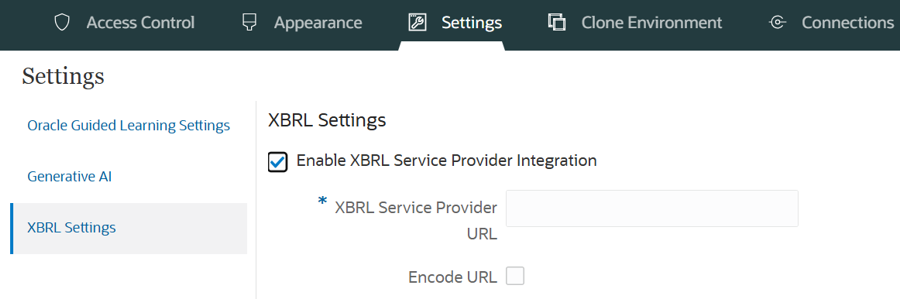
- 輸入 XBRL 服務提供者 URL。
- 選擇性:選取將 URL 編碼。
- 按一下儲存。
例如,假設您的 Ez-XBRL XOR 服務 URL 如下:
https://xororacleapp.auth.us-east-1.amazoncognito.com/oauth2/authorize?client_id=xxxxxxxxxxxxxxxxxxxxxxxxxx&response_type=code&scope=email+openid&redirect_uri={{ezxbrl_xor_platform_url}}&state=
Ez-XBRL XOR 整合需使用經過編碼的 URL。請確定您選取了將 URL 編碼選項。