Exadata Database - Manual
Learn how to back up an Exadata Database using the Manual Backup (Standalone Backup) option.
You can configure manual backup by using the OCI Console, OCI CLI, or Terraform.
Manual Backup (Standalone Backups)
Standalone backups are Oracle AI Database backups stored in the same backup destination as the automatic backup destination selected during the Create Exadata Database step. Standalone backups are not subject to automatic backup retention policies. They are kept in the selected backup destination until you decide to delete them.
These are the steps to create a manual backup:
-
From the OCI console, select Exadata VM Clusters and then select the Exadata VM Cluster that you are using.
-
Select the Backups tab, and then select the Create Backup button.
-
From the Create Backup page, complete the following substeps:
-
Enter a Name for your backup.
-
Select the Create button to complete the creation step.
-
Return to the Backups tab within your Exadata VM Cluster to view the State of your backup. Once your backup is created, the state will change from Creating to Active.
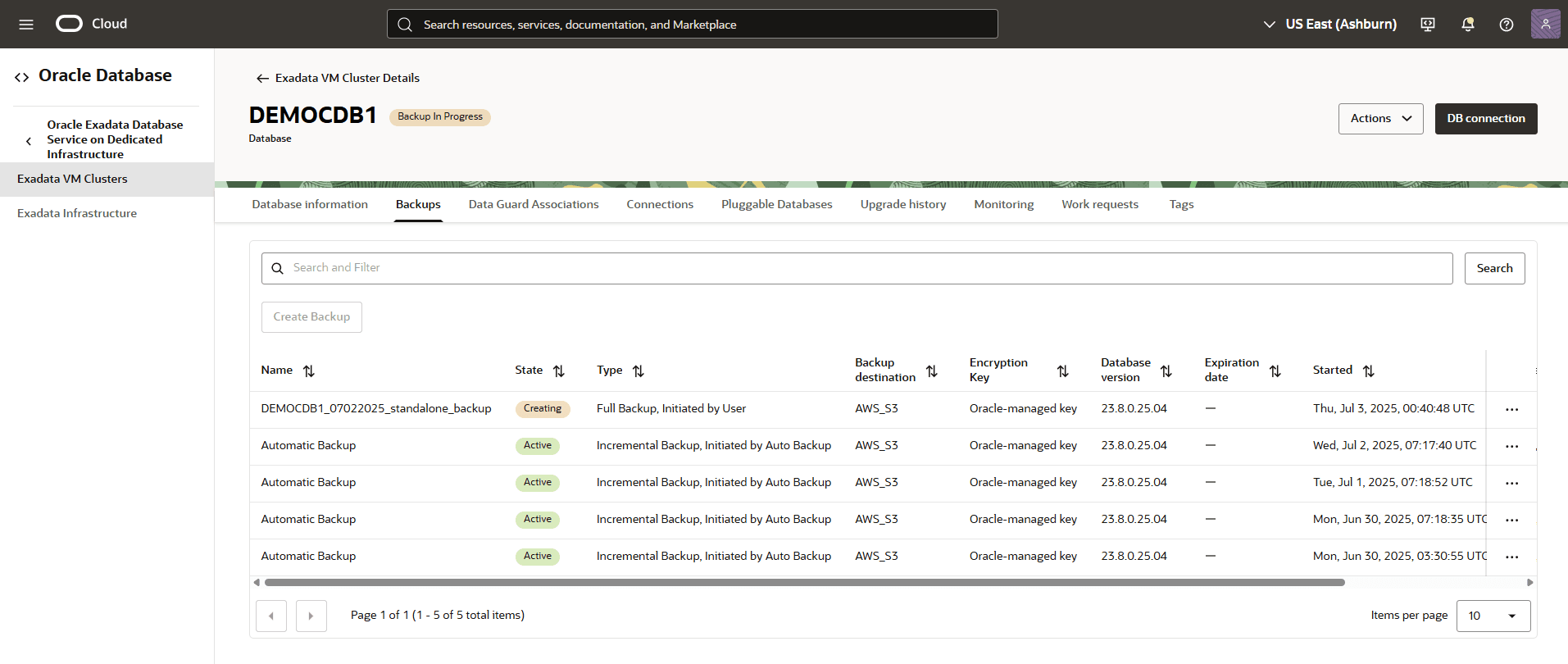
-
Alternatively, you can select Standalone backups from OCI console to view the State of your backup.
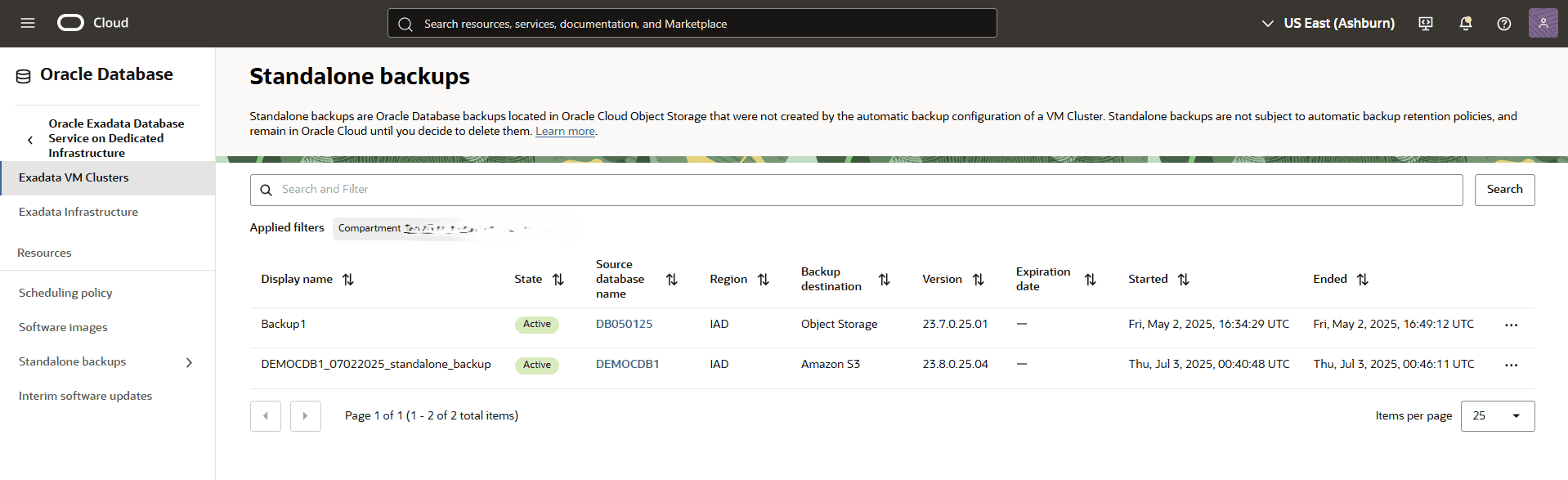
-
-
You can configure manual backup by using the OCI Console, OCI CLI, or Terraform.
There is currently no content for this page. Oracle AI Database@AWS team intends to add content here, and this placeholder text is provided until that text is added. The Oracle AI Database@AWS team is excited about future new features, enhancements, and fixes to this product and this accompanying documentation. We strongly recommend you watch this page for those updates.
There is currently no content for this page. Oracle AI Database@AWS team intends to add content here, and this placeholder text is provided until that text is added. The Oracle AI Database@AWS team is excited about future new features, enhancements, and fixes to this product and this accompanying documentation. We strongly recommend you watch this page for those updates.