Autonomous AI Database (Dedicated)
Learn how to create an Autonomous AI Database on Dedicated Exadata Infrastructure.
Creating an Autonomous AI Database on Dedicated Exadata Infrastructure requires an existing Autonomous VM Cluster. Creating an Autonomous AI Database on Dedicated Exadata Infrastructure may take up to 1 hour or more.
Creating an Autonomous AI Database on Dedicated Exadata Infrastructure must be done from the OCI console.
-
Complete the prerequisites before creating an Autonomous AI Database on Dedicated Exadata Infrastructure. For more information, see the Prerequisites section.
-
From the OCI console, select Oracle AI Database, and then select Autonomous AI Database on Dedicated Infrastructure.
-
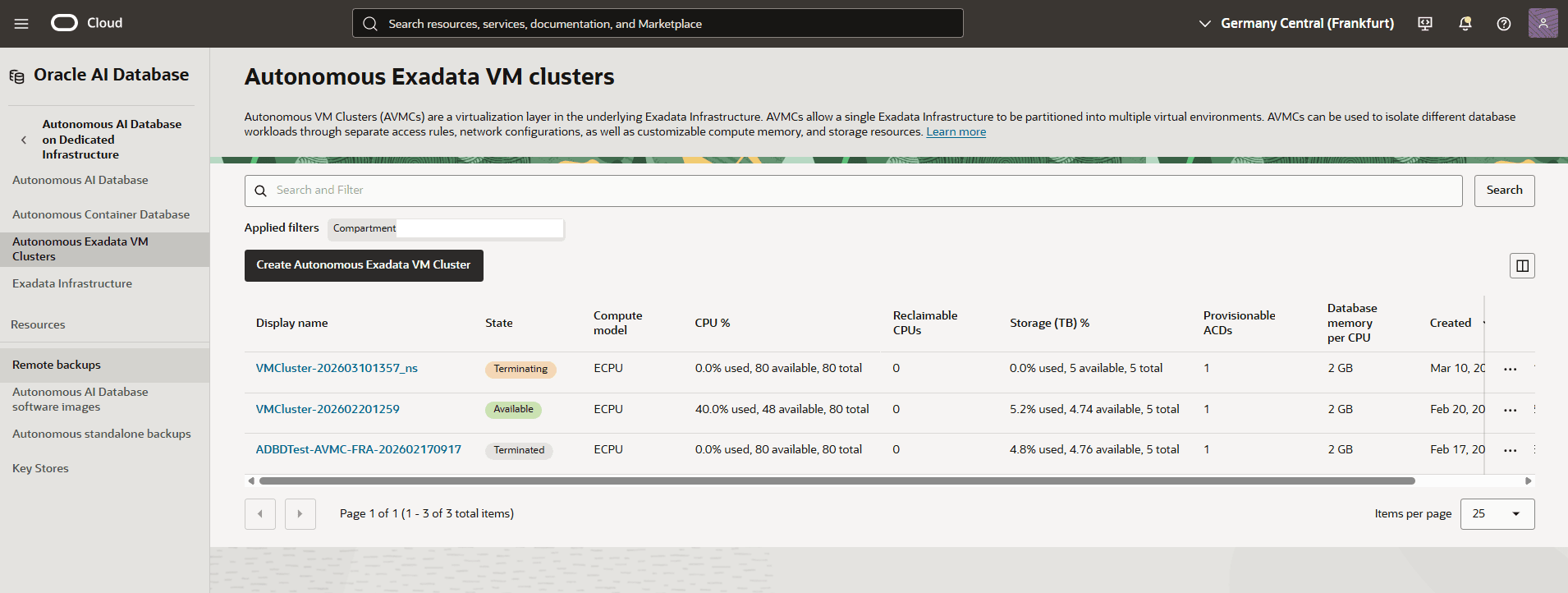
Switch to the compartment that contains your Autonomous Exadata VM Cluster, and then select your Autonomous Exadata VM Cluster where you want to create the database.
-
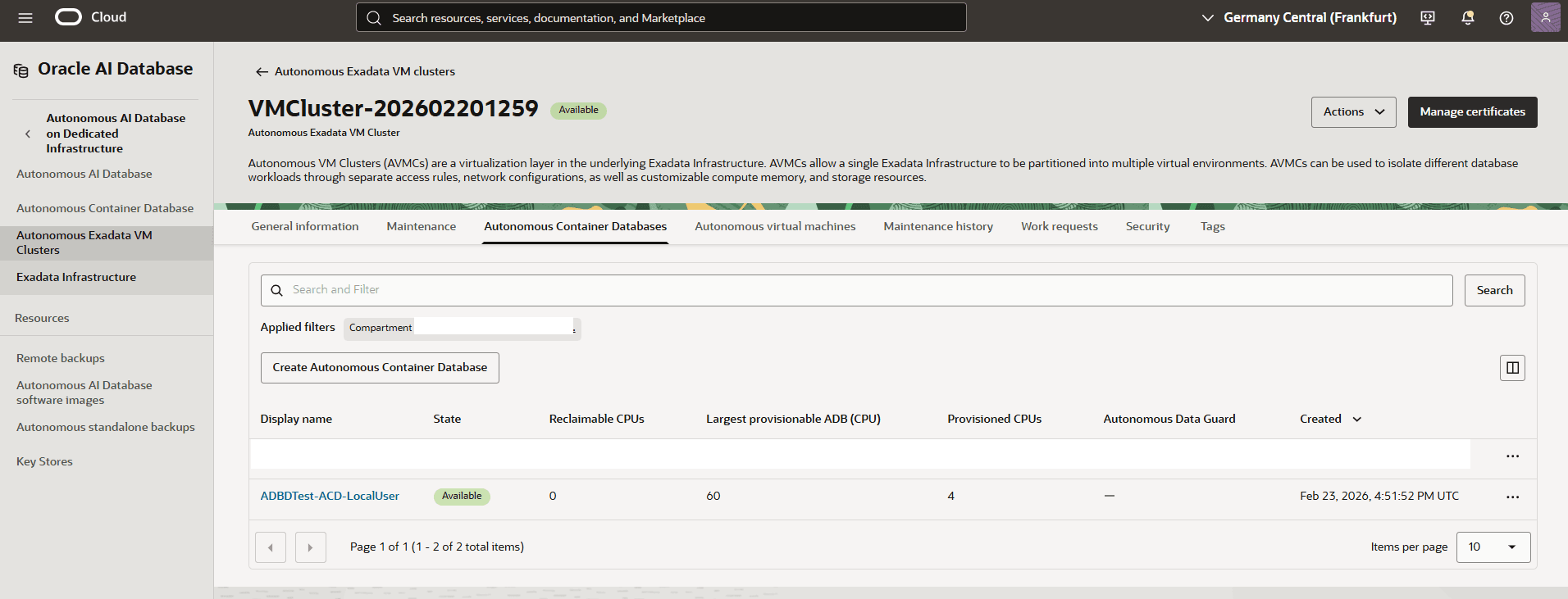
Select the Autonomous Container Databases tab, and then select the Create Autonomous Container Database button.
-
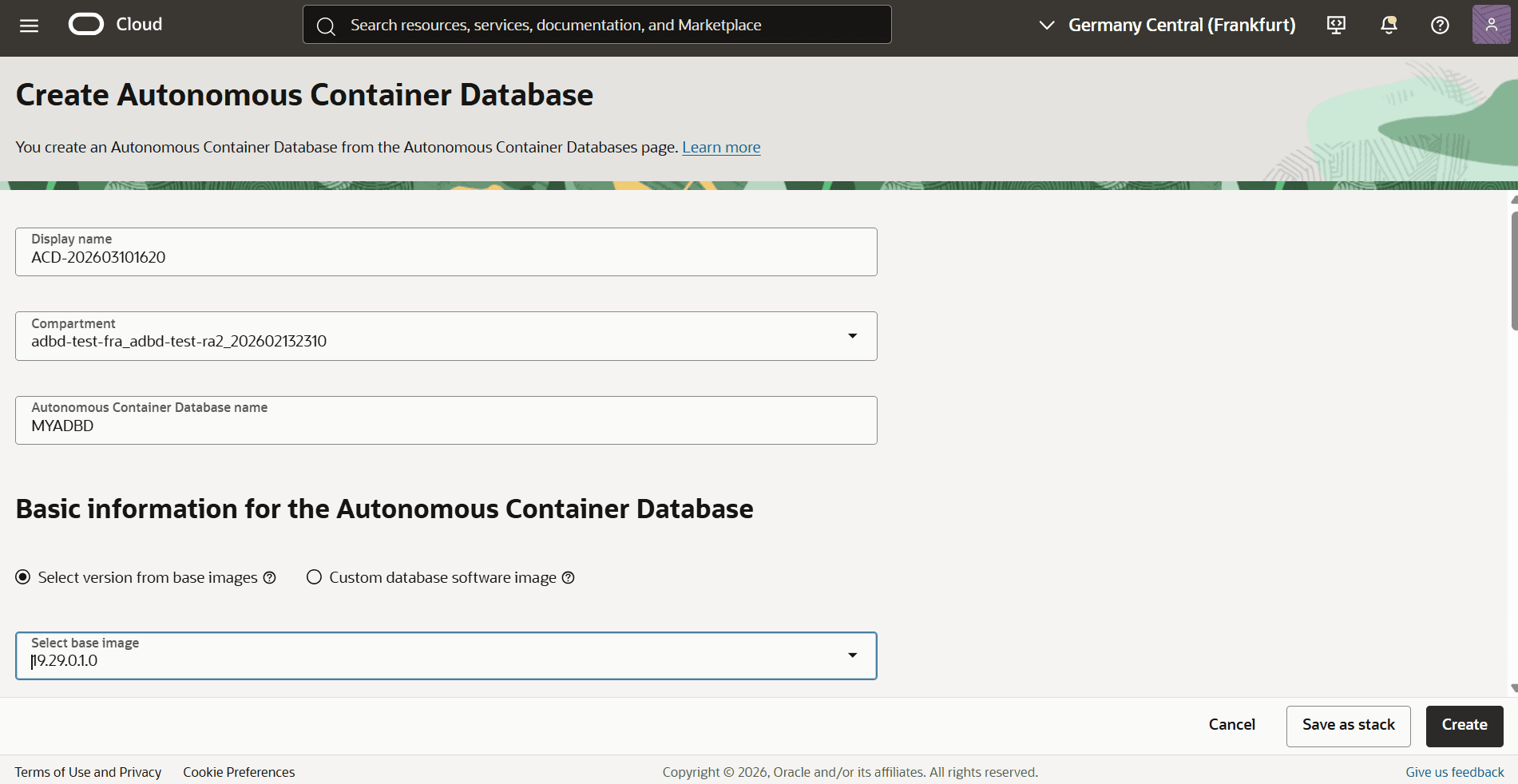
From the Create Autonomous Container Database page, enter the following information.
-
Enter a descriptive display name in the Display name field. The Display name must be 1 to 255 characters, of letters, numbers, underscores () and hyphens (-). Display name must start with a letter or underscore() and cannot contain two successive hyphens(-).
-
Select the Compartment where you want to create the Autonomous Container Database.
-
Enter your database name in the Autonomous Container Database name field. The name must be unique across VM Cluster and must be of 2 to 8 characters, of uppercase letters, numbers and underscores(_) and start with an uppercase letter.
-
From the Basic information for the Autonomous Container Database section, select the Select version from base image option, and then select the version for your Autonomous Container Database.
-
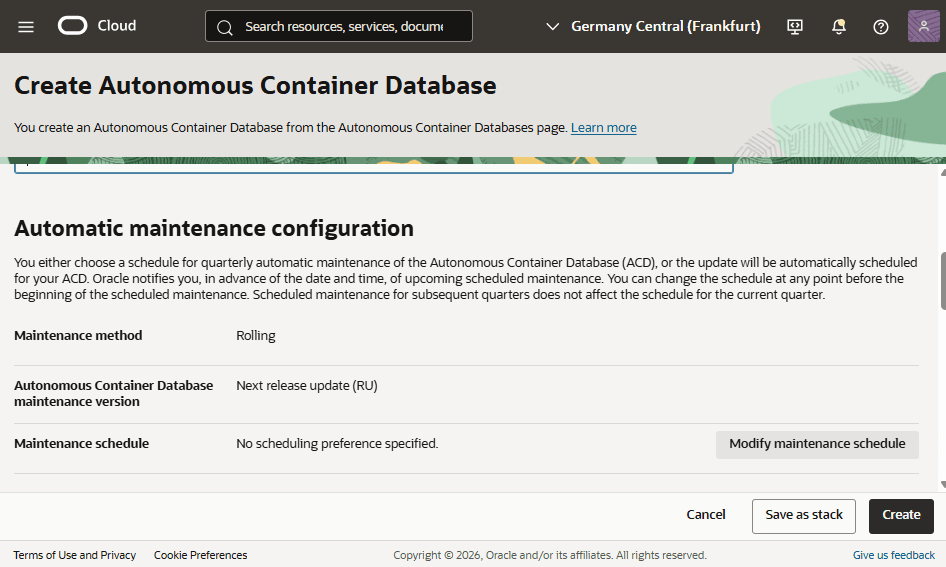
From the Automatic maintenance configuration section, review the current settings such as Maintenance method, Autonomous Container Database maintenance version, and Maintenance schedule.
-
Select the Modify maintenance schedule button if you wish to modify.
-
-
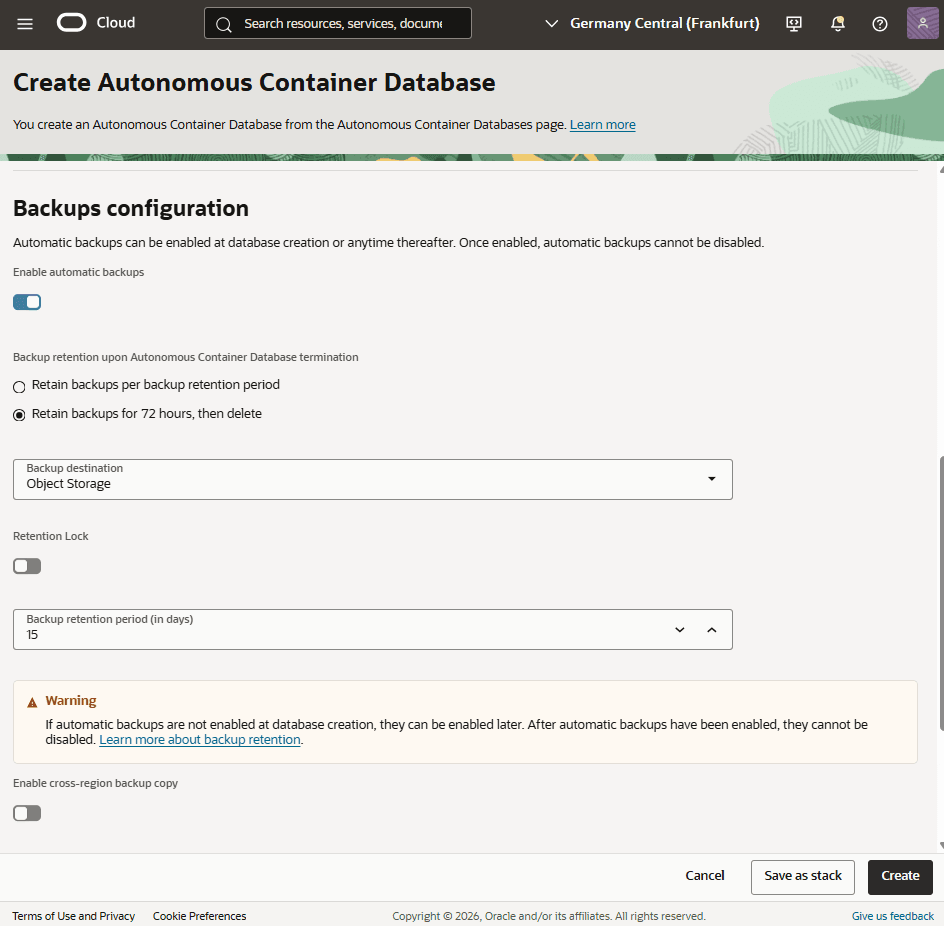
From the Backups configuration section, turn on the Enable automatic backups toggle.
-
Under Backup retention upon Autonomous Container Database termination, select one of the following:
-
Retain backups per backup retention period
-
Retain backups for 72 hours, then delete
-
-
From the dropdown list, select Backup destination.
-
Based on your requirements, you can turn on the Retention Lock toggle.
-
Set the backup retention duration by selecting the Backup retention period (in days).
-
Turn on the Enable cross-region backup copy toggle.
-
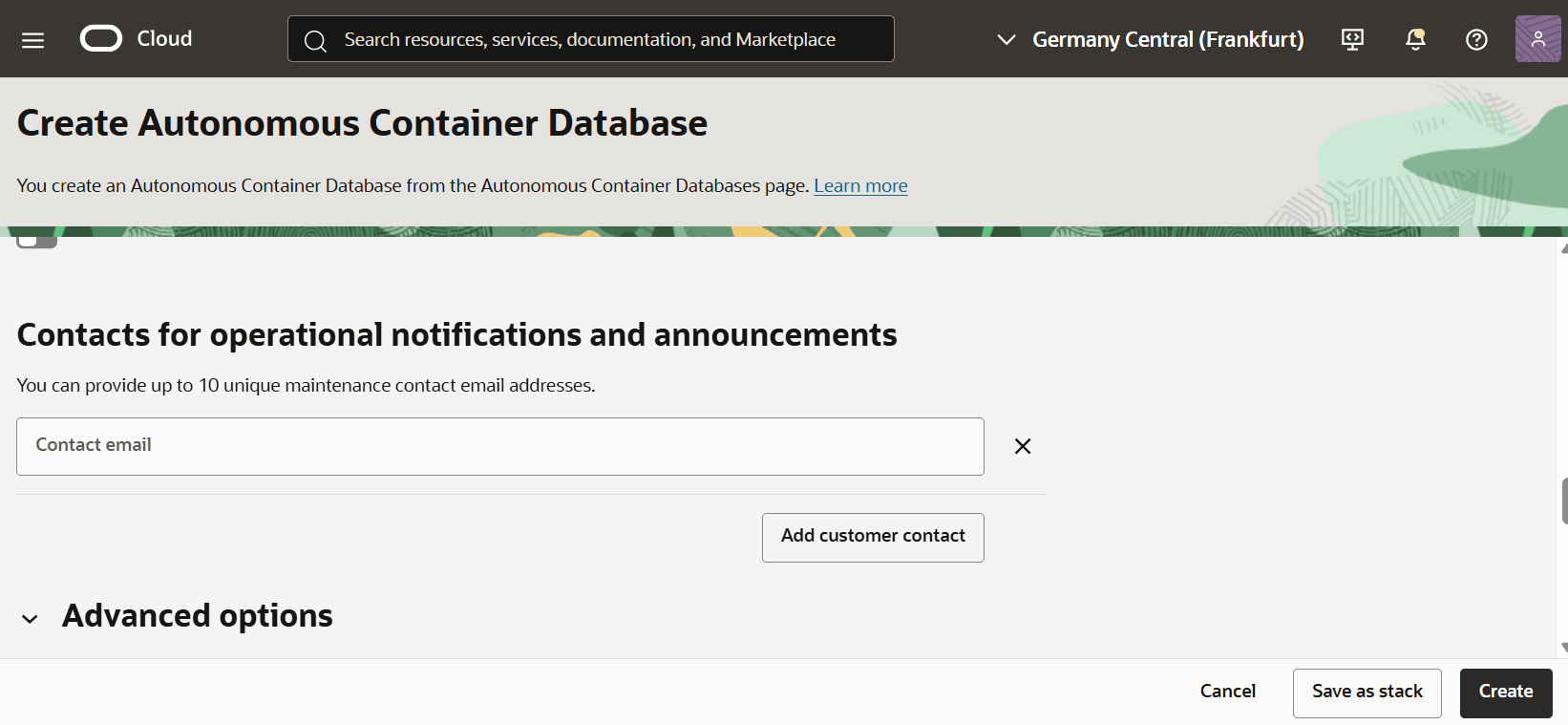
Under the Contacts for operational notifications and announcements, you can provide up to 10 unique maintenance contact email addresses.
-
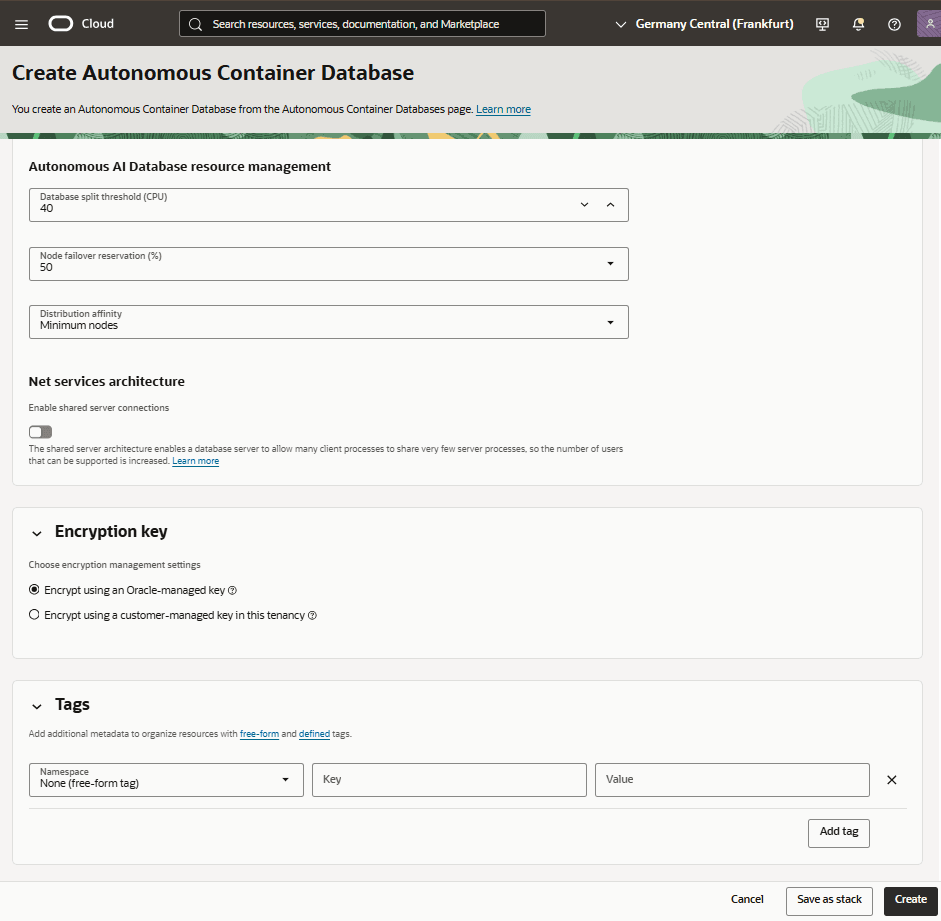
From the Advanced options section, you can manage Autonomous AI Database resource management, Encryption key and Tags based on your requirements.
-
Once you review your information, select the Create button to initiate the process.
-
Autonomous AI Database on Dedicated Exadata Infrastructure
-
From the OCI console, navigate to Autonomous AI Database on Dedicated Infrastructure , and then select Autonomous AI Database. Select the Create Autonomous AI Database button.
-
Follow the steps to Create an Autonomous AI Database on Dedicated Exadata Infrastructure.
-
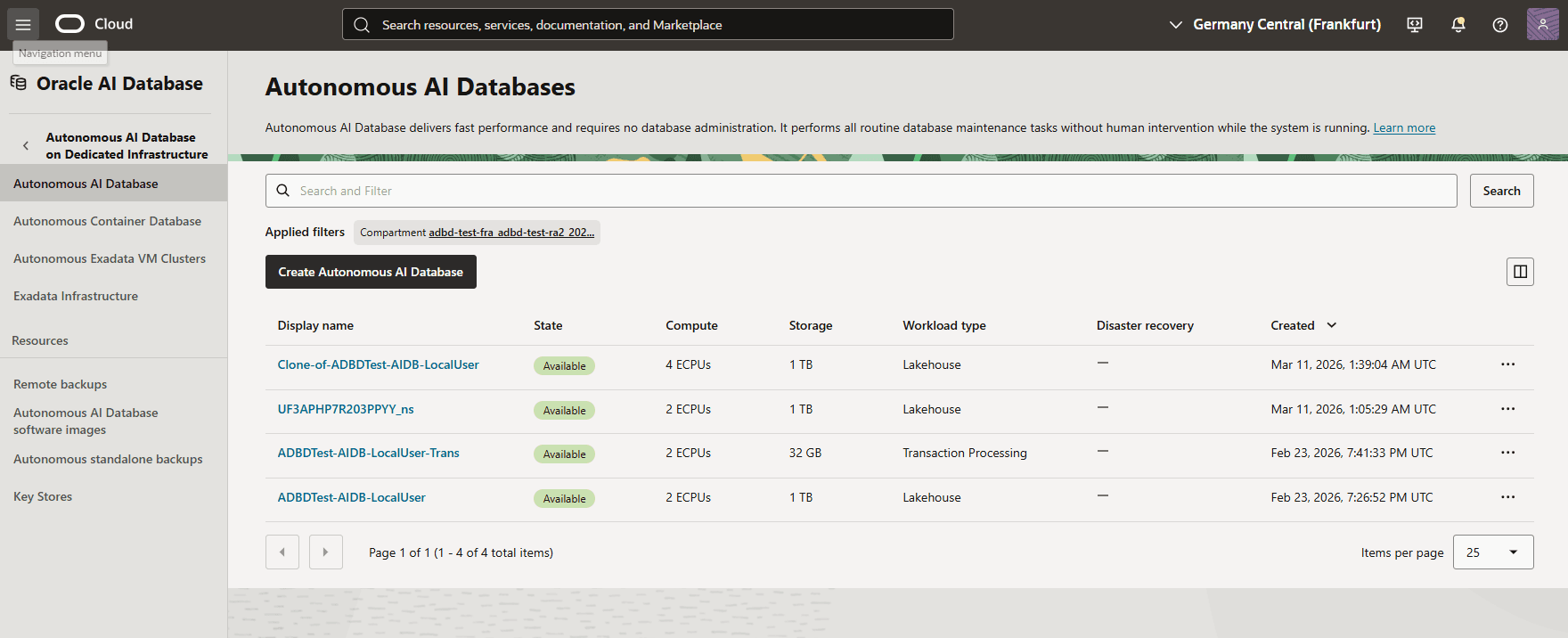
Once your Autonomous AI Database is created in Autonomous AI Database on Dedicated Exadata Infrastructure, you can view the details of it from the Autonomous AI Database list in the OCI Console.
-
There is currently no content for this page. Oracle AI Database@Azure team intends to add content here, and this placeholder text is provided until that text is added. The Oracle AI Database@Azure team is excited about future new features, enhancements, and fixes to this product and this accompanying documentation. We strongly recommend you watch this page for those updates.
Creation of an Oracle Autonomous AI Database on Dedicated Exadata Infrastructure must be completed from the OCI console.
There is currently no content for this page. Oracle AI Database@Azure team intends to add content here, and this placeholder text is provided until that text is added. The Oracle AI Database@Azure team is excited about future new features, enhancements, and fixes to this product and this accompanying documentation. We strongly recommend you watch this page for those updates.