Base Database
This topic explains how to modify an Oracle Base Database.
- From the Azure portal, select Oracle AI Database@Azure.
- From the left menu, select Oracle Base Database Service.
- From the list, select your Base Database that you want to modify.
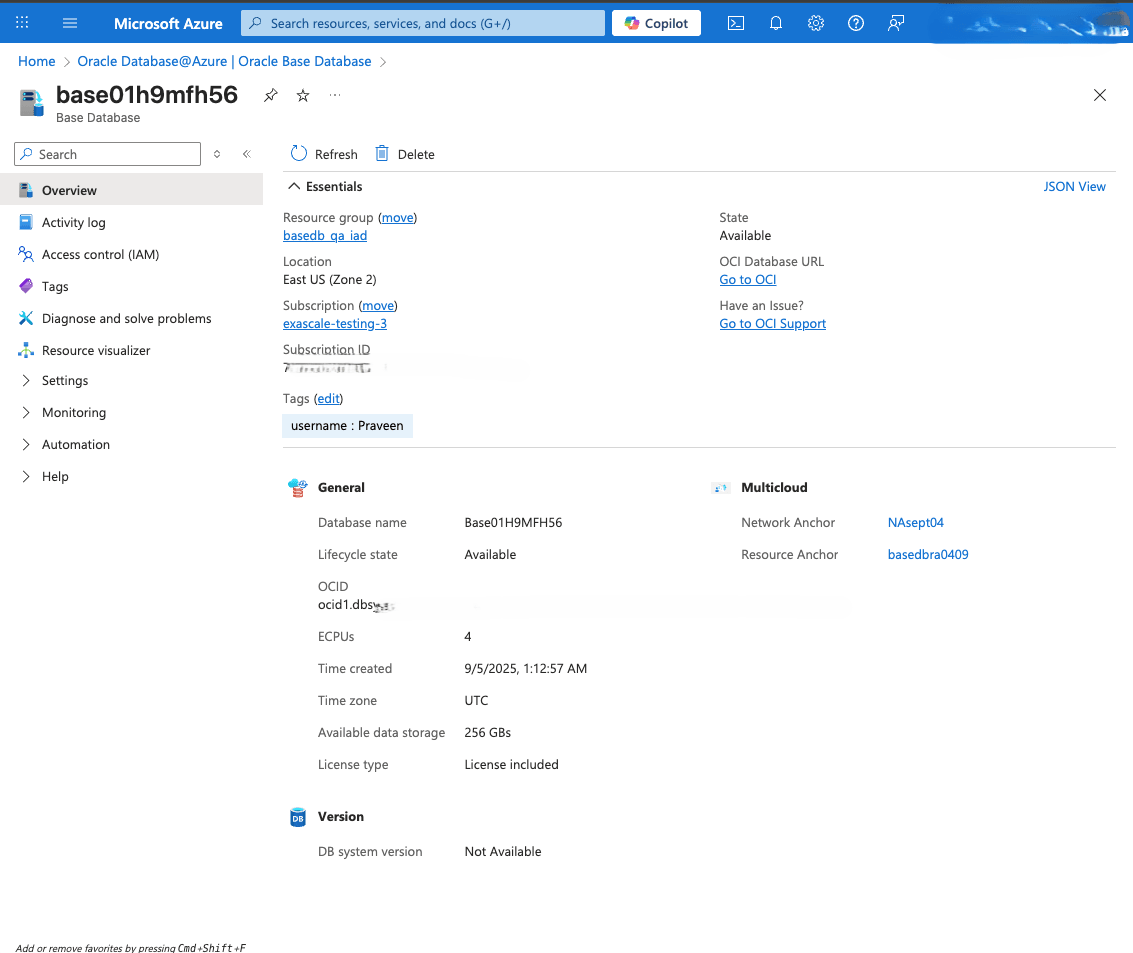
- From the left navigation menu , select Tags.
- You can add, remove or modify Tags based on your requirements.
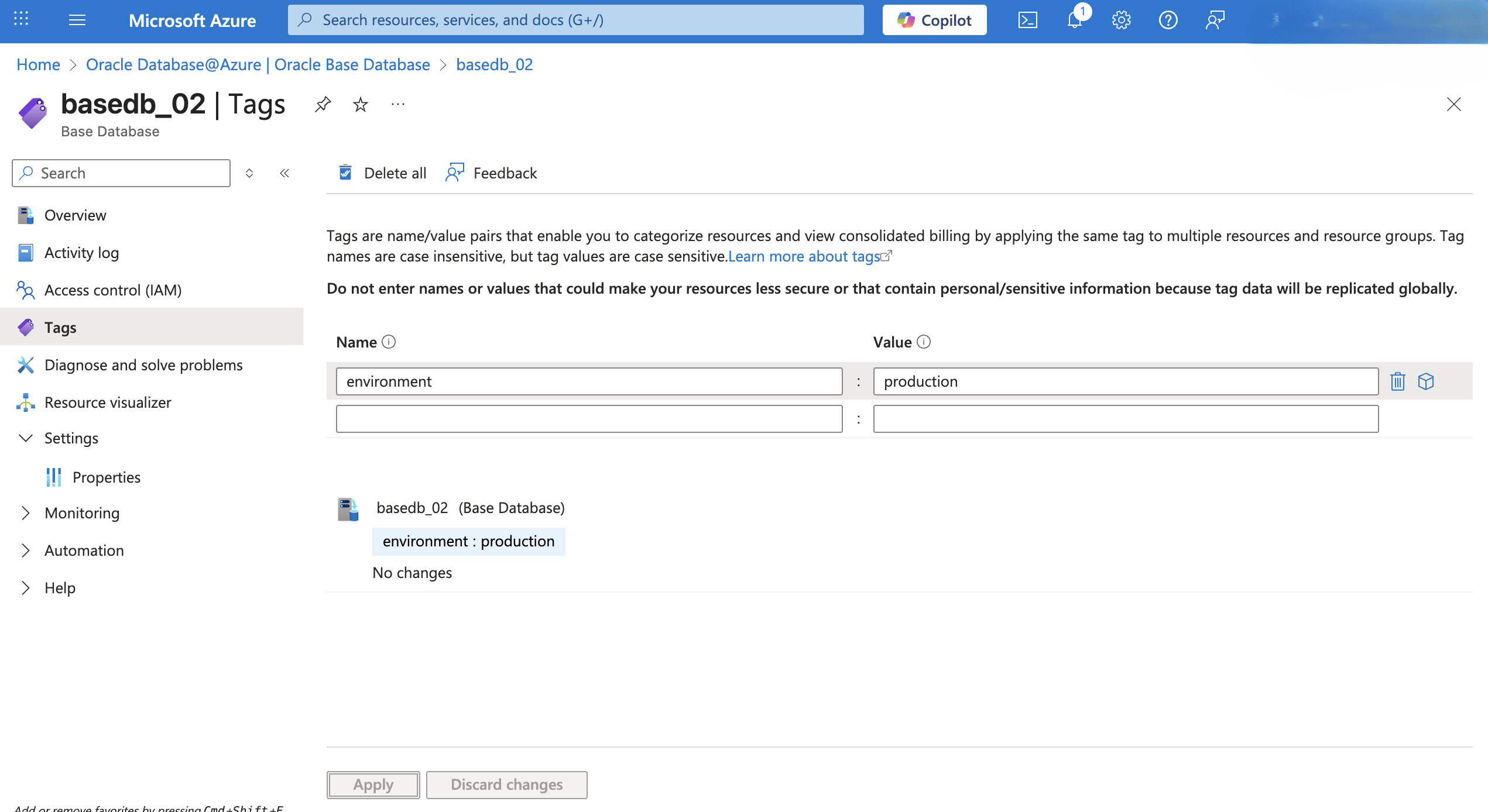
- From the Overview page, expand the Essentials section, and then select the Go to OCI link.
- Modify a Base Database
- To perform a management operation, in the OCI console for the selected Base Database, select the Actions button, and then select the desired operation from the list.
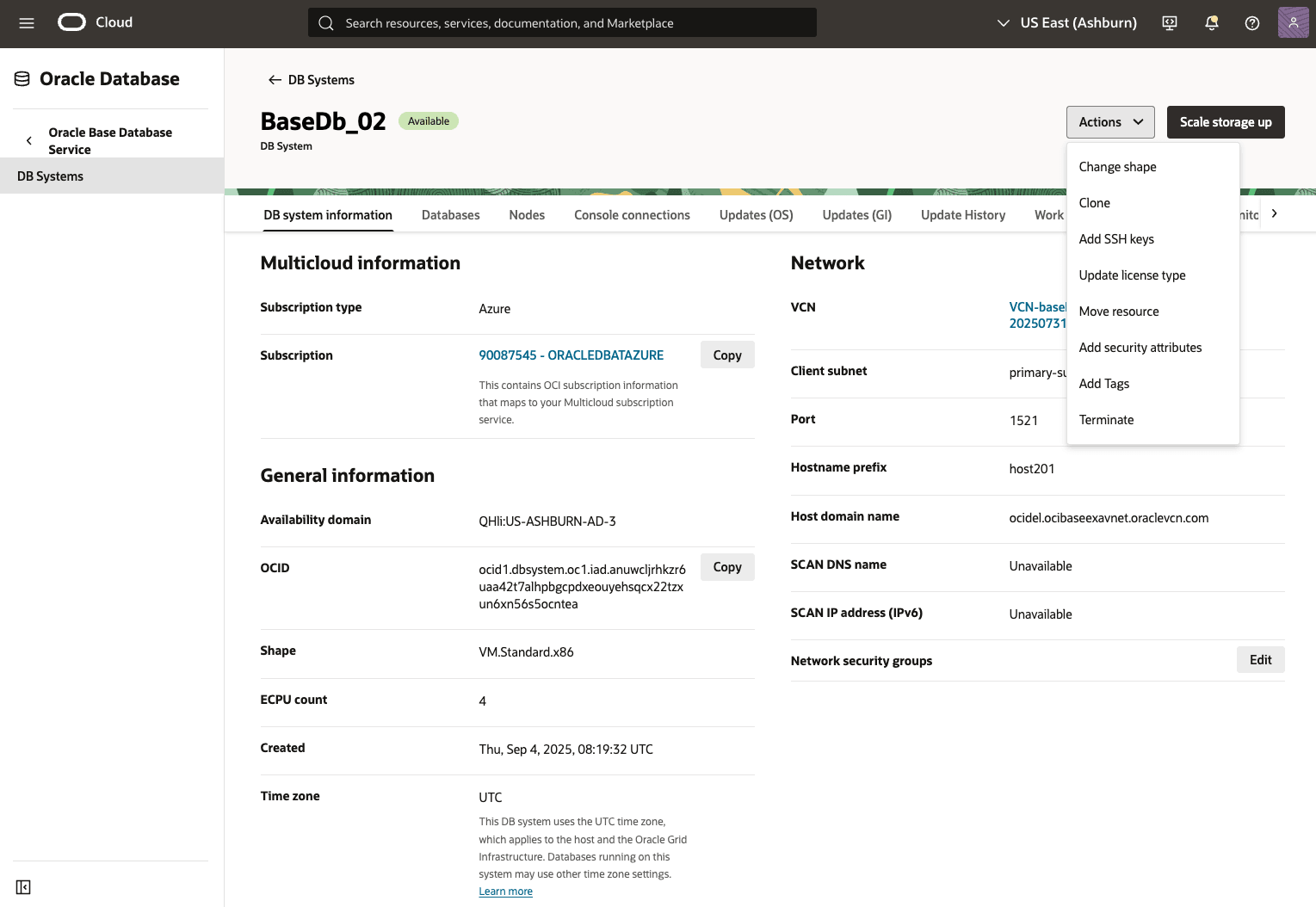
Table 1-3 List of Base Database Systems Operations / Tasks
Operation Description Add SSH keys For more information, see Add SSH Keys to a DB System Update license type For more information, see Manage Licenses on a DB System and Oracle Bring Your Own License (BYOL). Add Tags Add tags to organize your resources. For more information, see Overview of Tagging Terminate DB Systems Provides option to terminate DB system Manage Updates Option to update or upgrade DB system or Database. For more information, see Upgrade a DB System. Scale Storage Up It provides an option to increase allocated storage. For more information, see Scale the DB System.
Manage a Base Database in the OCI Console- From the OCI console, navigate to Base Database System.
- From the Databases tab, select the database that you want to modify.
- Select the More actions button, and then select the desired operation from the list.
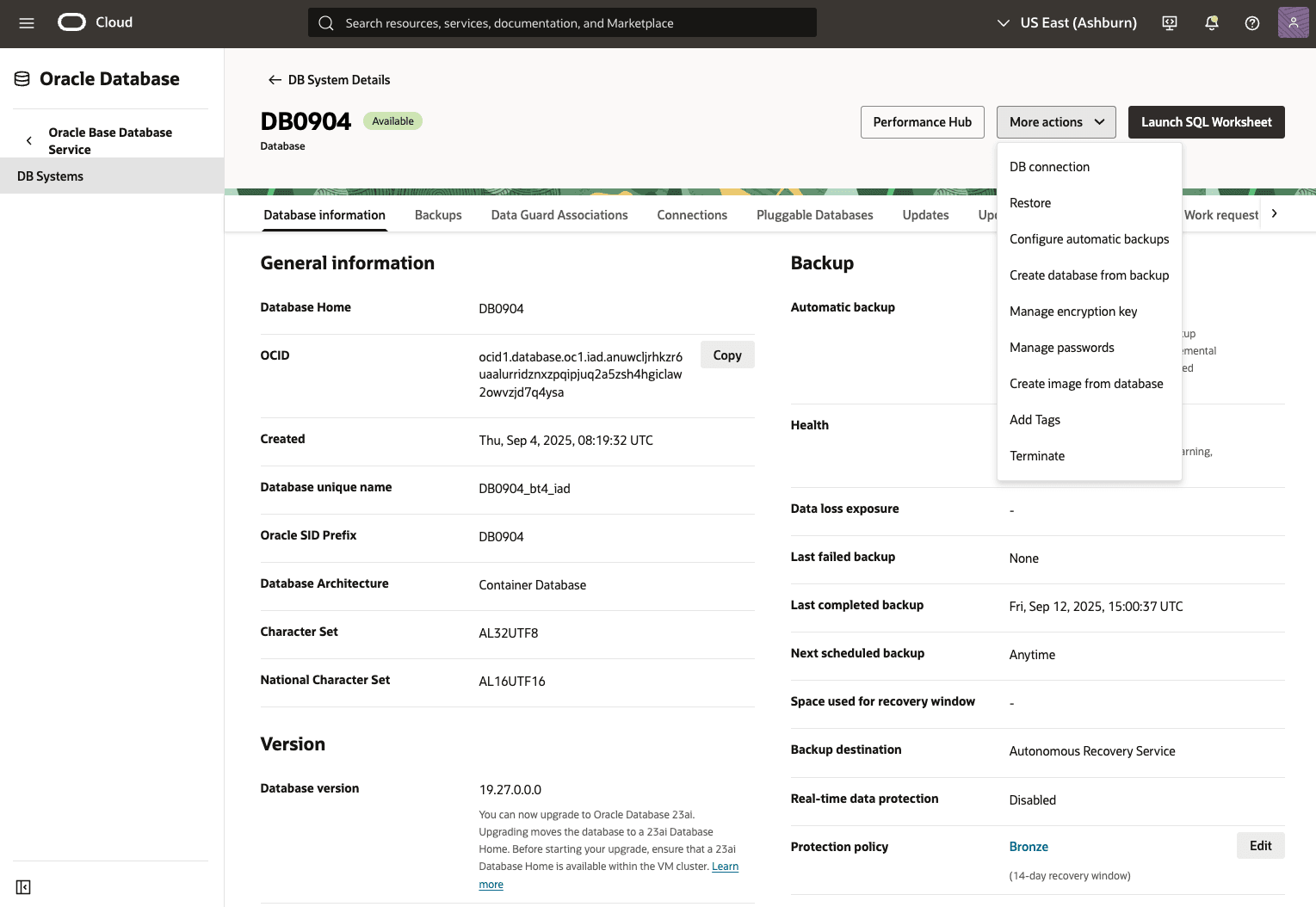
Table 1-4 List of Database Operations / Tasks
Operation Description DB Connection Provides connection strings information to your database. For more information, see Overview of Connecting to a DB System. Restore Provides the restore database options. For more information, see Restore Base Database. Manage Database Backup Provides options to enable automatic backups or create manual backups on demand. For more information, see Backup Base Database. Create Database from Backup Provides options to create database from backup. For more information, see Restore Base Database. Manage Encryption Key Provides options to encrypt data stored in tables and tablespaces using Transparent Data Encryption (TDE). You can choose the bring your own keys options. For more information, see Manage Encryption Keys. Manage Passwords Provides options to manage Administrator and TDE Wallet Passwords. For more information, see Manage Administrator and TDE Wallet Passwords. Create Software Image Provides an option to manage software images. Manage Tags for DB System Provides an option to Manage Tags for the DB system, see Manage Tags for the DB System. Terminate Database Provides an option to terminate Database.
Manage Pluggable Database in OCI- To modify the Pluggable Database, select the Pluggable Databases tab.
- Select the PDB that you want to modify.
- Select the More actions button, and then select the desired operation from the list.
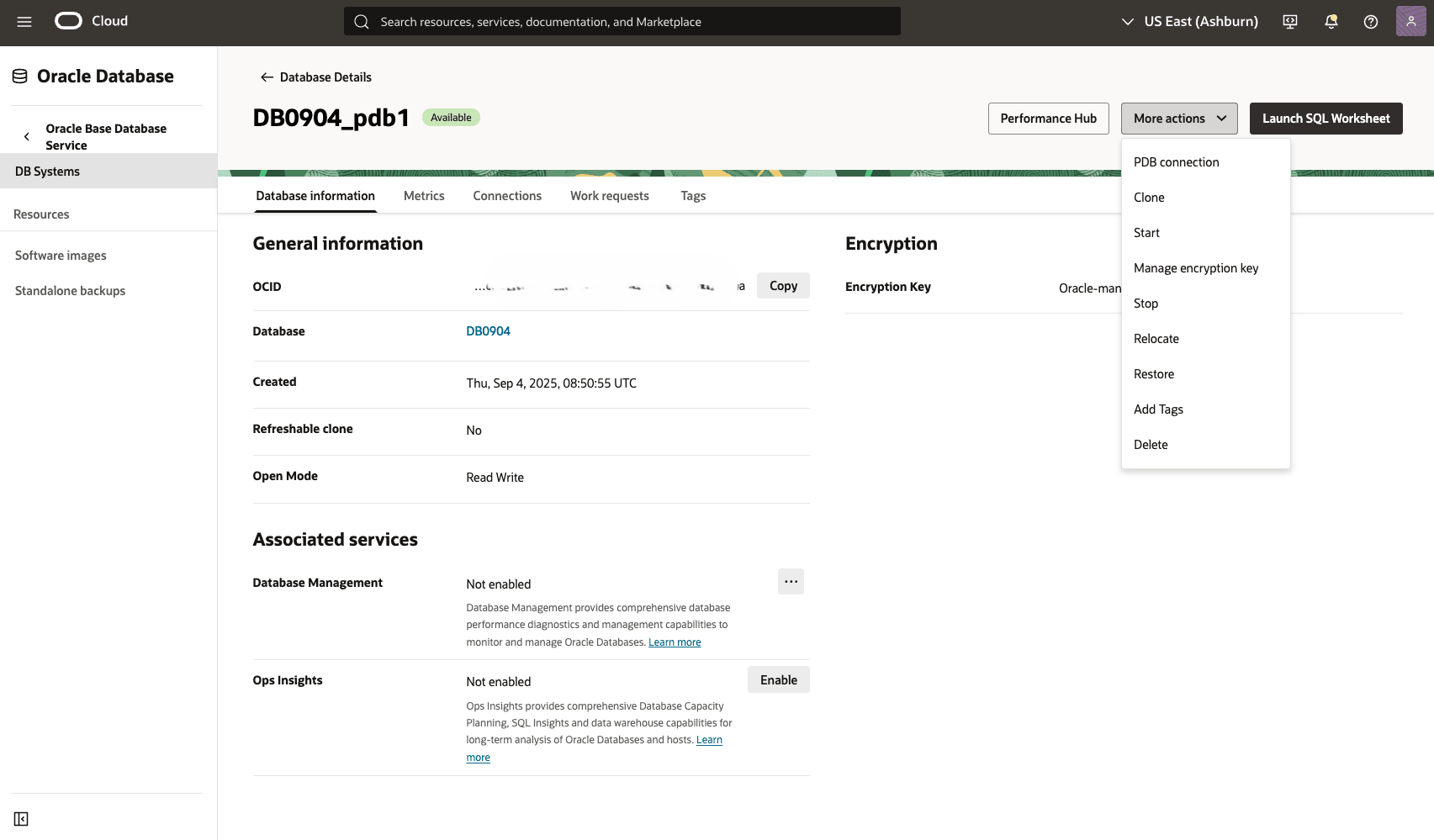
Operation Description PDB Connection Provides connection strings information to your pluggable database. To learn more, see Overview of Connecting to a pluggable database. Start Provides an option to start pluggable database. Stop Provides an option to stop pluggable database. Delete Provides an option to delete pluggable database. Manage Encryption Key Provides an option to Assign or Rotate Encryption key. Restore Provides the restore pluggable database options. To learn more, see Restore Base Database. Manage Tags for DB System Provides an option to Manage Tags for the PDB Relocate Provides an option to Relocate PDB.
- To perform a management operation, in the OCI console for the selected Base Database, select the Actions button, and then select the desired operation from the list.
There is currently no content for this page. Oracle AI Database@Azure team intends to add content here, and this placeholder text is provided until that text is added. The Oracle AI Database@Azure team is excited about future new features, enhancements, and fixes to this product and this accompanying documentation. We strongly recommend you watch this page for those updates.
There is currently no content for this page. Oracle AI Database@Azure team intends to add content here, and this placeholder text is provided until that text is added. The Oracle AI Database@Azure team is excited about future new features, enhancements, and fixes to this product and this accompanying documentation. We strongly recommend you watch this page for those updates.
There is currently no content for this page. Oracle AI Database@Azure team intends to add content here, and this placeholder text is provided until that text is added. The Oracle AI Database@Azure team is excited about future new features, enhancements, and fixes to this product and this accompanying documentation. We strongly recommend you watch this page for those updates.