Getting a Resource Anchor's Details (OCI)
View the details for a resource anchor in the Console, using Oracle Multicloud Hub. This page includes links to the partner cloud resource identifier and group when available. While resource anchors are relevant to all supported cloud providers, they're visible in Microsoft Azure only.
The API operation for this task is GetResourceAnchor.
On the Resource anchors list page, find the resource anchor that you want to work with. If you need help finding the list page, see Listing Resource Anchors.
The details page opens and displays information about the resource anchor. Items on the page are read-only. Access the various resources associated with the resource anchor by selecting their tabs or links.
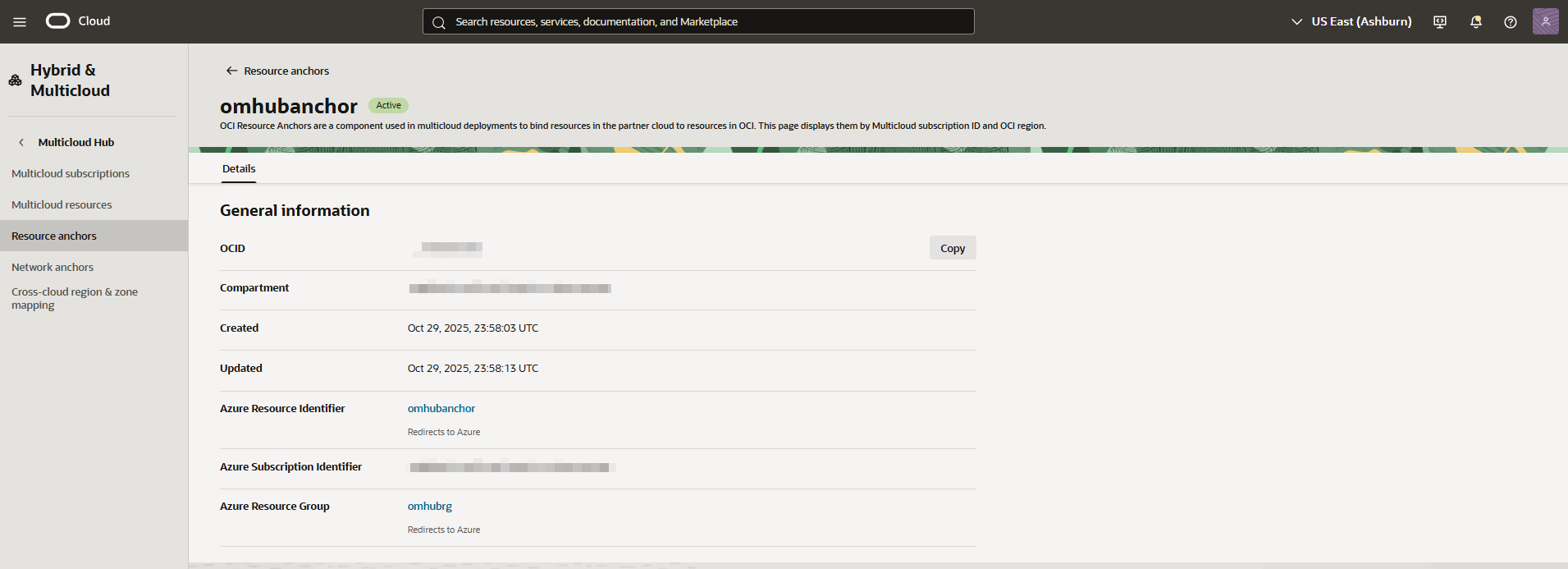
Use the oci multicloud omhub-resource-anchor resource-anchor get command and required parameters to get a resource anchor's details:
oci multicloud omhub-resource-anchor resource-anchor get ... [OPTIONS]Example request for Microsoft Azure:
oci multicloud omhub-resource-anchor resource-anchor get \
  --resource-anchor-id <resource_anchor_ocid> \
  --subscription-id <subscription_ocid> \
  --subscription-service-name ORACLEDBATAZURE
Example response:
{
  "data": {
    "cloud-service-provider-metadata-item": {
      "region": null,
      "resource-anchor-name": "/subscriptions/<unique_id>/resourcegroups/example-upper/providers/oracle.database/resourceanchors/example",
      "resource-anchor-uri": "https://portal.azure.com/#@<unique_id>/resource/subscriptions/<unique_id>/resourcegroups/example-upper/providers/oracle.database/resourceanchors/example",
      "resource-group": "/subscriptions/<unique_id>/resourcegroups/example-upper",
      "subscription": "<unique_id>",
      "subscription-type": "ORACLEDBATAZURE"
    },
    "compartment-id": "<compartment_ocid>",
    "defined-tags": {},
    "display-name": "example",
    "freeform-tags": {},
    "id": "<resource_anchor_ocid>",
    "lifecycle-details": "Successfully created.",
    "lifecycle-state": "ACTIVE",
    "linked-compartment-id": "<compartment_ocid>",
    "region": "us-ashburn-1",
    "setup-mode": null,
    "subscription-id": "<subscription_ocid>",
    "subscription-type": "ORACLEDBATAZURE",
    "system-tags": {},
    "time-created": "2025-07-04T15:19:35.764000+00:00",
    "time-updated": "2025-07-04T15:19:45.017000+00:00"
  }
}
For a complete list of parameters and values for CLI commands, see the CLI Command Reference.