Create an Instance Using the User Interface
Create an Oracle Integration instance in a selected compartment using the Oracle Cloud Console.
Before you create a service instance
Note the following points before creating your Oracle Integration instance:
- For the list of regions in which you can create an Oracle Integration instance and the options and features available in those regions, see Availability.
- For information on restrictions when creating an Oracle Integration instance, see Restrictions.
- Ensure that the compartment you plan to use for your Oracle Integration instance has been created. See Learn Best Practices for Setting Up Your Tenancy. To create a compartment, see Create a compartment in the Oracle Cloud Infrastructure documentation.
- During instance creation, your Oracle Integration 3 instance is associated with an Oracle Cloud Infrastructure Identity and Access Management (IAM) identity domain, either the one you're signed into or one you select in the advanced options. You can't change the identity domain association after instance creation.
- The steps here apply to Oracle Integration 3 and Oracle Integration for SaaS. Differences in instance creation are noted. For more information about the SaaS version, see Oracle Integration for Oracle SaaS.
Create a service instance
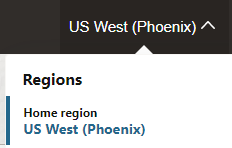
- After signing in to the Oracle Cloud Console, select the region in which to create an instance.
For information about regions, see Regions and Availability Domains.
When instance creation completes successfully, the instance shows as Active in the State column.
Once created, an instance is visible only in the region in which it was created.
Troubleshoot Oracle Integration Instance Creation
This topic provides some tips for troubleshooting Oracle Integration instance creation.
Oracle Integration 3 is not available to all users or Missing parameter (isByol)
If you receive the error "Missing parameter (isByol)" when you click Create, perform the following steps:- Ensure you can see the Oracle Integration service in the Oracle Cloud Console.
- In the Oracle Cloud Console, open the navigation menu and click Identity & Security. Under Identity, click Domains.
- Open your domain. The default domain is OracleIdentityCloudService.
- In the tabs across the top, click Oracle cloud services.
- Search for
Integrationfor the Oracle Integration service:- For Oracle Integration, you should see INTEGRATIONCAUTO.
- For Oracle Integration for SaaS, you should see INTEGRATIONSUB.
- If you see the Oracle Integration service, submit a Service Request to Oracle Support.
If you don't see it, move on to the next step.
- If you don't see the Oracle Integration service, confirm that your Cloud Account Administrator activated the Oracle Integration service (by clicking the link in the email titled "XXX").
- If the administrator didn't activate the service, have them do so, then try again to create an Oracle Integration instance.
- If your Cloud Account Administrator already tried to activate the service or didn't receive the email, contact your account manager to confirm you have a subscription for Oracle Integration.
401: Authorization failed or 404: Not Found
If you click the Oracle Integration instance name just after creating the instance and receive a401: Authorization failed or a 404: Not Found error, instance creation might still be in progress. Wait a minute and try again.