Add Attributes using Mobile App Extensions
Mobile App extensions enable organizations to add attributes to supported Mobile Maintenance screens such as Asset Details, Work Order Details, Express Work Order, and Complete Operation. The capability helps expose site-specific information that technicians need in the field without changing the core mobile application code.
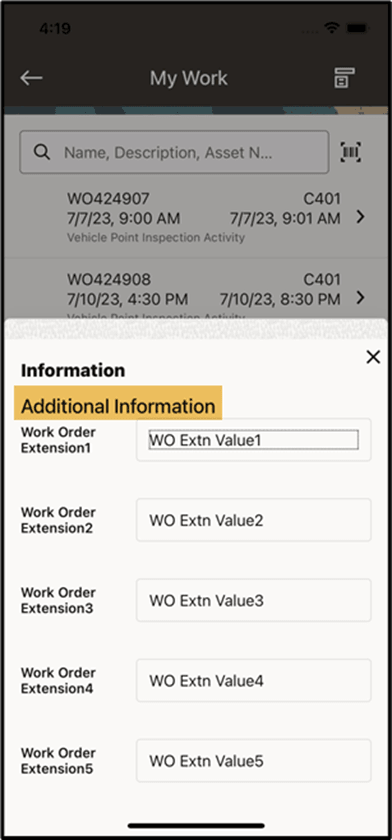
Additional Work Order Extensions
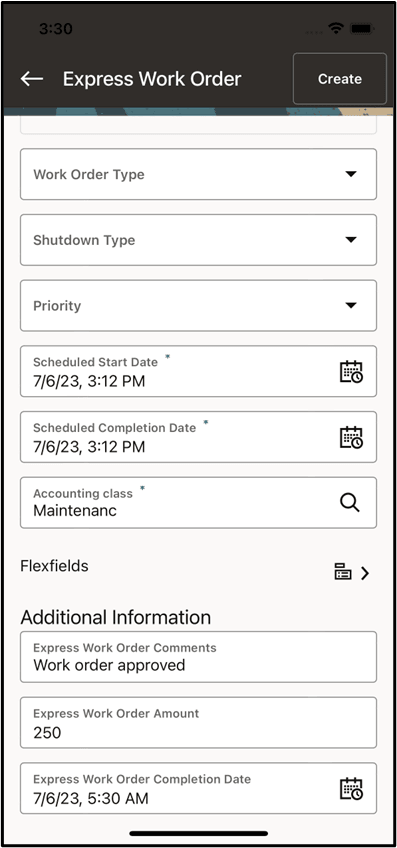
Enter Work Order Extension details
Steps to enable and configure
- Identify the extra attributes needed by technicians and confirm the source of each attribute in Oracle E-Business Suite.
- Configure the mobile app extension metadata and assign it to the supported mobile screen.
- Add the attributes to the mobile layout and validate labels, value formatting, and security.
- Test the extension in the relevant mobile flow and confirm that values display correctly across responsibilities and organizations.
Tips and considerations
- Use extensions for information that improves field decisions, not as a substitute for every desktop field.
- Coordinate extension attributes with flexfield design to avoid duplicate data entry.
- Validate performance on worklists and detail pages when adding multiple calculated or looked-up attributes.
Key resources
- My Oracle Support Document KB858915, Oracle Mobile Maintenance for Oracle E-Business Suite Release Notes
- Oracle E-Business Suite Mobile Apps Administrator's Guide
- Oracle E-Business Suite Developer's Guide
- Oracle Enterprise Asset Management Implementation Guide
- Setting Up (chapter)