Budget Dashboard
The Budget Dashboard helps finance professionals monitor budget usage, analyze spending trends, and identify variances between budget and actual balances. Users can analyze actual and budgeted balances by chart of accounts segment and drill to actual balance details.
The dashboard supports financial control by showing budget variance, variance trend, utilization percentage, and detail rows for selected budget, ledger, account, department, product, and period filters.
Important: The Budget dashboard tracks only ledger (functional) currency budgets.
Budget Dashboard
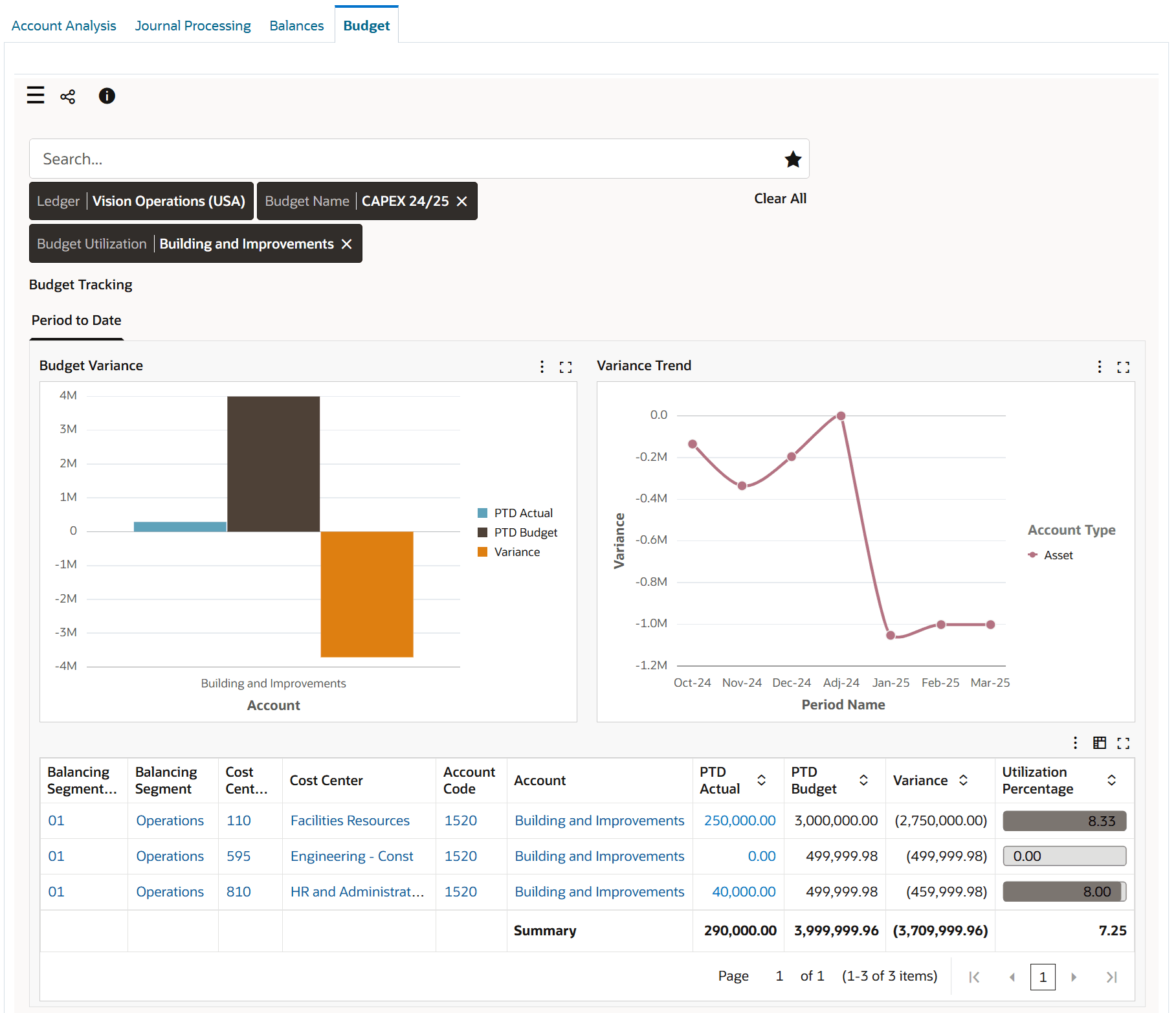
Budget Dashboard
Use the Budget dashboard to:
- Track budget activities.
- Perform real-time tracking of revenue and expenses.
- Review budget for the fiscal year, quarter, and period.
- Track budget at the account level, department level, or cost center level across different periods.
- Track budget at the project and product level based on the different segments of the chart of account (COA).
- Drill down to see the source transaction of the actual amount and view journal and journal entry lines.
- Examine budget variances for all accounts in a ledger.
- Compare budgeted amounts with actual amounts.
- Compare budget performance across different departments.
- Drill down to investigate specific accounts.
- Investigate surplus and deficit budgets.
- Analyze budget performance.
- Identify budget variance trends for account types.
- Examine variance trends for each account type across periods.
- Get an overview of the organization’s financial health.
- Use budget variance information to mitigate future variances.
- Gain insight into budget utilization in your organization.
- Review budget utilization for each balancing segment, account, and cost center.
- Monitor the most utilized budget or underutilized budget for effective financial management.
Steps to enable and configure
- Apply the Release 12.2.14+ General Ledger Command Center update that delivers the Budget Dashboard and confirm the compatible Enterprise Command Center Framework level.
- Validate that budget definitions, budget balances, and actual balances are available for the ledger and periods in scope.
- Grant access to finance controllers, budget managers, and analysts who review budget utilization and variance.
- Run the Budget Dashboard data load and validate results against General Ledger budget inquiry and account inquiry pages.
- Confirm drilldown access to journal lines and actual balance details.
Tips and considerations
- Confirm the currency context and budget name filters before using the dashboard for management review.
- Use detail rows and drilldown when a variance requires transaction-level data.
Key resources
Oracle General Ledger User's Guide
Oracle General Ledger Implementation Guide
Transfer of Information
R12.2.14+ TOI: Implement and Use General Ledger - Oracle General Ledger Command Center - Budget Dashboard
Access requirements