Perform Manager Mass Assignment Updates with Approvals
Managers can now use the Self-Service Mass Update feature from the Manager Self-Service responsibility to perform assignment updates for multiple employees simultaneously. This enhancement enables managers to efficiently update key assignment information for groups of employees directly through Oracle Self-Service Human Resources (SSHR).
Managers can perform mass updates for the following assignment attributes:
- Organization
- Location
- Job
- Position
- Supervisor
The updated assignment information is reflected in both Oracle SSHR and the People window in Oracle HRMS.
Prior to this release, managers typically had to update employee assignment information individually, which could be time-consuming and administratively intensive when handling organizational changes affecting multiple employees. Bulk assignment changes often required HR administrator involvement or manual updates across several employee records.
This enhancement improves operational efficiency by enabling managers to update assignment information for multiple employees in a single transaction through self-service functionality. It also reduces administrative overhead, accelerates organizational changes, and helps ensure assignment data consistency across Oracle SSHR and Oracle HRMS.
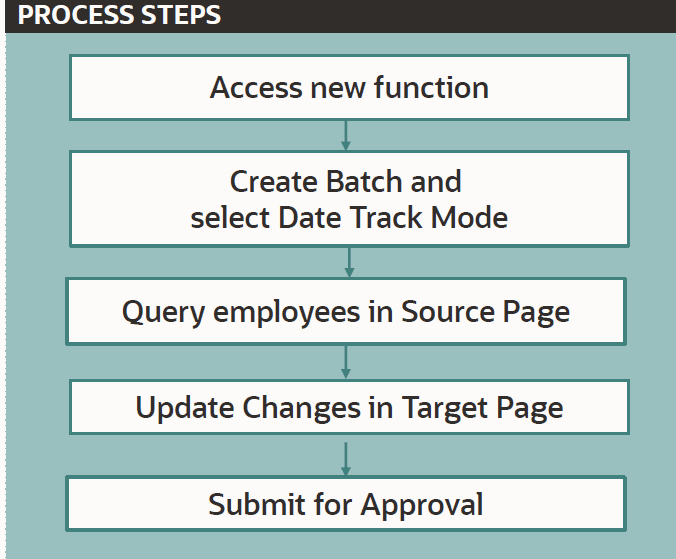
Mass Update Process
Self-Service Mass Update Menu
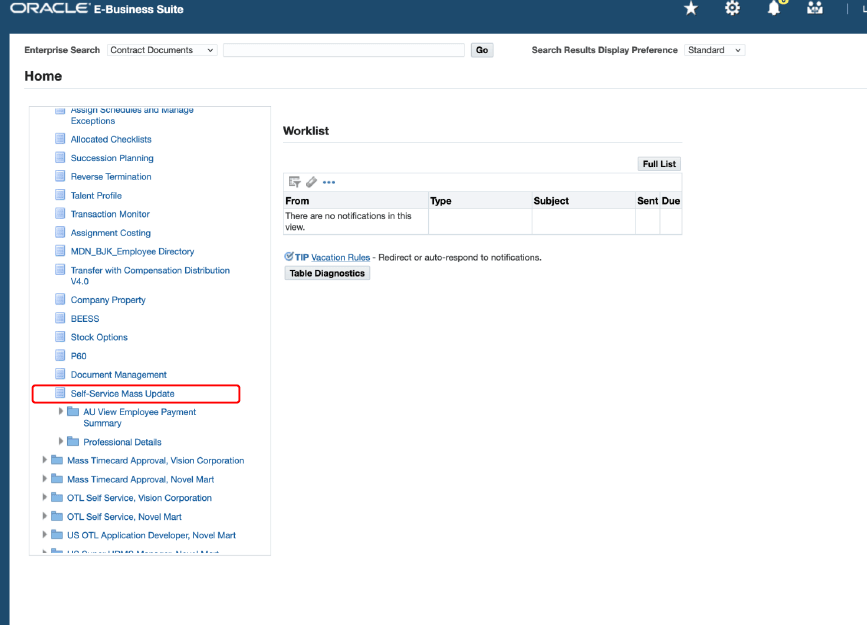
Use the following pages to process mass updates:
- Mass Update: Home: Search for existing batches or create batches.
- Mass Update: Create Batch: Enter batch details and select a date track option to determine how the records are created after approvals.
- Mass Update: Select Source Records: Use one of the search criteria to select the persons to update their assignment details.
- Mass Update: Select Records to Update: On this page, select new values to update the assignment details. You can update all assignment records or update details for an individual employee assignment.
- Mass Update: Review: Verify that the mass updates that you have proposed are correct. If your enterprise has set up the approval process, then the application routes the changes to the approvers for further processing. You can view details of approvers in the Approvers region.
- Batch Information: After the approval process is complete, search for your transaction to view the batch status and transaction status on this page. If your transaction is approved, then the changes are saved to the database. If your transaction is rejected, then submit another transaction.
Steps to enable and configure
- Log in with a responsibility that includes Manager Self-Service access.
- Ensure the Self-Service Mass Update functionality is enabled for the relevant responsibilities.
- Navigate to the Manager Self-Service responsibility.
- Access the Mass Update feature.
- Select the employees whose assignments require updates.
- Choose the assignment attribute to update, such as:
- Organization
- Location
- Job
- Position
- Supervisor
- Enter the new assignment values.
- Review and submit the changes.
- Verify that the updated assignment information appears correctly in both Oracle SSHR and the Oracle HRMS People window.
Tips and considerations
- Ensure managers have the necessary security access and permissions to perform mass assignment updates.
- Review organizational approval and audit requirements before allowing managers to update assignment information in bulk.
- Validate assignment structures such as jobs, positions, and supervisors to avoid invalid combinations during updates.
- Test the functionality in a non-production environment before deploying it broadly to managers.
- Mass updates should be carefully reviewed prior to submission, as changes may impact reporting structures and downstream HR processes.
Key resources
Oracle SSHR Deploy Self-Service Capability Guide
- Manage Employment Events
- Self-Service Mass Update
Transfer of Information
R12.2.13 TOI: Implement and Use Human Resources, HRMS (US and Canada) and Learning Management