Simplify Enabling an Organization for Electronic Kanban
Enable Electronic Kanban at the organization level with ease using the simplified setup process in Oracle Electronic Kanban. This feature allows organizations to activate Electronic Kanban functionality by setting parameters at the organization level without the need to configure a site-level profile. Before Release 12.2.14, enabling Electronic Kanban required both site-level profile options and organization-level setup, creating additional complexity and potential for misconfiguration.
The business value of this enhancement is in reducing setup time and minimizing errors during the activation process, thereby accelerating the adoption of Electronic Kanban capabilities. It meets the industry need for simplified system configurations in supply chain management, particularly for organizations managing multiple facilities with distinct Kanban requirements. Use cases include enabling Electronic Kanban for a new manufacturing plant without affecting site-wide settings. Implementation considerations include verifying that organization-level parameters are correctly set and ensuring compatibility with existing Kanban processes at other levels.
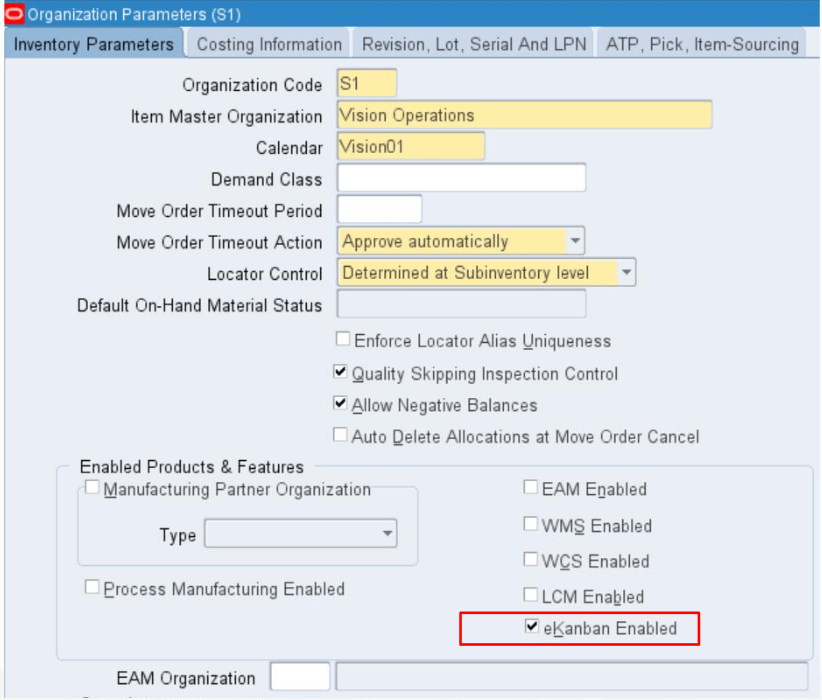
Enable Electronic Kanban for an Organization
Steps to enable and configure
You don't need to do anything to enable this feature.
Tips and considerations
- Review existing organization parameters to ensure they align with the specific needs of Electronic Kanban functionality before enabling.
- Document the organization-level settings for future reference to maintain clarity across different facilities or business units.
Key resources
Enabling Electronic Kanban at the Organization Level, Oracle Electronic Kanban User's Guide