Use Templates Associated with Item Catalog Category When Updating Items in WebADI
When importing new items or updating existing items using a spreadsheet, if an item catalog category (ICC) is specified, you can only select an item template associated with the ICC from the Template list of values.
To associate an item template with an ICC, navigate to the Setup Workbench, select the Items tab, then the Item Catalog Categories secondary tab. Select an ICC, then select the Templates link. In the Templates page for the ICC, you can add or delete templates.
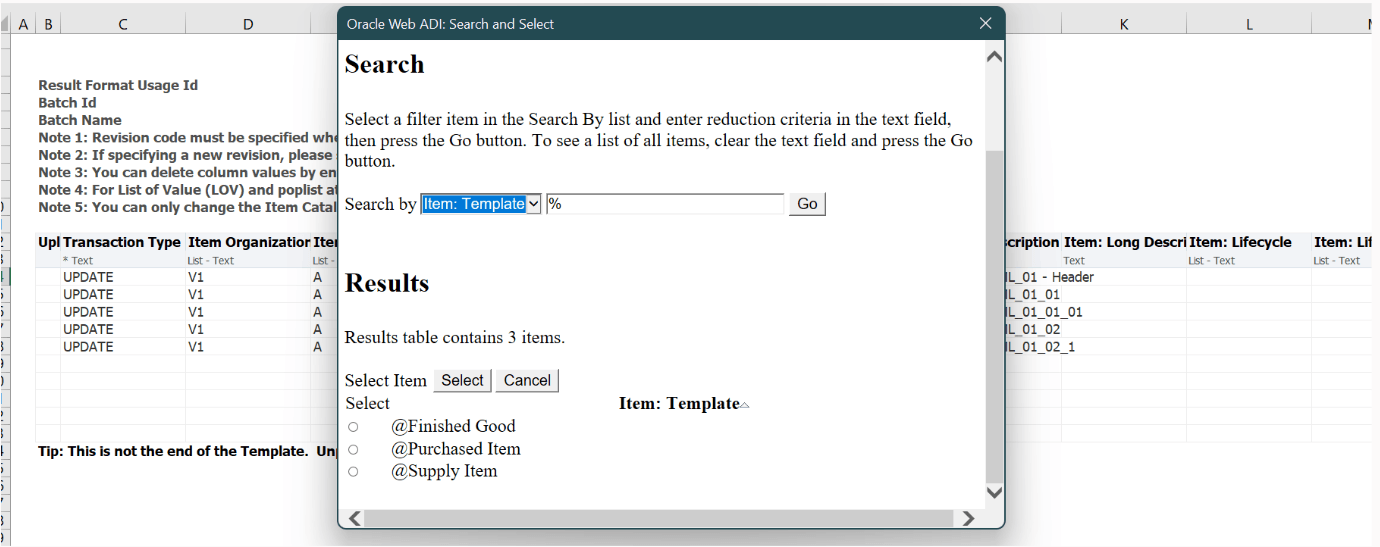
Item Template List in Excel Sheet to Display Templates Associated with Item Catalog Category
Steps to enable and configure
You don't need to do anything to enable this feature.
Tips and considerations
If all templates are listed in the pop-up list, then ensure to select the required ICC from pop-up list in the Excel sheet.
Key resources
Oracle Product Hub User’s Guide
Oracle Product Hub Implementation Guide