Manage Product Structures Using the HTML-Based Product Workbench
Transform how you manage product data with the ability to Manage Product Structures Using the HTML-Based Product Workbench in Oracle Product Hub for Release 12.2.14. Prior to this release, the Product Workbench was available as a Microsoft Windows-based tool, which often required specific desktop environments and lacked the flexibility of web-based access, limiting user accessibility and integration with modern browser-based workflows. This enhancement introduces an HTML-based interface, enabling product managers to visually review, edit, and manage product structures (bills of material) directly within a web browser, offering a modern, accessible, and seamless user experience.
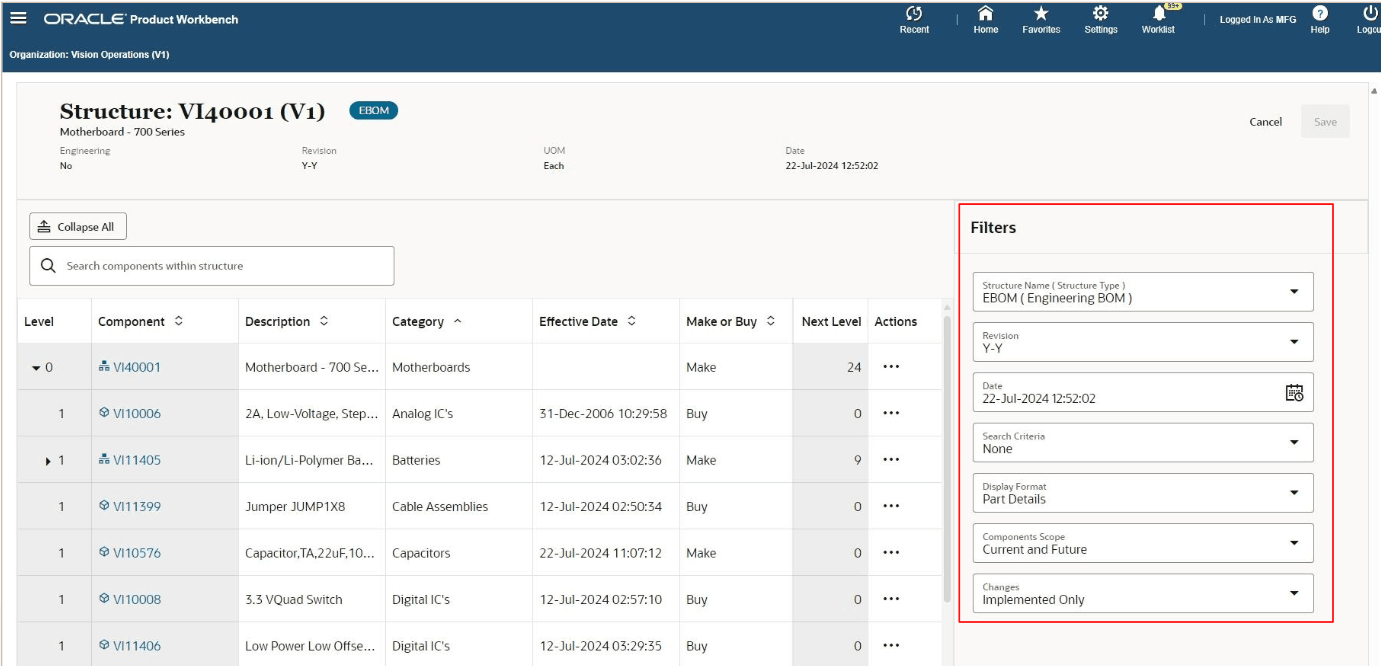
Product Structure with Filters
This feature delivers substantial business value by increasing accessibility, reducing dependency on specific operating systems or software installations, and enhancing productivity through a user-friendly, web-based environment. It addresses the broader industry need for flexible, platform-independent tools in product lifecycle management, particularly in manufacturing and engineering sectors where stakeholders often work across diverse locations and devices. Use cases include querying and editing bills of material during remote collaboration or performing structure changes under a change order with advanced filters for current and future effective dates. Implementation considerations include ensuring browser compatibility, user training on the new HTML interface, and leveraging role-based security to control access to product structure management tasks.
Here are the process flows to manage product structures:
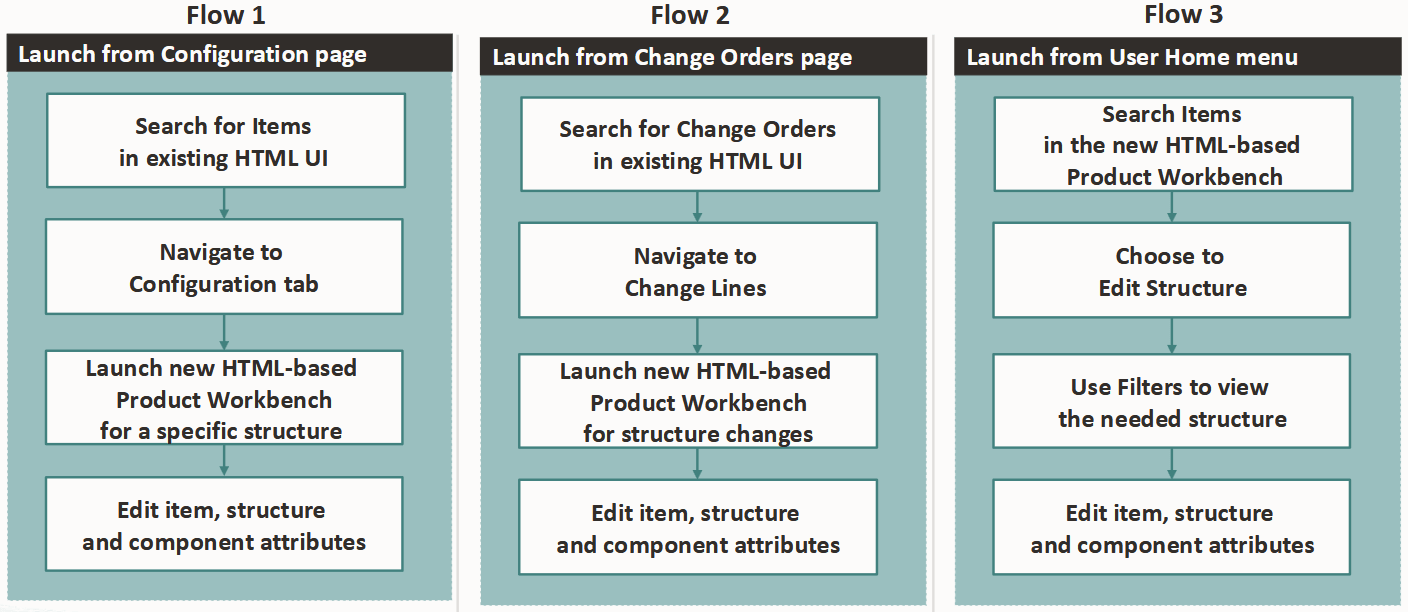
Process Flows to Edit item, Structure, and Component Attributes
Steps to enable and configure
Assign the role “Product Workbench Access Role”.
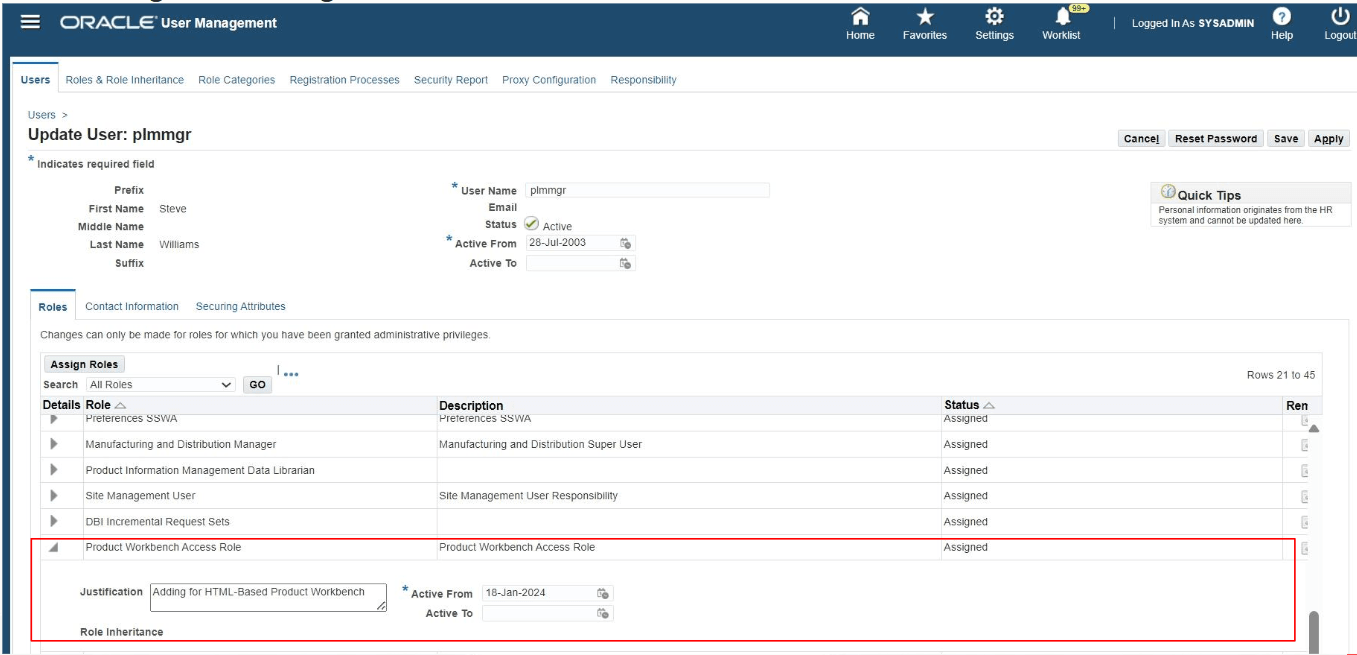
Assign Product Workbench Access Role
Tips and considerations
- View and edit only date effective structures in the HTML-based Product Workbench.
- Use “Search Components Within Structure” search box to quickly find the components that contain the key word text in the display format attributes.
- Select filters such as Structure Name, Date, Components Scope, and so on in the Configuration tab and then choose to edit structure in HTML-based Product Workbench to directly view and edit the required definition of a product structure.
Key resources
- Oracle Product Hub Implementation Guide
- Oracle Product Hub User's Guide