View Batch Status and Resource Load in Production Scheduler HTML UI
You can better manage batches and resources allocation in a single view using the Production Scheduler Workbench HTML UI.
Use the following new capabilities:
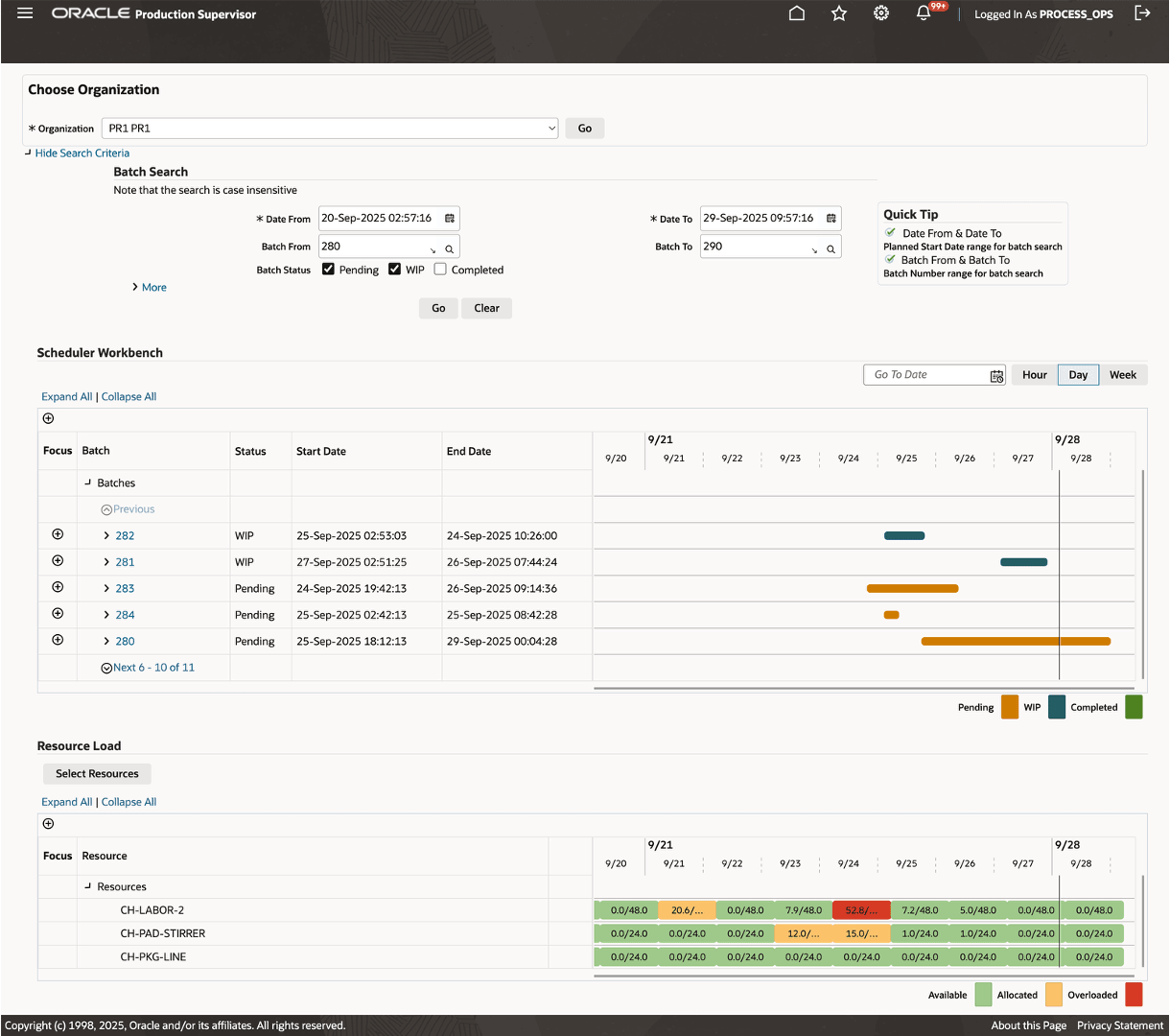
- View batches in the Gantt view and Resource Load view in a single page.
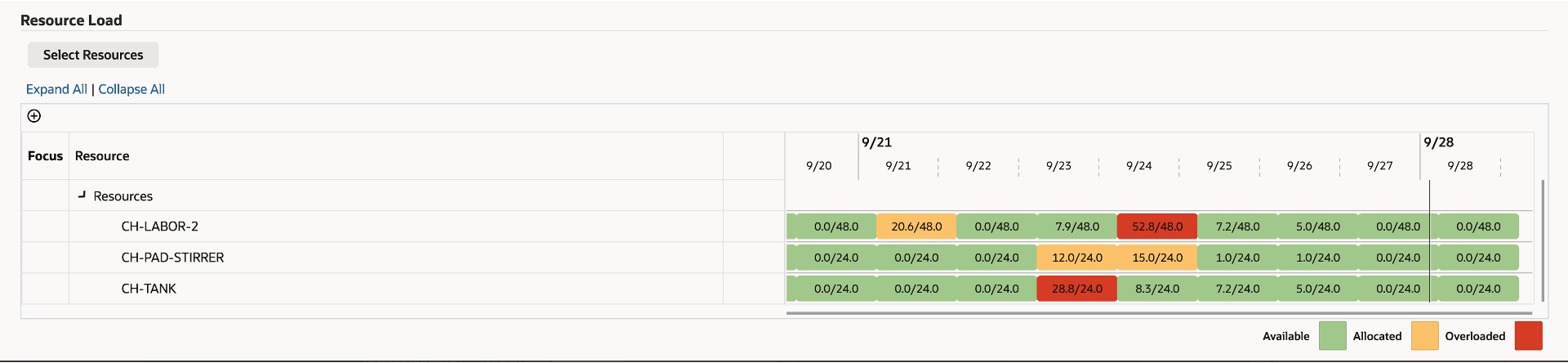
- View the Resource Load, including required hours, available hours, and overload hours.
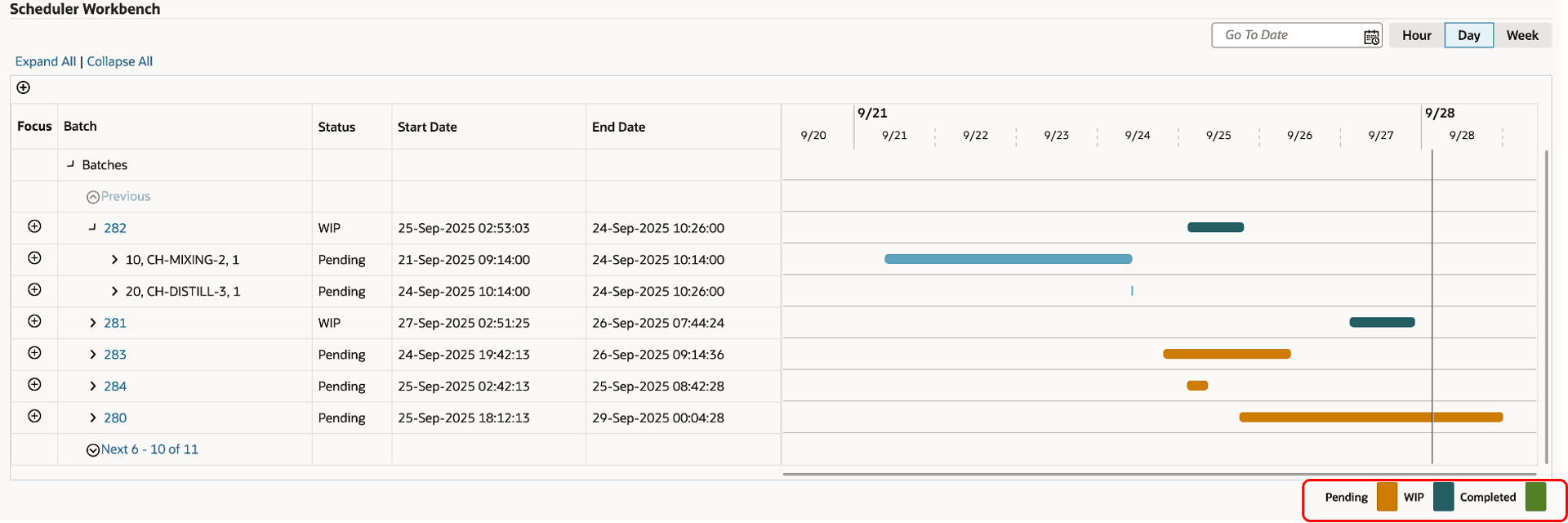
- Evaluate batches, activities, and resources using color-coded statuses for WIP, Pending, and Completed.
- View batch order summaries in smaller groups per page for improved navigation.
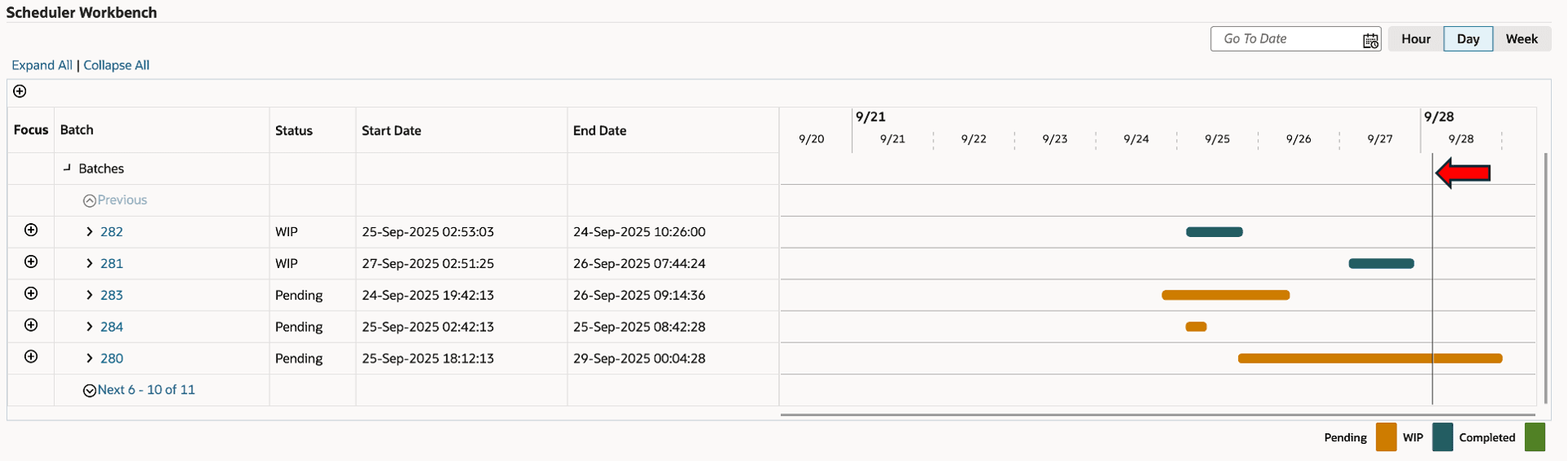
- Display the current date in each view.
- Collapse the Filter Criteria section to increase the visibility of the Gantt chart.
The unified Production Scheduler interface streamlines batch and resource management by consolidating all essential information within a single view.
Combined Gantt and Resource Load Interface
Resource Load view
Batch Activity with color-coded statuses
Current Time Marker
Steps to enable and configure
You don't need to do anything to enable this feature.
Key resources
- Oracle E-Business Suite News and Information: oracle.com/ebs
- Oracle E-Business Suite Product Documentation: https://docs.oracle.com/cd/E26401_01/index.htm
- Oracle University: https://www.oracle.com/education
- Oracle Support: https://www.oracle.com/support