View Revised Operations and Resources in Change Orders Dashboard
You can now use the Change Orders dashboard results tables to view revised operations and revised resource details for change orders. This enhancement expands change order analysis beyond revised items and components to include routing-related operation and resource changes.
You can also use the Where Used action in the Revised Operations and Revised Resources results table to visualize specific operation or resource usage across routings in the Routing Explorer dashboard.
In the Revised Items table, use the view Routing action link to view routing details in the Routing Explorer network diagram.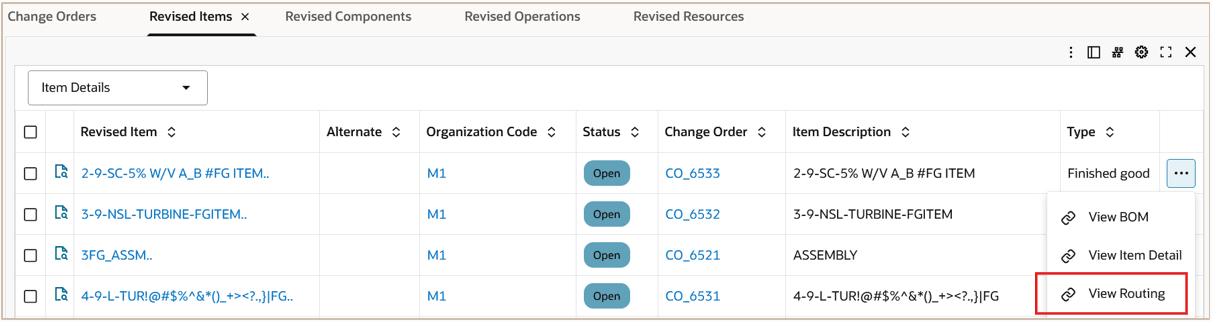
In the Revised Operations table, view routing operations that have pending changes in a change order. Use the Where Used action link to find where the operation is used in the Routing Explorer network diagram.
In the Revised Resources table, view operation resources that have pending changes in a change order. Use the Where Used action link to find where the resource is used in the Routing Explorer network diagram.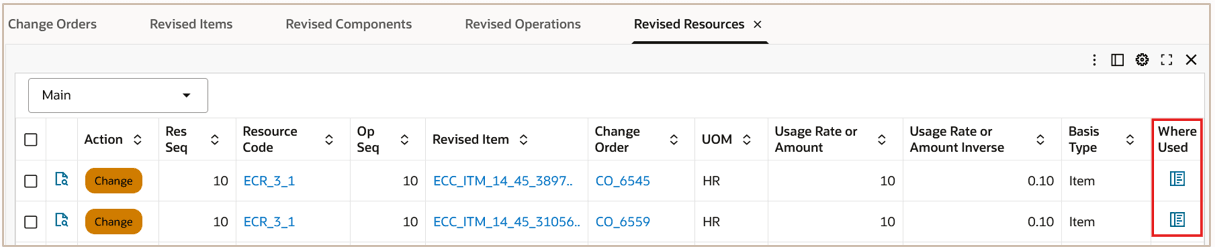
Prior to release, these revised operations and revised resource details were not available from the Change Orders Dashboard.
Steps to enable and configure
Ensure Oracle Enterprise Command Center Framework Release 12.2 V14 or later is available for this functionality and complete the following setups to enable the Bills of Materials Command Center: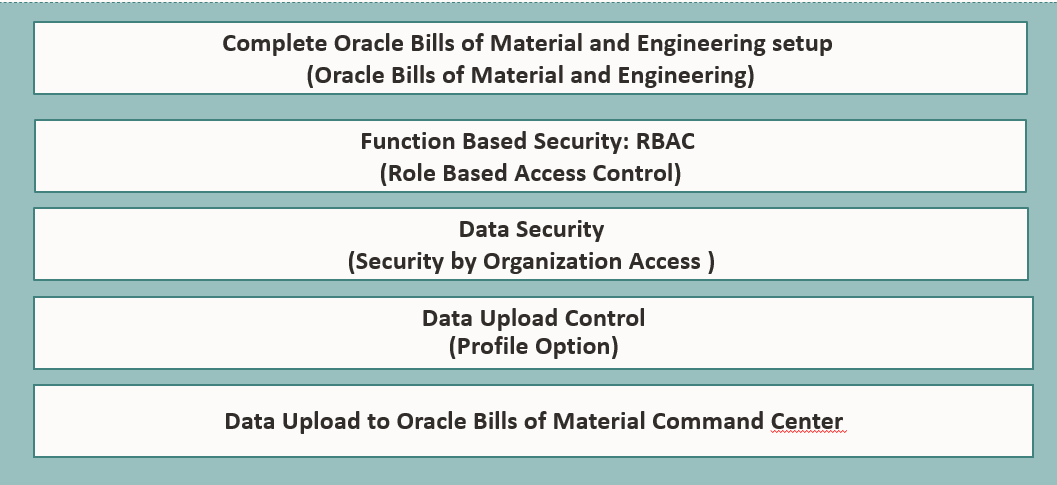
Tips and considerations
- Use revised operation and revised resource details when change order impact includes manufacturing routing changes.
- Use Where Used to validate how a specific operation or resource is used across routings before approving or implementing change orders.
Key resources
- Oracle Bills of Material User's Guide:
- Chapter: Oracle Bills of Material Command Center
- Topic: Routings Dashboard
- Chapter: Oracle Bills of Material Command Center
- Oracle Engineering User's Guide
- Oracle E-Business Suite User's Guide:
- Chapter: Enterprise Command Centers
- Topic: Overview of Oracle Enterprise Command Center
- Chapter: Enterprise Command Centers
- R12.2.14+ TOI: Implement and Use Bills of Material - Oracle Bills of Material Command Center