View Resource Instances in Work Order Execution Track and Trace
You can now use the Discrete Command Center's Work Order Status dashboard to view resource instance information using the Resource Instances results table.
In the Work Order Status dashboard, select the Resource Instances tab: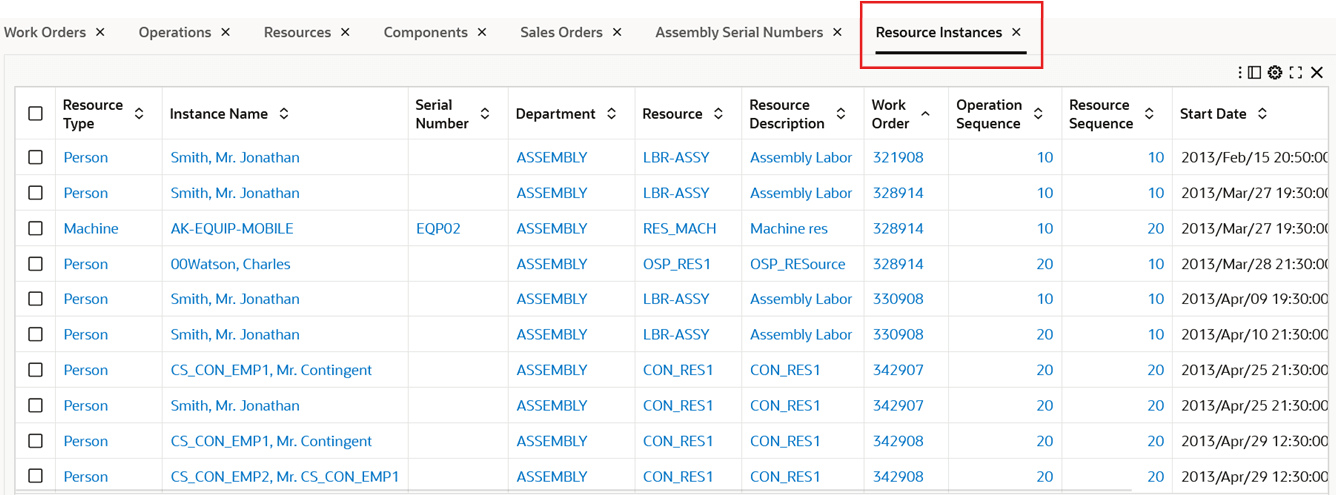
View the following information for resource instances:
- Resource type
- Instance name
- Serial numbers
- Department
- Resource
- Resource description
- Work order
- Operation sequence
- Start date
- Completion date.
You can also view resource instance as separate nodes for the Machine and Person type resources in the Work Order Execution Track & Trace network diagram.
In the Work Orders results table, select Track Execution for a work order.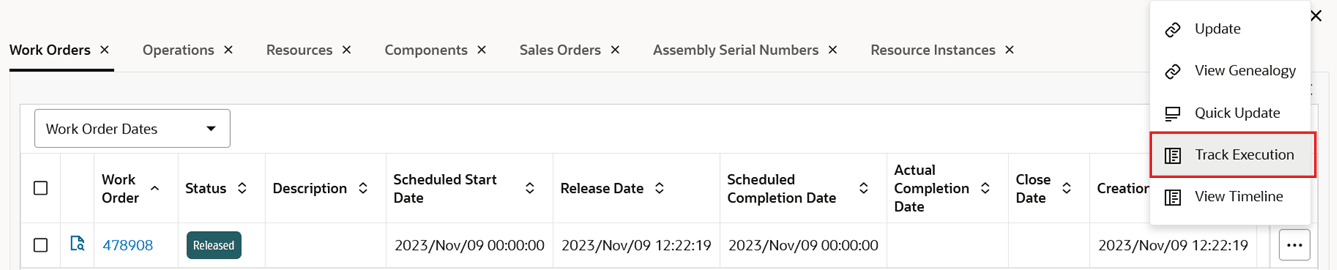
View the Machine and Person type resource nodes on the Work Order Execution Track & Trace network diagram: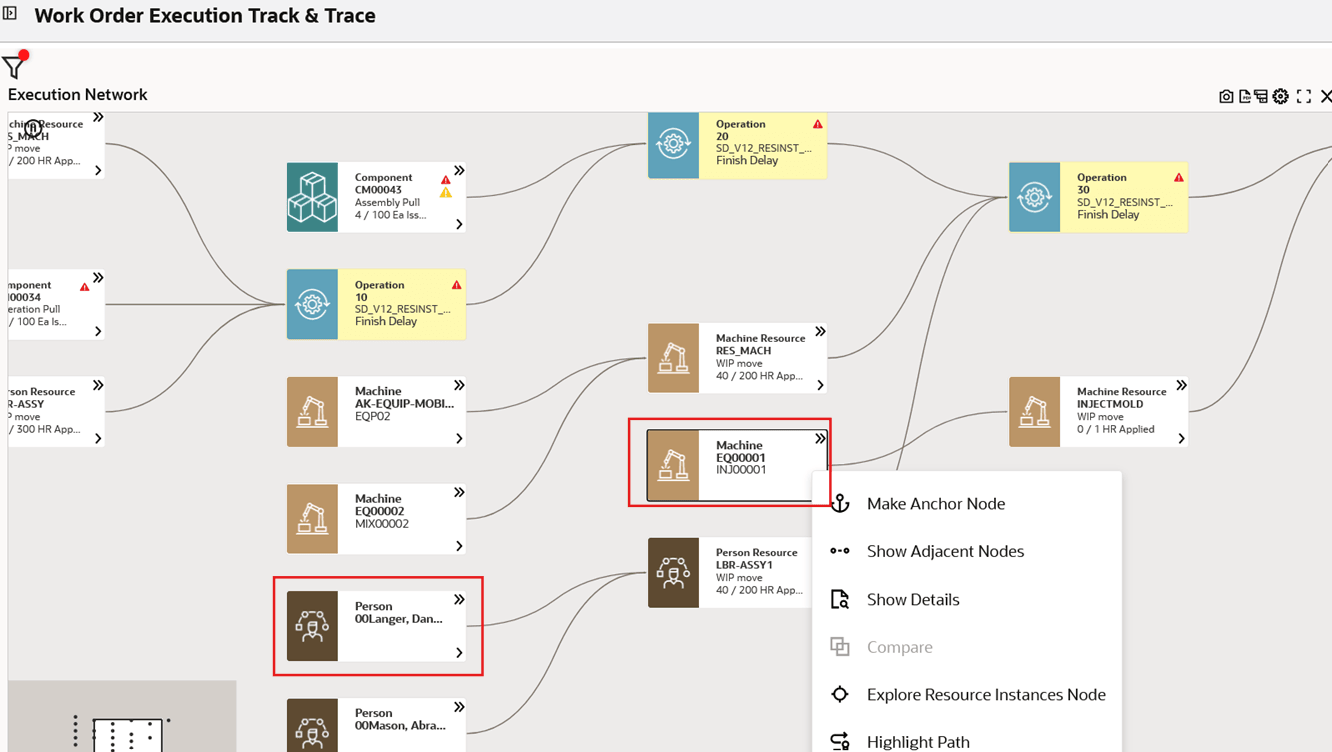
Steps to enable and configure
Ensure Oracle Enterprise Command Center Framework Release 12.2 V12 or later is available for this functionality and complete the setups to enable the Discrete Manufacturing Command Center.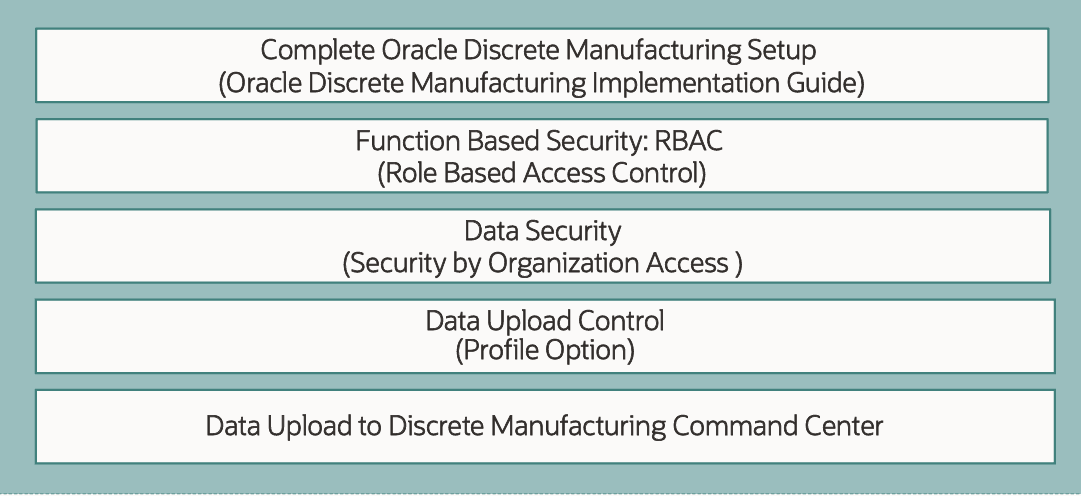
Key resources
- Oracle Work in Process User's Guide:
- Chapter: Oracle Discrete Manufacturing Command Center
- Topic: Work Order Status Dashboard
- Chapter: Discrete Manufacturing Command Center Setup
- Topic: Setting Up Discrete Manufacturing Command Center
- Chapter: Oracle Discrete Manufacturing Command Center
- R12.2.13+ TOI: Implement and Use Discrete Manufacturing - Oracle Discrete Manufacturing Command Center