Transaction Schedule Exceptions Dashboard
The Transaction Schedule Exceptions Dashboard is now available as part of the Risk Monitor dashboard.
The former Overview dashboard is renamed as the Project Schedule Exceptions dashboard and also available as part of the Risk Monitor dashboard.
The Risk Monitor dashboard enables a project manager or a shopfloor supervisor to monitor and address issues across project sales orders, project contract deliverables, work orders, and purchase orders and is comprised of the following dashboards:
- Transaction Schedule Exceptions Dashboard
- Project Schedule Exceptions Dashboard
The Transaction Schedule Exceptions Dashboard helps you to monitor and resolve schedule exceptions for project sales orders, contract deliverables, work orders, and purchase orders. The dashboard highlights overdue and at-risk exceptions, summarizes exception counts by time bucket, and supports focused review of transactions whose dates fall outside the associated project or task start and completion dates.
You can view sales order lines and project contract deliverables by alert or shipment schedule and project: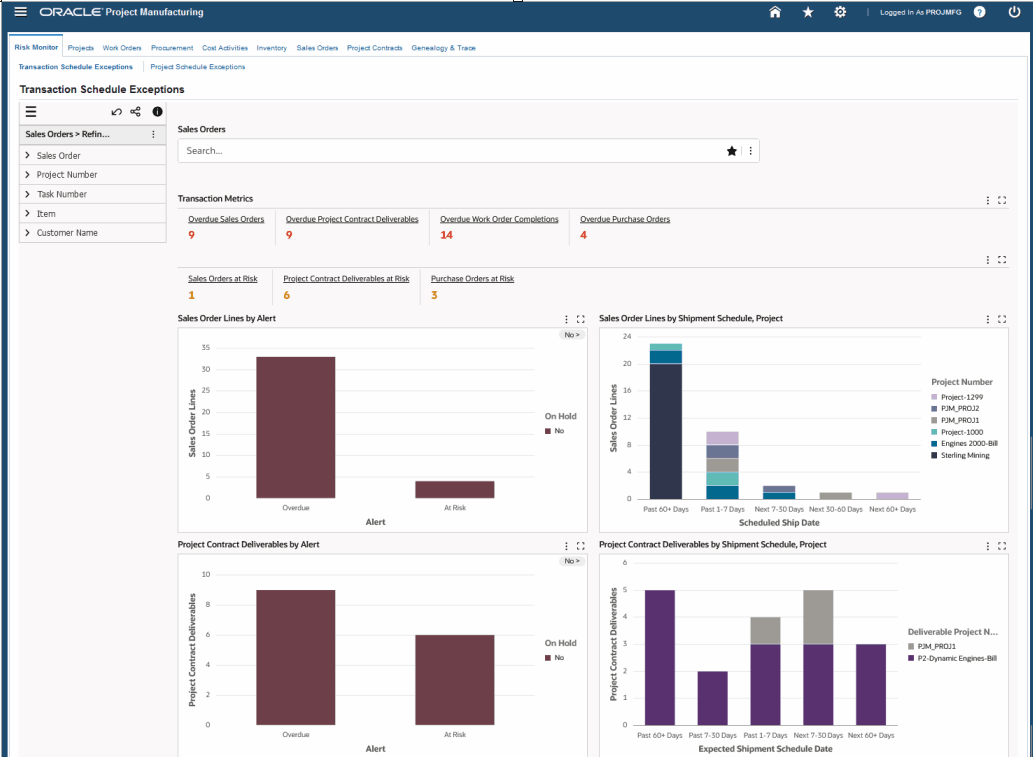
You can view work orders by status and by completion schedule and project. You can also view purchase orders by alert and purchase order distribution by need-by date and project: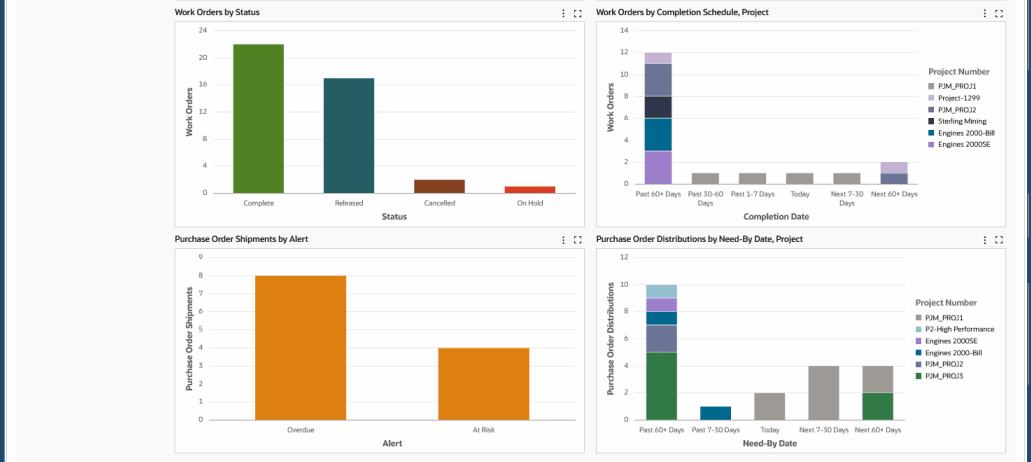
You can also view detailed information for Sales Order Lines, project contract deliverables, work orders, and purchase order distributions in the results tables: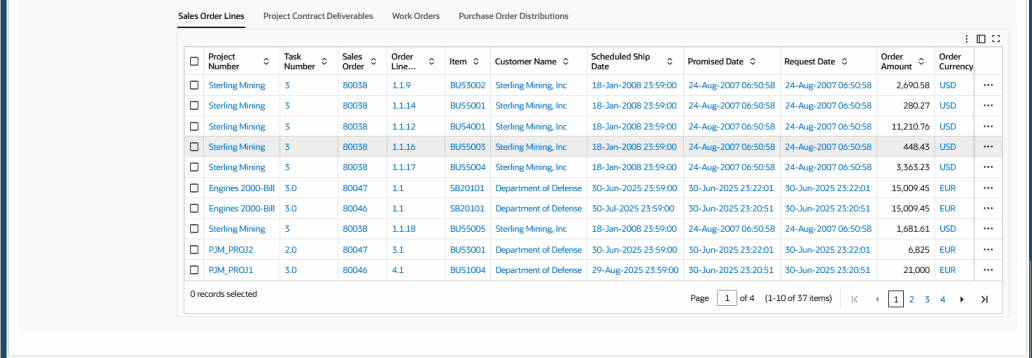
The Transaction Schedule Exceptions Dashboard:
- Highlights overdue and at-risk project manufacturing transactions across sales orders, contract deliverables, work orders, and purchase orders.
- Supports proactive resolution of transactions that fall outside project or task date ranges.
Steps to enable and configure
Ensure Oracle Enterprise Command Center Framework Release 12.2 V14 or later is available for this functionality and complete the following setups to enable the Project Manufacturing Command Center: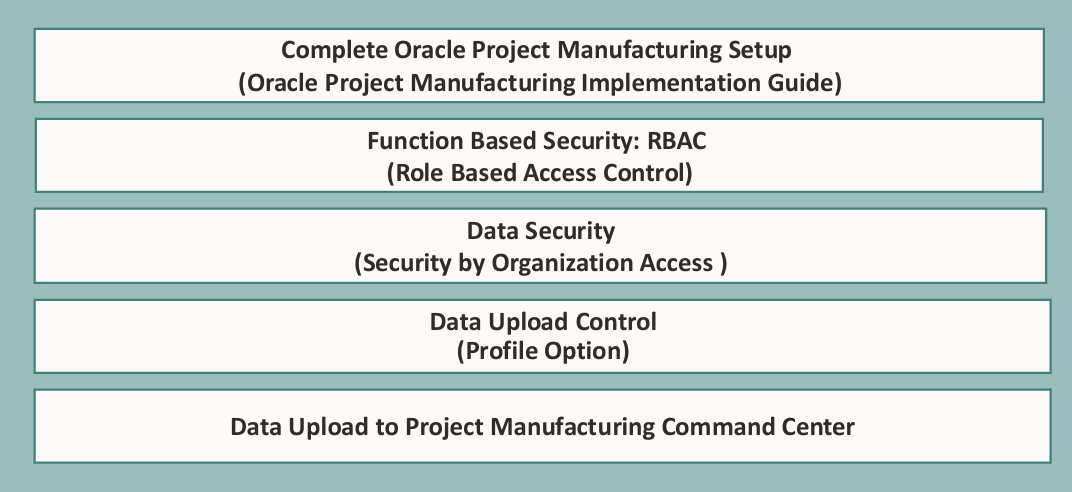
Tips and considerations
- Use project and task date maintenance practices because the dashboard identifies transactions outside those date ranges.
- Separate overdue exceptions from at-risk exceptions during business review so teams can prioritize immediate recovery work before future risk.
Key resources
- Oracle Project Manufacturing User's Guide:
- Chapter: Project Manufacturing Command Center
- Topic: Risk Monitor Dashboard
- Chapter: Project Manufacturing Command Center
- Oracle Project Manufacturing Implementation Guide:
- Chapter: Project Manufacturing Command Center Setup
- Topic: Oracle Project Manufacturing Command Center Setup
- Chapter: Project Manufacturing Command Center Setup
- Oracle E-Business Suite User's Guide:
- Chapter: Enterprise Command Centers
- Topic: Overview of Oracle Enterprise Command Center
- Chapter: Enterprise Command Centers
- R12.2.14+ TOI: Implement and Use Discrete Manufacturing - Oracle Project Manufacturing Command Center